Question

How to Activate My Team

  • January 21, 2026
  • 13 replies
  • 62 views

Forum|alt.badge.img

I have a user who manages a team, Ive added their direct reports. However I am not sure how to activate the My team button. I can login to this user and do not see where they can manage their team. Any help?

13 replies

Hi Ryan,

To enable the My Team feature, you have to add the page to the menu that the user belongs to - only users that are managers will be able to see it, so don’t worry about creating a new menu type.

Once you’ve enabled that, when you log in as the manager user, you should see the My Team page and be able to leverage that functionality.


Forum|alt.badge.img
  • Author
  • Novice II
  • January 21, 2026

Hi Ryan,

To enable the My Team feature, you have to add the page to the menu that the user belongs to - only users that are managers will be able to see it, so don’t worry about creating a new menu type.

Once you’ve enabled that, when you log in as the manager user, you should see the My Team page and be able to leverage that functionality.


Thanks for the information, I am on manage pages and I see My Team but over where there is a green checkmark it will not allow me to publish My Team..


lrnlab
Hero III
Forum|alt.badge.img+10
  • Hero III
  • January 21, 2026

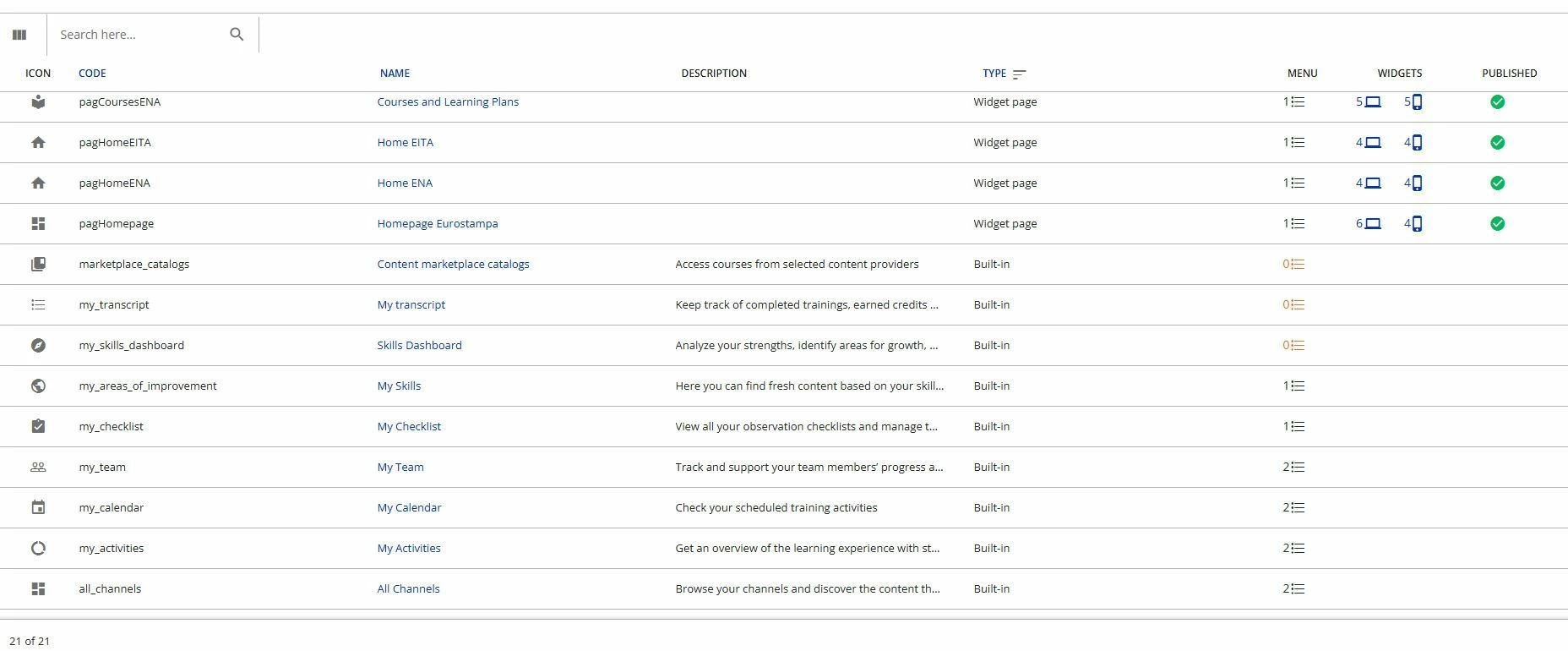
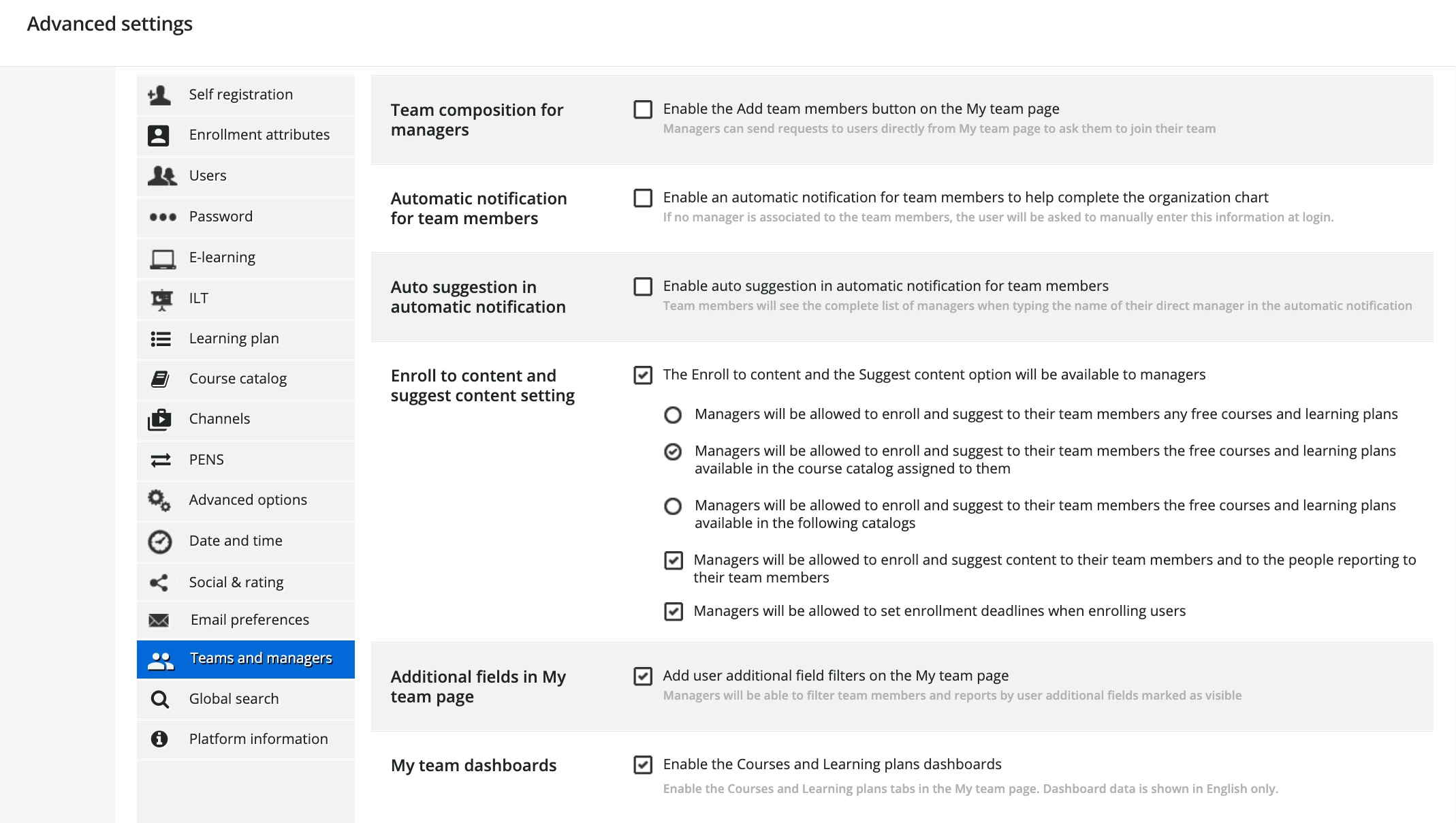
You cannot modify built-in pages. You only need to add it your menus. Note that this page is dynamic and will only appear to a user who has direct reports. those that do not will not the page even if it’s in their menu. Also check the settings under Advanced Settings > My Team and Managers to set your preferences, etc.


https://help.docebo.com/hc/en-us/articles/360020082000-Setting-up-My-team-as-a-Superadmin


Forum|alt.badge.img
  • Author
  • Novice II
  • January 23, 2026

You cannot modify built-in pages. You only need to add it your menus. Note that this page is dynamic and will only appear to a user who has direct reports. those that do not will not the page even if it’s in their menu. Also check the settings under Advanced Settings > My Team and Managers to set your preferences, etc.


https://help.docebo.com/hc/en-us/articles/360020082000-Setting-up-My-team-as-a-Superadmin


Could you help me understand how to add it to the menu. I have already created a user who manages a team and added them as his team. Now its a matter of understanding how to add the feature to the menu. Where can the user go once added to see this feature? Will they be able to view their current and pending trainings?


ZohairKhan
Novice II
  • Novice II
  • January 25, 2026

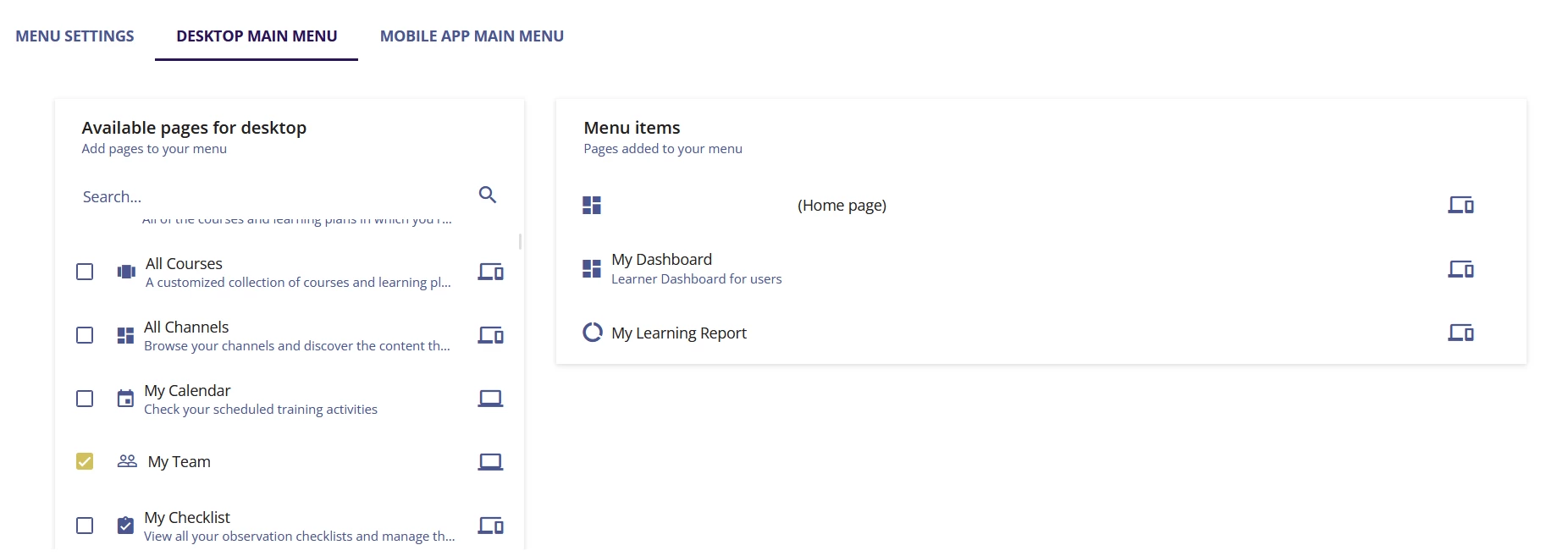
@ryanmalott To add the Managers / My Team page to the menu:

  1. Go to Admin Menu → Settings → Manage Menus.

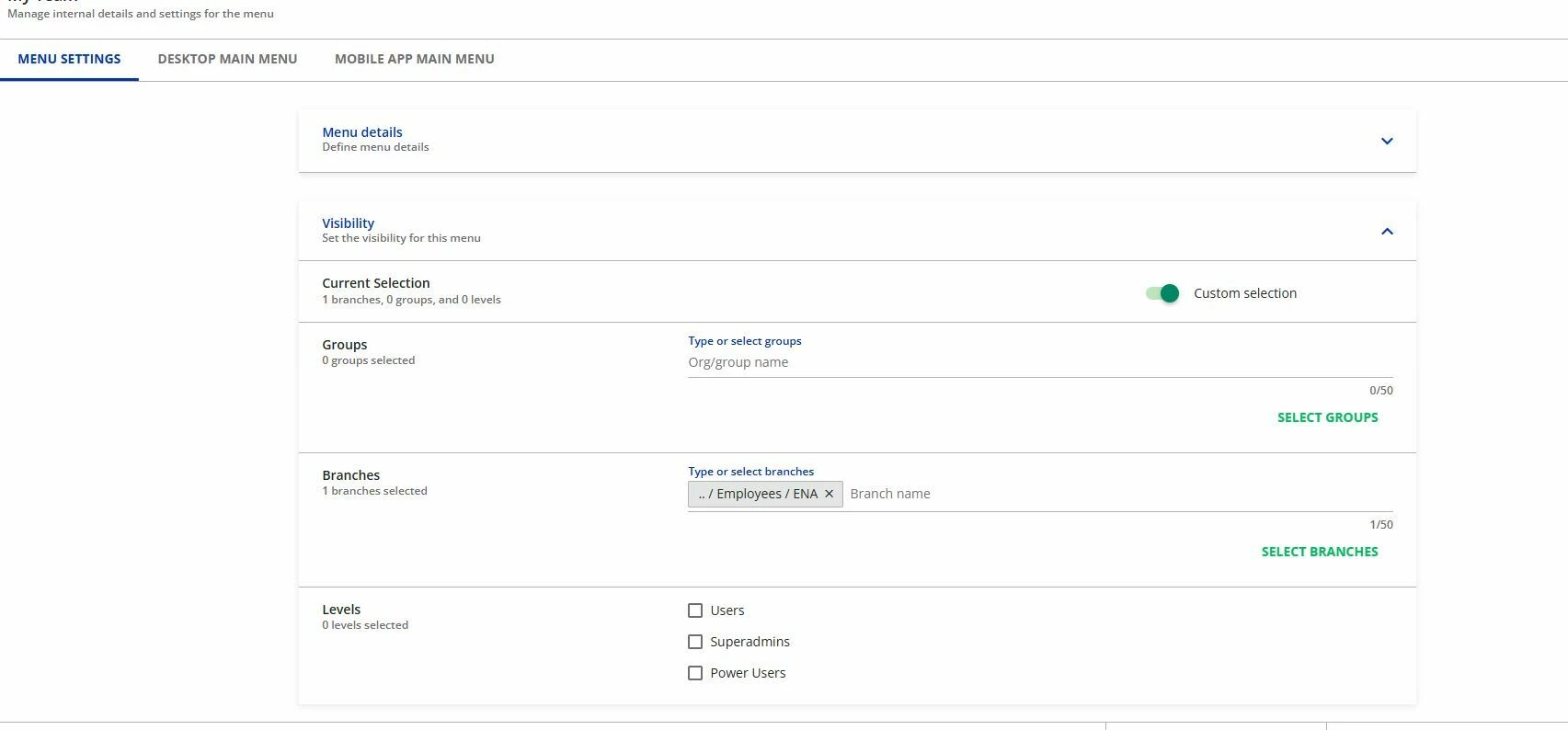
  2. If you have multiple menus, make sure you select the menu that is visible to your managers (this is usually the tricky part).

  3. Inside the menu settings, scroll or search for My Team under Available pages, select it, and click Add Pages.


lrnlab
Hero III
Forum|alt.badge.img+10
  • Hero III
  • January 26, 2026

As mentioned, you can add this page to all your menus and it will only appear for those who have direct reports. Alternatively, like with any other page, you can also create a custom button (custom content box widget) to link to that page if you prefer not to add it your menus. With this option you need to make sure it is on a page for managers only as a user would get a 403 error (permissions error)..


Forum|alt.badge.img
  • Author
  • Novice II
  • January 27, 2026

Here is where I am. Being a superadmin am I able to login as the user to be able to see if this works? I have set it us as is but logged in as a user who has been set as “manages a team” and Ive added his team but cannot see anything yet.


lrnlab
Hero III
Forum|alt.badge.img+10
  • Hero III
  • January 27, 2026

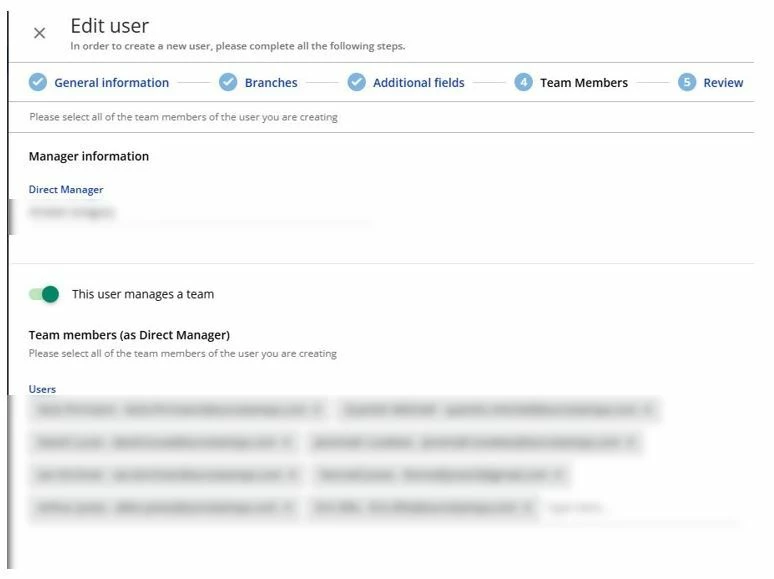
Under user management, do you have users aligned to this manager? they need to have at least 1 user reporting to them for the page to load. It’s under the team Member tab on the user profile.


Forum|alt.badge.img
  • Author
  • Novice II
  • January 27, 2026

Under user management, do you have users aligned to this manager? they need to have at least 1 user reporting to them for the page to load. It’s under the team Member tab on the user profile.

Yes, I have their direct manager and also their direct reports. Where exactly will the manager go to view this? What all will they be able to see?


lrnlab
Hero III
Forum|alt.badge.img+10
  • Hero III
  • January 27, 2026

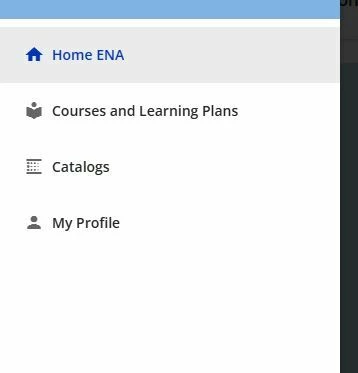
OK so with that set-up you can login as that manager (or impersonate them) and they should now see the My Team page in the left menu. This page only appears to managers with direct reports so even if you add it to your menus, a regular user with no direct reports will not see or access it.


Forum|alt.badge.img
  • Author
  • Novice II
  • January 27, 2026

OK so with that set-up you can login as that manager (or impersonate them) and they should now see the My Team page in the left menu. This page only appears to managers with direct reports so even if you add it to your menus, a regular user with no direct reports will not see or access it.

When impersonating this user, the “my team” menu does not appear.


lrnlab
Hero III
Forum|alt.badge.img+10
  • Hero III
  • January 27, 2026

are you impersonating a user or  the manager? if it’s the same person that appears in the Direct Manager field it should appear from what you provided. If it does not, you may need to contact support to ask about this.


ZohairKhan
Novice II
  • Novice II
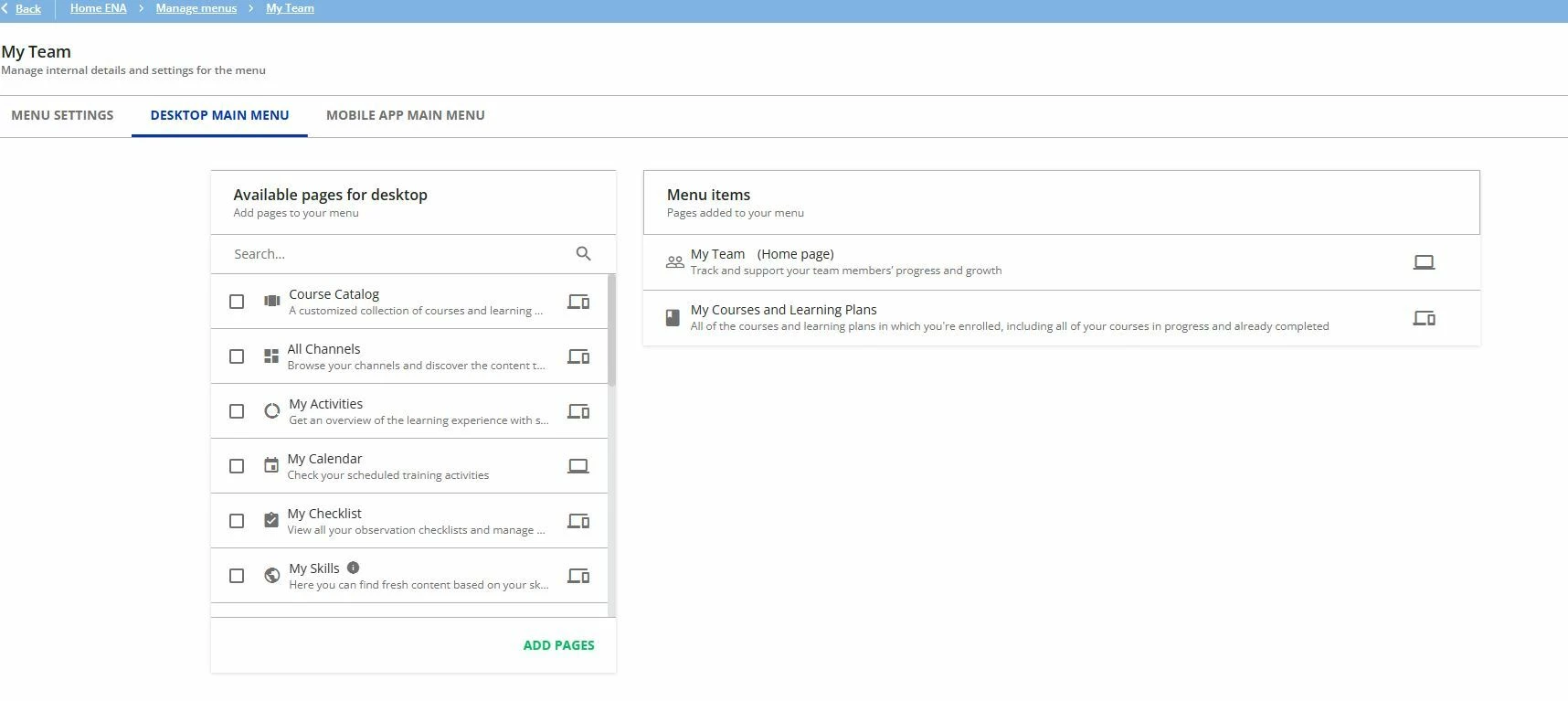
  • January 28, 2026

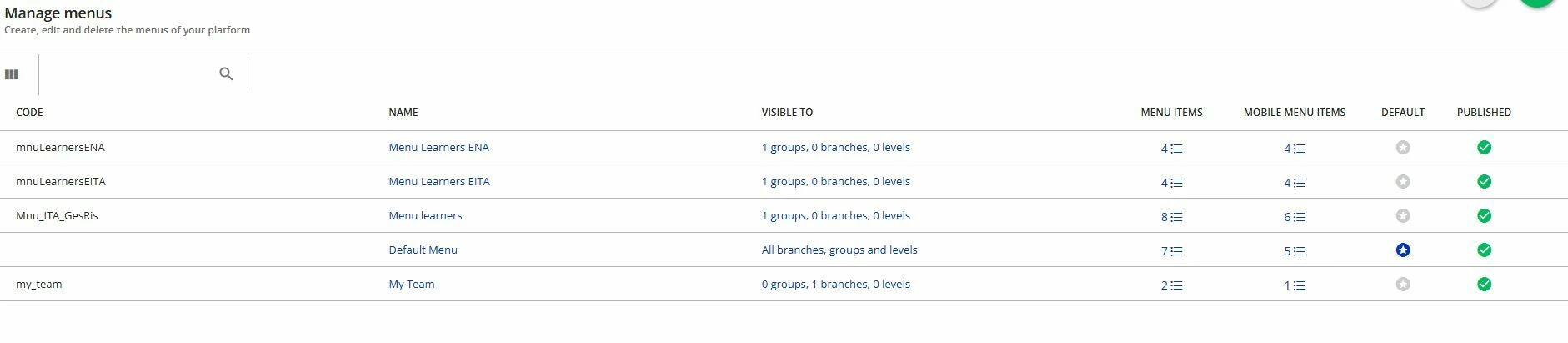
@ryanmalott drag the my_team menu above your default menu from the left as shown here: