Answer

How to Create Learning Plan Notifications for Managers

  • May 29, 2025
  • 3 replies
  • 151 views

Amf7796
Novice I

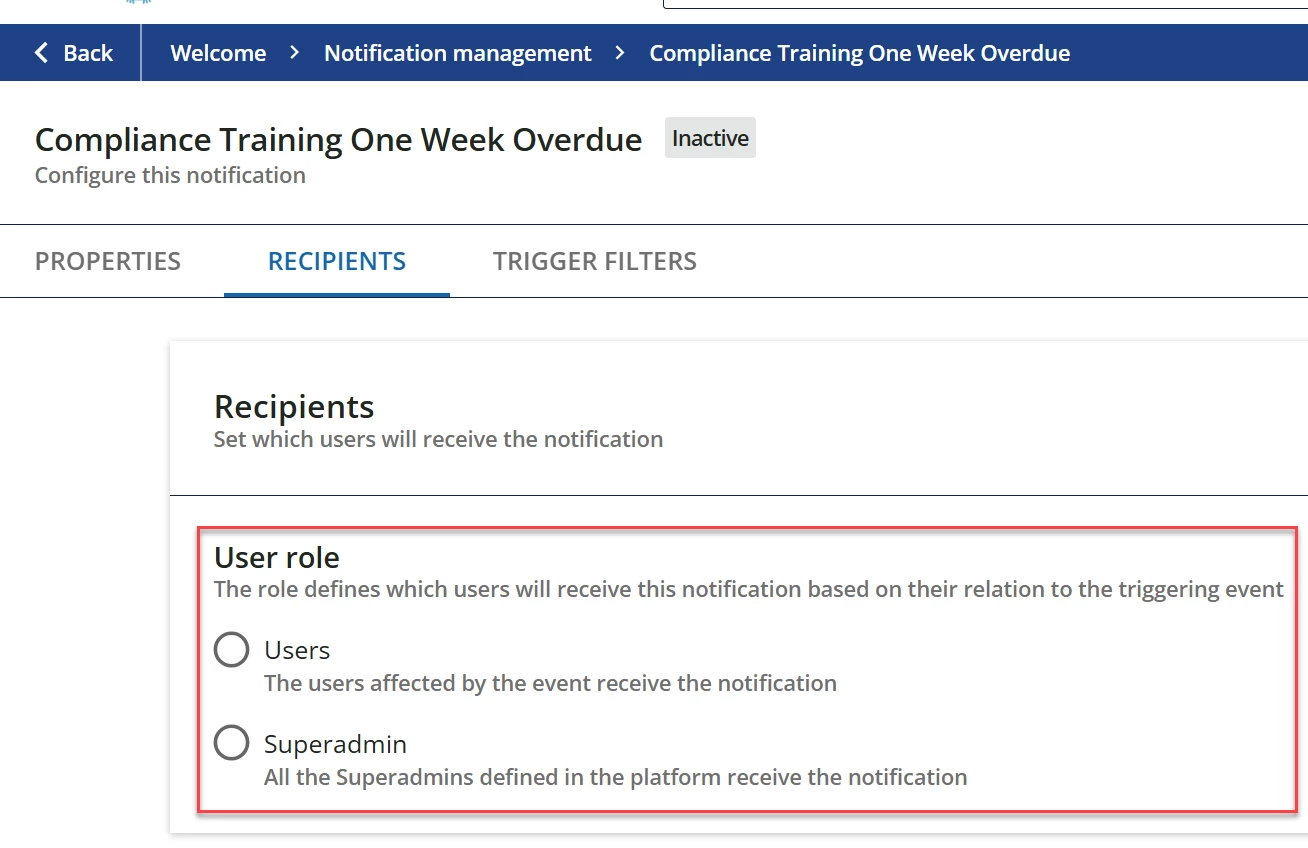
If a user is overdue on their Learning Plan, how can I set up notifications to alert their manager? The only recipient options are either Users or Superadmins. 


Best answer by lrnlab

Only option I can think of would be to use the course version which can be sent to managers. You can also ask your managers to visit their My Teams page to find anyone who may have overdue learning requirements. Managers can pull reports on the LPs there as well.

3 replies

lrnlab
Hero III
Forum|alt.badge.img+10
  • Hero III
  • Answer
  • May 30, 2025

Only option I can think of would be to use the course version which can be sent to managers. You can also ask your managers to visit their My Teams page to find anyone who may have overdue learning requirements. Managers can pull reports on the LPs there as well.


Amf7796
Novice I
  • Author
  • Novice I
  • May 30, 2025

These are great recommendations! I had our weekly meeting with the rep that is onboarding us and he had the same recommendations. Thank you for your help!


memassey
Novice II
Forum|alt.badge.img
  • Novice II
  • June 4, 2025

This might be the same direction you are going, but this was an issue for us as well. We have used the final course in our learning plans to set the due date, so the notifications are triggered from that course. We also set all other courses in the learning plan to be prerequisites, which forces the course with the due date to be completed last. For our recent learning plans, we have created that final course as a wrap up, short video which signals to the learner that it is the last course to complete the learning plan.