

Question

Is there a way to change the Enrollment Priority Verbiage?

  • November 20, 2025
  • 3 replies
  • 24 views

truffino
Novice III
Forum|alt.badge.img

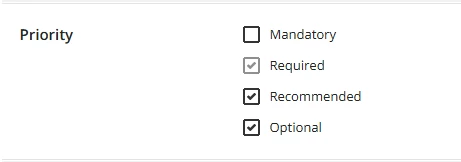
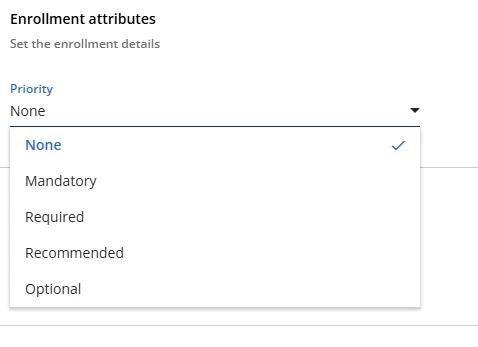
We would like to start using the Enrollment Priorities to highlight our compliance training (and make it easier to find). The current options under enrollment priorities are Mandatory, Required, Recommended, and Optional. 


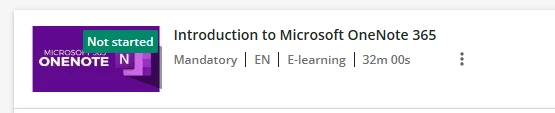
The problem with using Mandatory is that with the new learning plan structure (mandatory vs optional), any required course in an assigned learning plan already lists the word as Mandatory on their courses. This has led to an influx of panicked employees coming to me worried that they won’t complete their “Mandatory” training in time (which is mandatory to complete the learning plan, but not mandatory in terms of our compliance training). This also makes me hesitant to use the word mandatory as an enrollment priority option. 


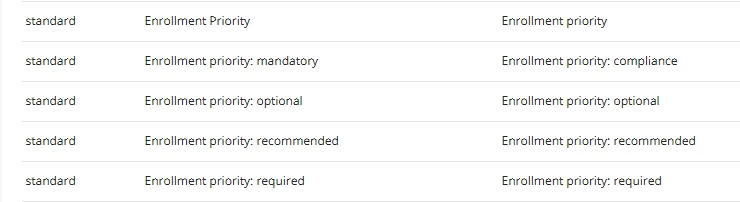
I’m looking for a way to change the Enrollment Priority verbiage from Mandatory to Compliance (or something similar), to both avoid confusion and to make it clear which courses need to be completed. While we are already using due dates, a lot of assigned courses use due dates that aren’t compliance. I have already tried to change it in the localization tool; however it was still showing up as Mandatory when I tested it. We would like to utilize a separate field away from required, since we also have some required training that’s not compliance training, but mandatory won’t work.


Anyone else running into this issue? How did you fix it? 

3 replies

lrnlab
Hero III
Forum|alt.badge.img+10
  • Hero III
  • November 20, 2025

you should be able to do that with the Localization app.

https://help.docebo.com/hc/en-us/articles/360020084500-Managing-the-localization-tool-and-platform-languages

if you do make changes, please be sure to test thoroughly to make sure they only apply to those areas you want to see things changed and I suggest you keep a log of the label changes.


truffino
Novice III
Forum|alt.badge.img
  • Author
  • Novice III
  • November 20, 2025

you should be able to do that with the Localization app.

https://help.docebo.com/hc/en-us/articles/360020084500-Managing-the-localization-tool-and-platform-languages

if you do make changes, please be sure to test thoroughly to make sure they only apply to those areas you want to see things changed and I suggest you keep a log of the label changes.


The localization tool isn’t working for this. Even after I changed the verbiage to Compliance, it still shows up as Mandatory both in the Advanced Settings and in the Enrollment options.


I double checked the assignment verbiage just to see if it changes to Compliance, but it still comes up as Mandatory.


lrnlab
Hero III
Forum|alt.badge.img+10
  • Hero III
  • November 21, 2025

@truffino you likely haven't found the correct label. Found the correct one for “Mandatory”. there are a few so make sure to search and test all places where the word “Mandatory” appears to be sure you caught them all.

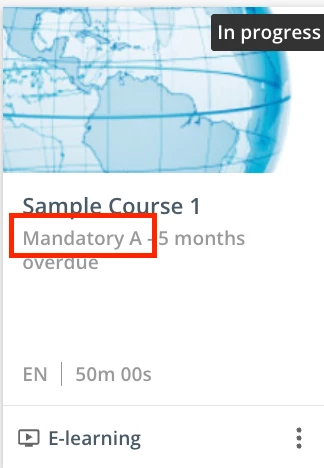
I usually add a letter or number to test and confirm I have the correct label - see below (added an “A” to the text to se where it appears)


make sure to search for the others you’d like to change under the “standard” module group