Answer

Is there a way to edit the Course Catalog Widget Calendar?

  • January 7, 2022
  • 23 replies
  • 754 views

Brody40
Novice II
Forum|alt.badge.img

I’ve created a course calendar with the course widget, showing all of our training opportunities. Is there a way to color code it? So far all of the courses are purple.

Thanks!

Best answer by gstager

If you wanted to change the tags from purple to red, for example, give this a shot in your Branding and Look area for Custom CSS

/** Change Color of Calendar Event Tag **/

.docebo-calendar .cal-month-view .cal-days-events .cal-event {
background-color: rgb(255, 0, 0) !important;
}

Let me know if that works for you.

23 replies

lrnlab
Hero III
Forum|alt.badge.img+10
  • Hero III
  • January 7, 2022

Hi @Brody40 not as far as I know..it’s all purple for me as well.


gstager
Hero III
Forum|alt.badge.img+8
  • Hero III
  • Answer
  • January 7, 2022

If you wanted to change the tags from purple to red, for example, give this a shot in your Branding and Look area for Custom CSS

/** Change Color of Calendar Event Tag **/

.docebo-calendar .cal-month-view .cal-days-events .cal-event {
background-color: rgb(255, 0, 0) !important;
}

Let me know if that works for you.


Brody40
Novice II
Forum|alt.badge.img
  • Author
  • Novice II
  • January 7, 2022

@gstager That worked! All of the calendar tags turned red. Thanks so much for taking the time Greg. 

Would there be a way to use key phrases to trigger different colors? For instance, having any event that said “New Hire Orientation” be green?

Thanks!


gstager
Hero III
Forum|alt.badge.img+8
  • Hero III
  • January 7, 2022

Glad that worked out.

I think things get a bit more tricky if you want to have multiple colors going on.
I didn’t have any events at all in my calendar so I had to make one to poke around with so now I have only one. I am only a month into my onboarding at this point. So I got a lot of bare bones, so to speak.

Do you currently have more than one color for various event types?

If you do, it would suggest that maybe it is possible.

I am more of a JavaScript guy who would have tried figuring something out with some conditional statements - but alas - that is not a tool available to me in Docebo.

I am not aware of a way to perform a check for specific text using CSS.

Perhaps there is a CSS expert who can help carry you further along with that one.


lrnlab
Hero III
Forum|alt.badge.img+10
  • Hero III
  • January 7, 2022

Thx @gstager but my thinking was not about just one colour...Would be great if we can have colours based on something like the Categories or perhaps specific tags, etc. Posted an idea on this today:


Brody40
Novice II
Forum|alt.badge.img
  • Author
  • Novice II
  • January 10, 2022

@gstager I see! Yeah currently all of my events, no matter what type they are, are all a singular color. However, I do enjoy the red more than the purple so I appreciate you helping out with that!


jbridges
Novice III
  • Novice III
  • January 13, 2022

@kferguson  we were just talking about this in order to show instructors the courses they are teaching for customers vs attending as an employee.  Looks like not possible but we can change the color from purple to our branded red - if we wanted to.  also see the idea mentioned above to upvote it. 


Sean
Influencer I
  • Influencer I
  • July 18, 2022

Thanks very much for this post @Brody40 and to @gstager for coming to the rescue.
I’ve tried implementing this change on our CSS, but I noticed a couple of odd things.

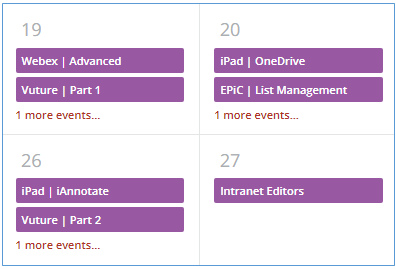
This is what the colours looked like originally in the Monthly View (wanted to move away from the purple too):

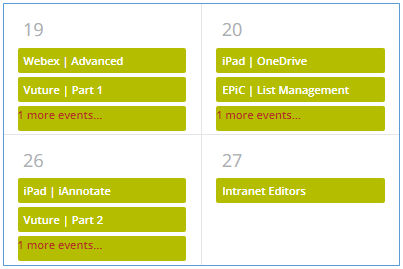
When I implemented the CSS it became this:

Don’t pay too much attention to the nasty green - it was just a test.  But notice that the “1 more events...” link at the bottom is also coloured here but not in the original.

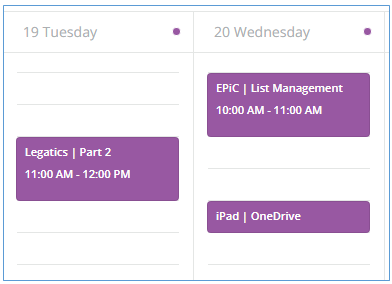
Also - when I switched to the Weekly view:

The purple is still there - grrrrr!


I tried playing around a bit with the CSS code to see if I could get it to change, but to no avail.

Does anyone have any suggestions as to what I need to do to get the colours the same in the Month and Week view and to not colour the ‘more events’ link in the Month view?

Thanks very much

Sean


gstager
Hero III
Forum|alt.badge.img+8
  • Hero III
  • July 18, 2022

@Sean 

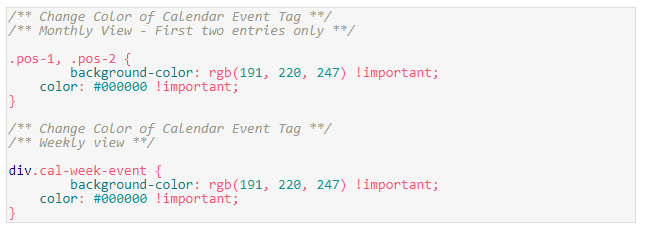
Perhaps something like this will work a bit better.

Give it a shot and let us know.

/** Change Color of Calendar Event Tag **/
/** Monthly View - First two entries only **/

.pos-1, .pos-2 {
background-color: rgb(191, 220, 247) !important;
color: #000000 !important;
}

/** Change Color of Calendar Event Tag **/
/** Weekly view **/

div.cal-week-event {
background-color: rgb(191, 220, 247) !important;
color: #000000 !important;
}


Sean
Influencer I
  • Influencer I
  • July 18, 2022

@gstager 

You are a miracle worker - Yes, yes YES!

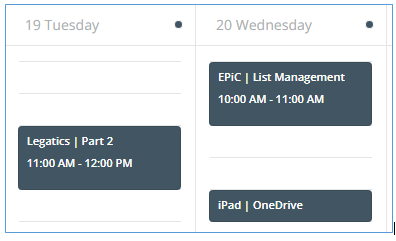
It really looks fabulous on both the monthly and weekly views now. 

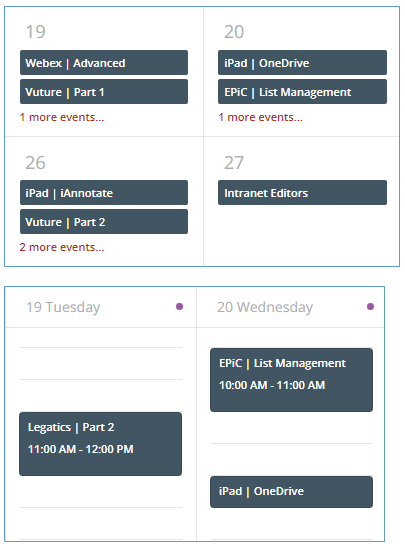
I’m not entirely sure how you get the codes for the elements that need changing, but it’s really amazing!  Here’s the month and week view now:

I’m not noticing that pesky purple dot that remains on the week day headings, I can live with that. 

We went for a charcoal colour with white text in the end - looks better than the green :-D

Thanks so much again for your help - very pleased!

Sean


gstager
Hero III
Forum|alt.badge.img+8
  • Hero III
  • July 18, 2022

@Sean 

Great to hear!

Let’s take care of that pesky balloon too…

Give this a shot.

/** Change the color of the little dot on weekly view **/

.cal-event-balloon {
background-color: rgb(191, 220, 247) !important;
}


Sean
Influencer I
  • Influencer I
  • July 18, 2022

@Sean

Great to hear!

Let’s take care of that pesky balloon too…

Give this a shot.

/** Change the color of the little dot on weekly view **/

.cal-event-balloon {
background-color: rgb(191, 220, 247) !important;
}


@gstager

Ha ha ha!  You clearly love a challenge eh!

Well done - success again :-)

All looking neat and matching now.

Thanks so much for your help - will try not to bother you for a bit now!

Cheers

Sean


gstager
Hero III
Forum|alt.badge.img+8
  • Hero III
  • July 18, 2022

Thanks so much for your help - will try not to bother you for a bit now!

No bother at all.

Glad to help.


  • Helper I
  • January 11, 2024

That’s brilliant. Thanks so much for providing.


Additionally, does anybody know if it’s possible to define the color per course? We have courses for different regions all over the planet so it would help a lot if we could easily visually identify where the course will be held. I can see the course detail is there, I’m just not sure how to target the element based on the course.


Forum|alt.badge.img
  • Novice I
  • March 7, 2024

Hi, thanks so much for this code.  That purple always made me shudder a little.

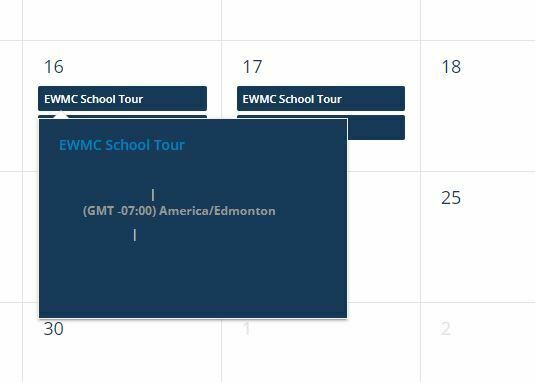
I know it’s been awhile since this first post was made, but I’ve found that when I click on the events in the monthly view, the background has been recoloured to dark as well.  This hides most of the text.  

Anyone have a solution to fix this?  This doesn’t seem to be a problem in the weekly view.

Thanks!


  • Helper I
  • March 11, 2024

Hi @JenWalsh. I’m probably not the best person to help here, but the only way I found to resolve this was to change the color of the whole thing, including the ‘more events’, instead of just the first two rows.

/** Change Color of Calendar Event Tag **/
/** Monthly View **/
.docebo-calendar .cal-month-view .cal-days-events .cal-event {
background-color: rgb(109, 203, 209) !important;
color: #000000 !important;
}

Let me know if you’re still stuck. I have a bunch of other calendar settings from different community chats that I’m using, but I’m pretty sure that’s the only one that affects what you’re looking at.


Forum|alt.badge.img
  • Novice I
  • March 12, 2024

Thanks for replying, Gus.  It’s didn’t help, unfortunately, so I just adjusted the background colour to a light grey with dark text.  This way it’s visible for the popup.  Appreciate your suggestion!


  • Novice III
  • June 26, 2024

Hi,


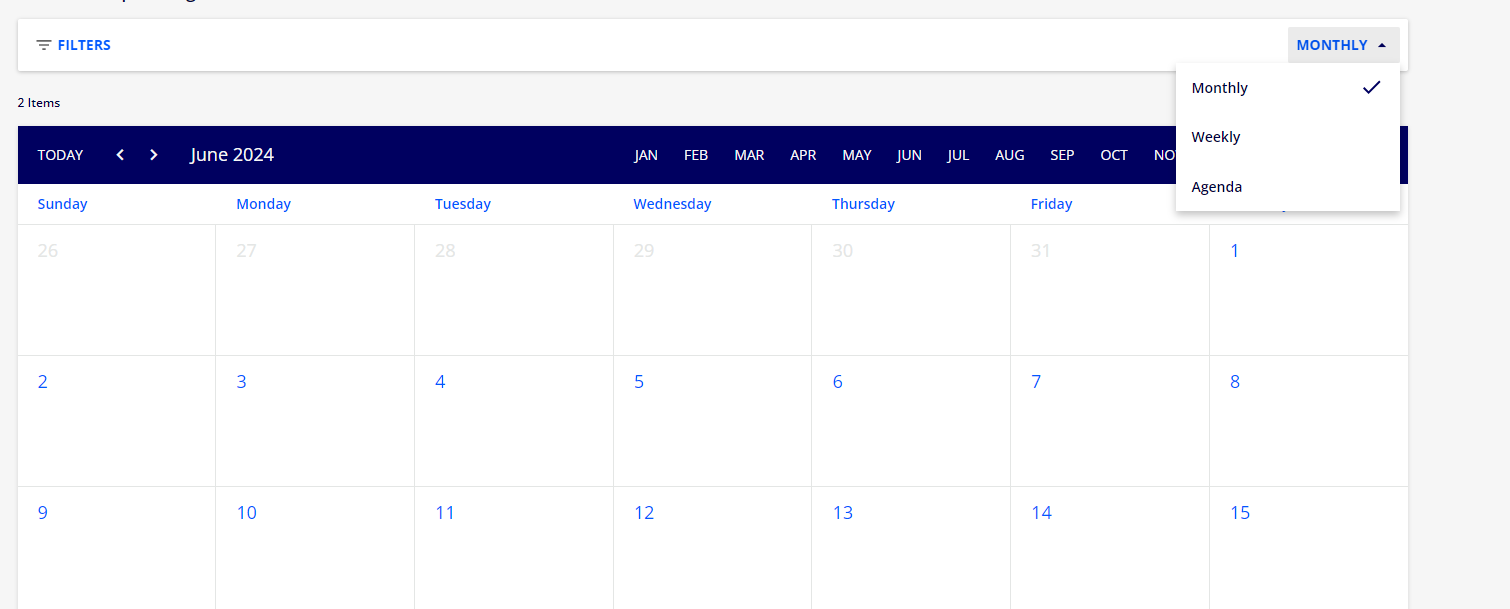
This is really awesome. I also have a question for you Docebo experts regarding using this as a sign up tool page for external clients. Does this work?


Also I think the best way to create this use case is if you can set the standard viewing of the catalog widget under agenda instead of monthly or weekly.


is this possible?


rgill29
Novice III
  • Novice III
  • September 20, 2024

Hi everyone, 

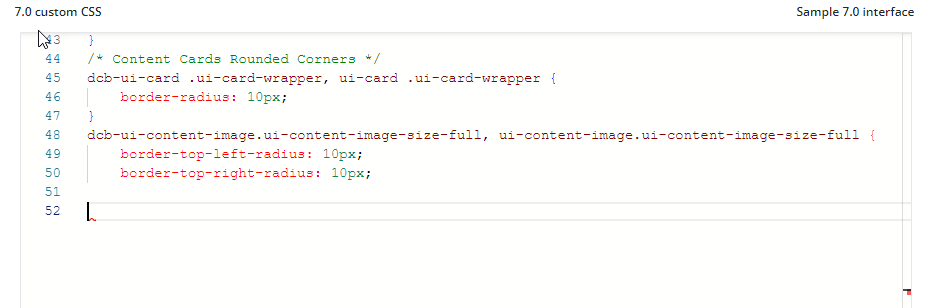
I am trying to get this to work on our platform to remove the purple but it isn’t working! I have other CSS that is working fine. Is there a delay in the changes showing up on the platform. I am using this from the thread: 

If I copy and paste it into the CSS box on line 52 below, do I need to add any other code to separate the CSS?

Hope you can help - I am desperate to remove the purple as it is not on brand! Thanks


gstager
Hero III
Forum|alt.badge.img+8
  • Hero III
  • September 20, 2024

It appears from the screenshot that you are missing the closing curly brace from the CSS above it.


rgill29
Novice III
  • Novice III
  • September 20, 2024

School boy error then! Thanks so much - working now! Just need to figure out the colours that are more visually pleasing now :)


Davefox
Helper III
Forum|alt.badge.img+3
  • Helper III
  • November 19, 2024

This is great information!!


KPIPG
Contributor I
  • Contributor I
  • March 22, 2025

Hi - 

Thank you this has been very helpful!

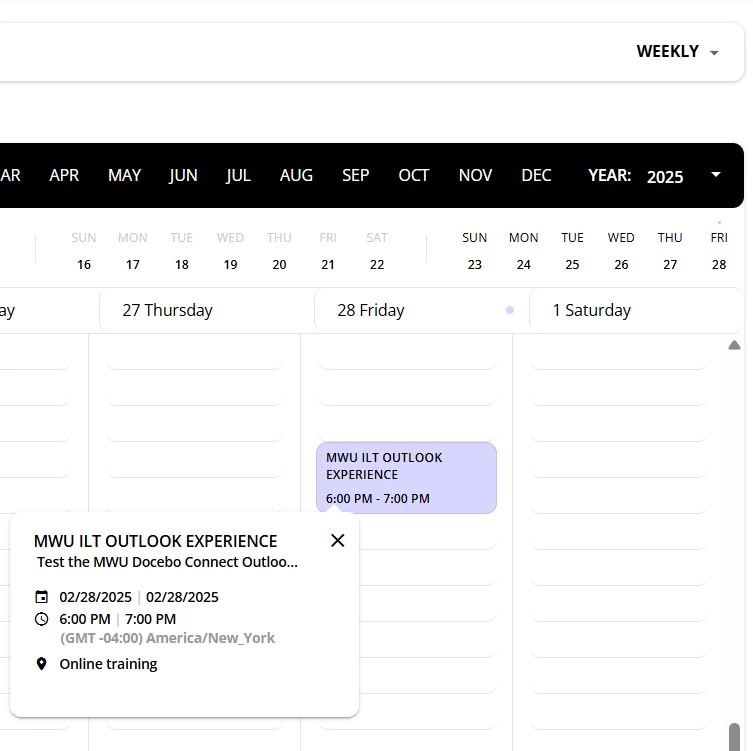
  1. In weekly view the 1st box color changed, but when I click it - the 2nd box opens in white, could you provide CSS to change this 2nd box please?
  1. Is there CSS to change the Catalog widget in calendar view
  • based on if you are enrolled (one color)
  • vs not enrolled? (different color)
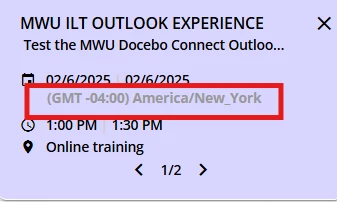
  1. Could you provide CSS to change the time zone color?


Thank you