

Answer

Notifying Team Members in My Team

  • July 10, 2025
  • 2 replies
  • 93 views

smallc
Helper I
Forum|alt.badge.img+3

Hello Wise Community,

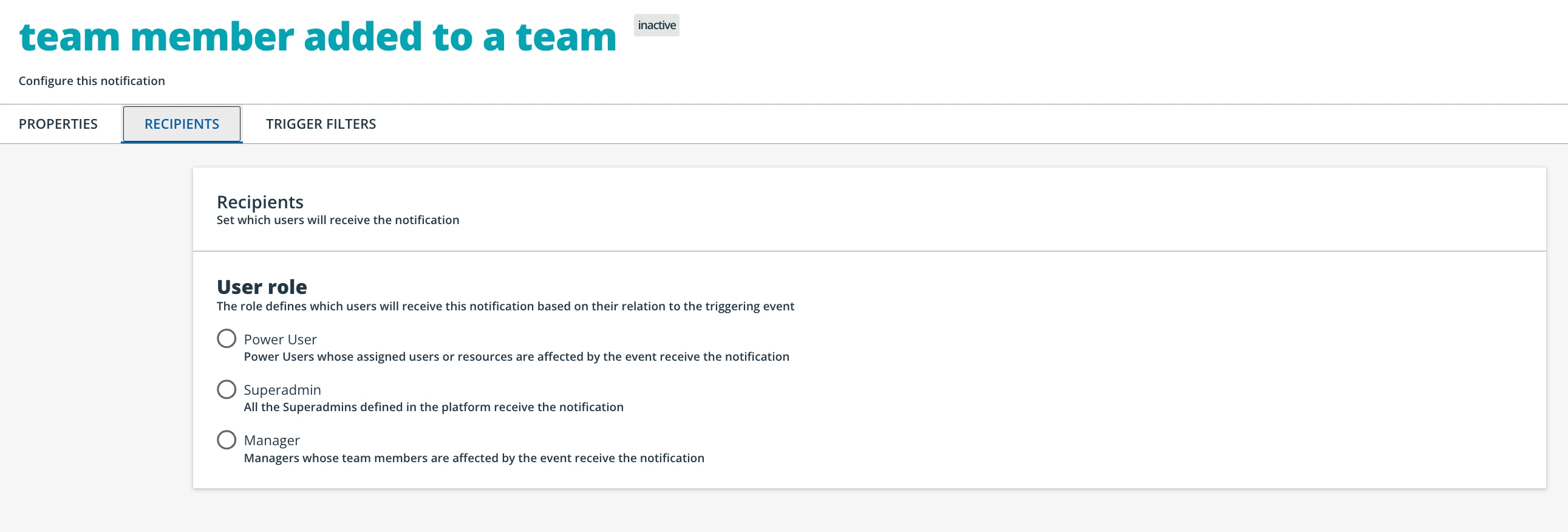
We’re rolling out My Team and would like to enable a notification that alerts users when they’ve been added to a team, prompting them to accept the pop-up invitation upon login. However, it seems this notification is only visible to managers, power users, and superadmins.

How are you all bridging the communication gap between facilitators and learners within My Team? Do you use digests? I’d love to see a notification that informs team members when their manager has enrolled them in an offering.

Thanks in advance for your insights!

Warmly,

Cat
 

Best answer by mstrom

Hi Catherine,

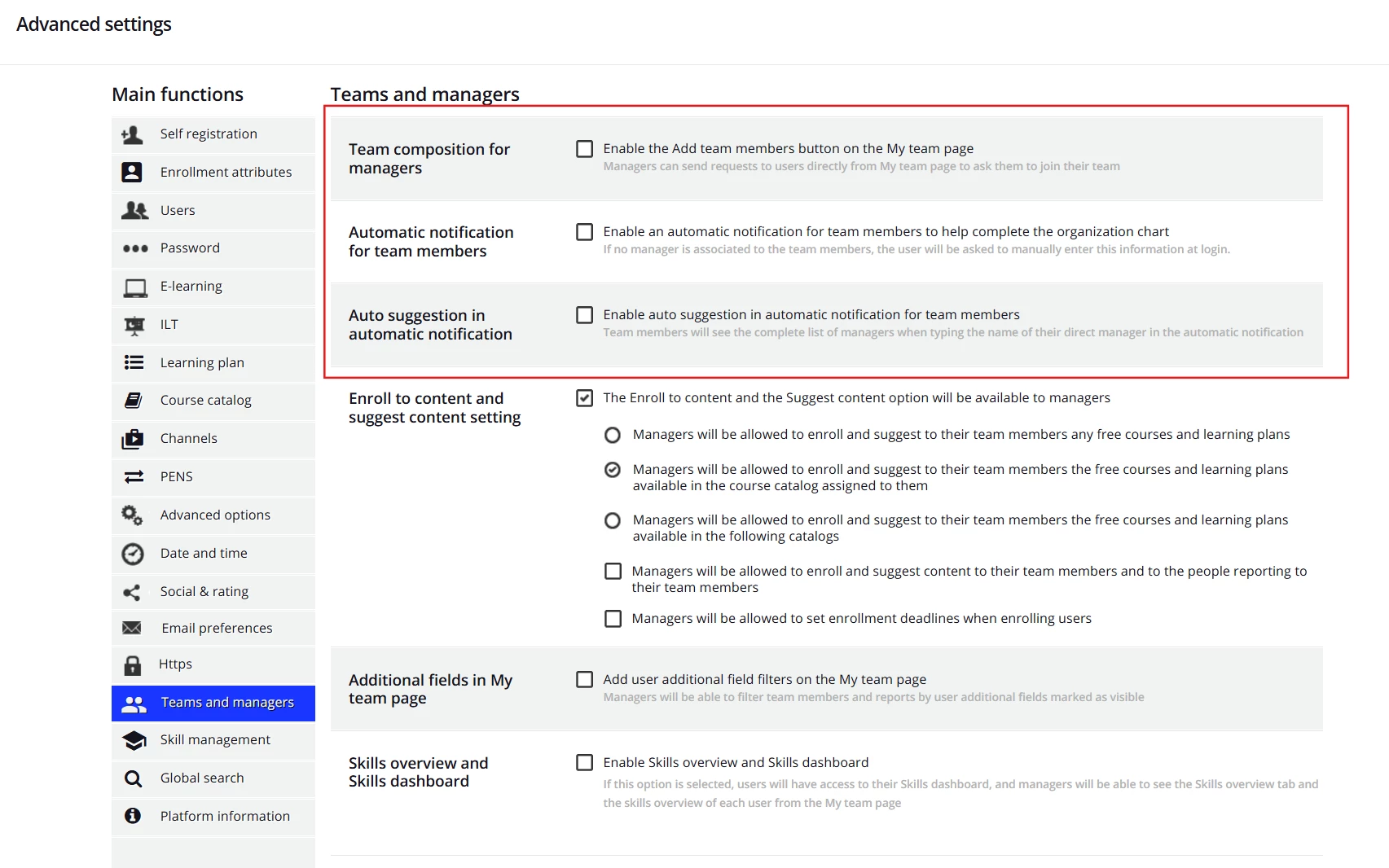
The team notifications a user receives aren’t shown in the notifications area as they are not configurable as you would normally expect. 

First, check out the Teams and Managers options under Advanced Settings to ensure they align with your goals.


Next, check out this section of the help article, more specifically, the part about associations and resending requests.

Also, check out this article for how managers can send out invites to join their team.

Hope that helps.

2 replies

dwilburn
Guide III
Forum|alt.badge.img+4
  • Guide III
  • July 10, 2025

Hi ​@smallc, while not accomplishing your exact ask, there are several paths forward. You can have a new user created email that informs the user about the system. Regarding other notifications it depends on how you drive your learning on your platform.

If you drive primarily through Learning Plans you can have a notification for when a user is enrolled in a LP. Same for ILT sessions.

If you use Learning Plans, the challenge with the user enrolled in a course notification is if you have a LP with 20 courses, the user would then get 21 notifications, one for the LP and one for each course.

We split the difference on this as you get to decide which courses and LPs will trigger a notification. We use course notifications for important stand alone courses, and LP notifications for the LPs.

I find this link helpful for figuring out how to use the available notifications and what short codes are available for the notification.

https://help.docebo.com/hc/en-us/articles/4429113070226-Notification-events-and-conditions


Forum|alt.badge.img+1
  • Answer
  • July 14, 2025

Hi Catherine,

The team notifications a user receives aren’t shown in the notifications area as they are not configurable as you would normally expect. 

First, check out the Teams and Managers options under Advanced Settings to ensure they align with your goals.


Next, check out this section of the help article, more specifically, the part about associations and resending requests.

Also, check out this article for how managers can send out invites to join their team.

Hope that helps.