

Best Answer

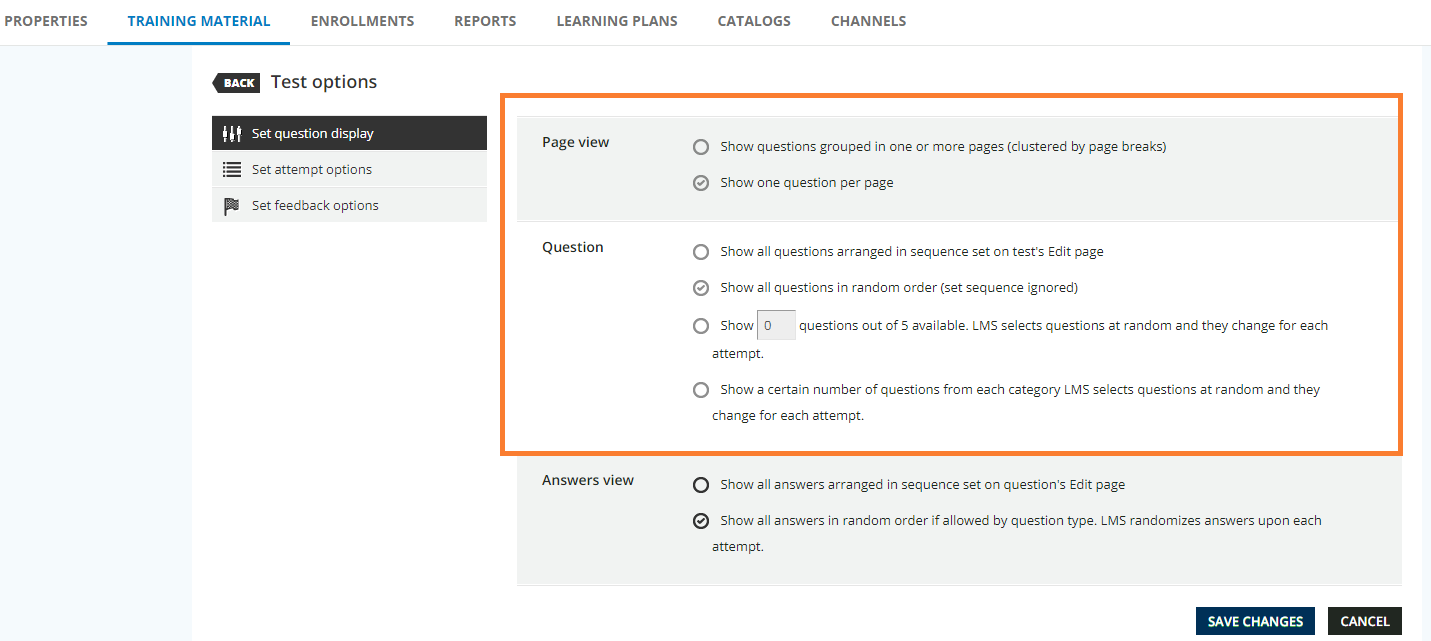
Test Options -Set question display greyed out

  • August 1, 2024
  • 5 replies
  • 188 views

kljenkins0502
Contributor III
Forum|alt.badge.img

I’m quality testing some test questions and had myself enrolled and took the exam. I found I had a setting I needed to adjust (random question vs. in order of test set)..and now it’s greyed out and I cannot adjust. I removed myself  as the enrollee (and there were no others) and even cleared cache, but I cannot get the settings to open up for editing again. 


How can I get this open to administer again? 
Thanks!

Best answer by Nhan Dang Minh

Hi @kljenkins0502 

  • Go to Report tab
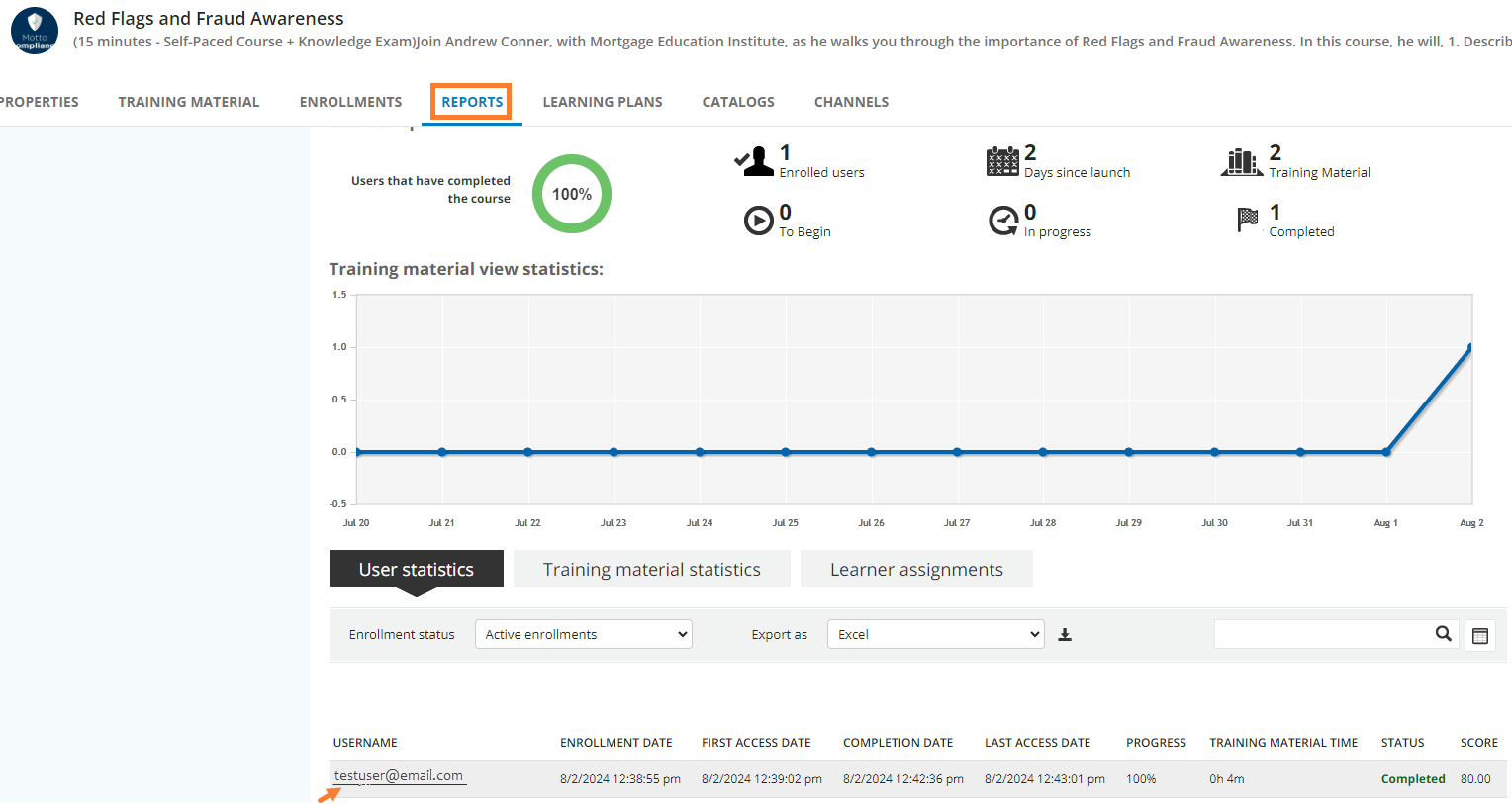
  • Choose User statistic
  • Search for your username
  • Click on your username
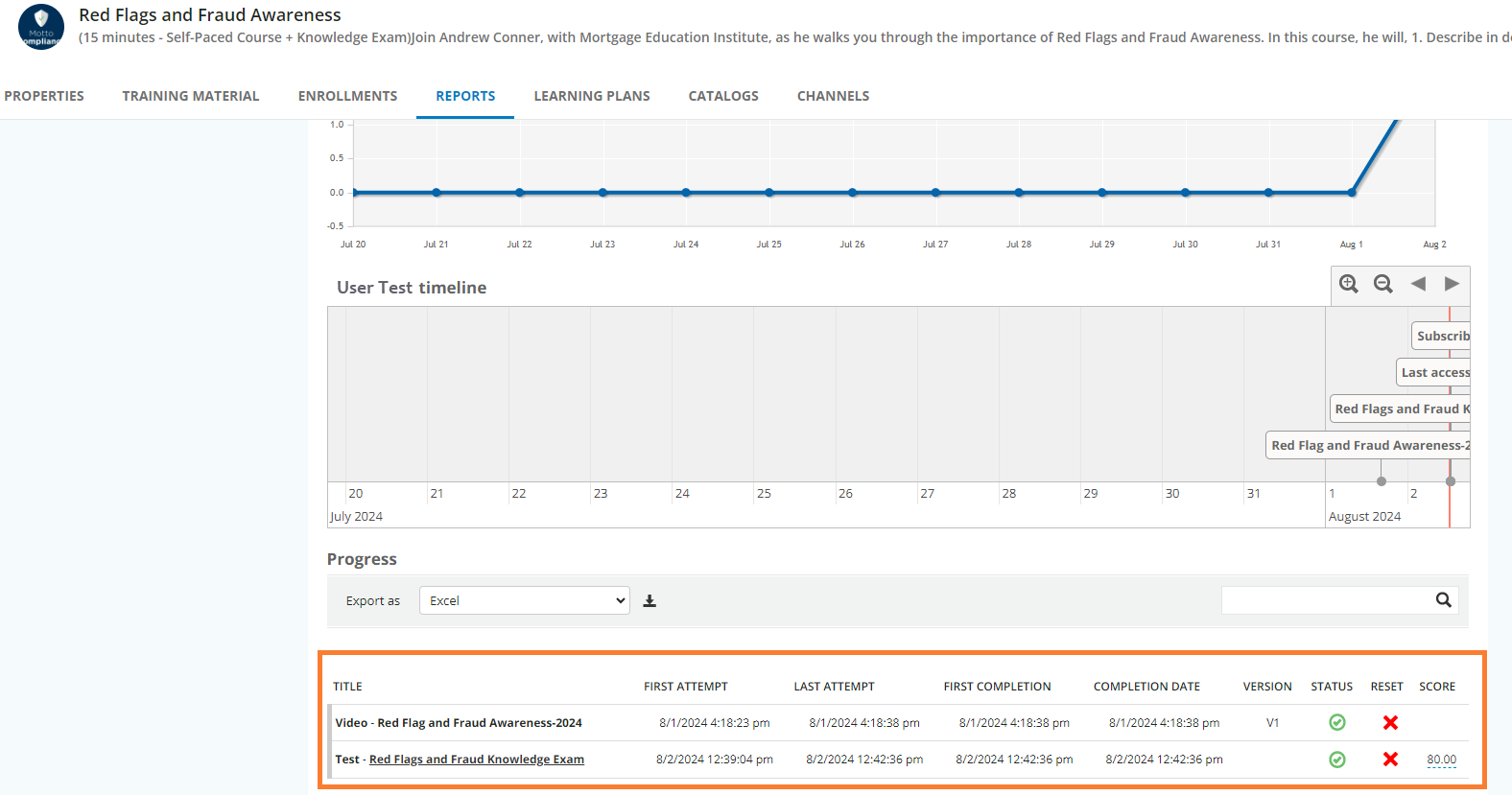
  • Find the test and reset it

Hope this help!

5 replies

In this case, you have to reset your test. Go to Report tab, search your name and reset the test.

It will apply for other users who have started the test.


kljenkins0502
Contributor III
Forum|alt.badge.img
  • Author
  • Contributor III
  • August 2, 2024

Hi Nhan,

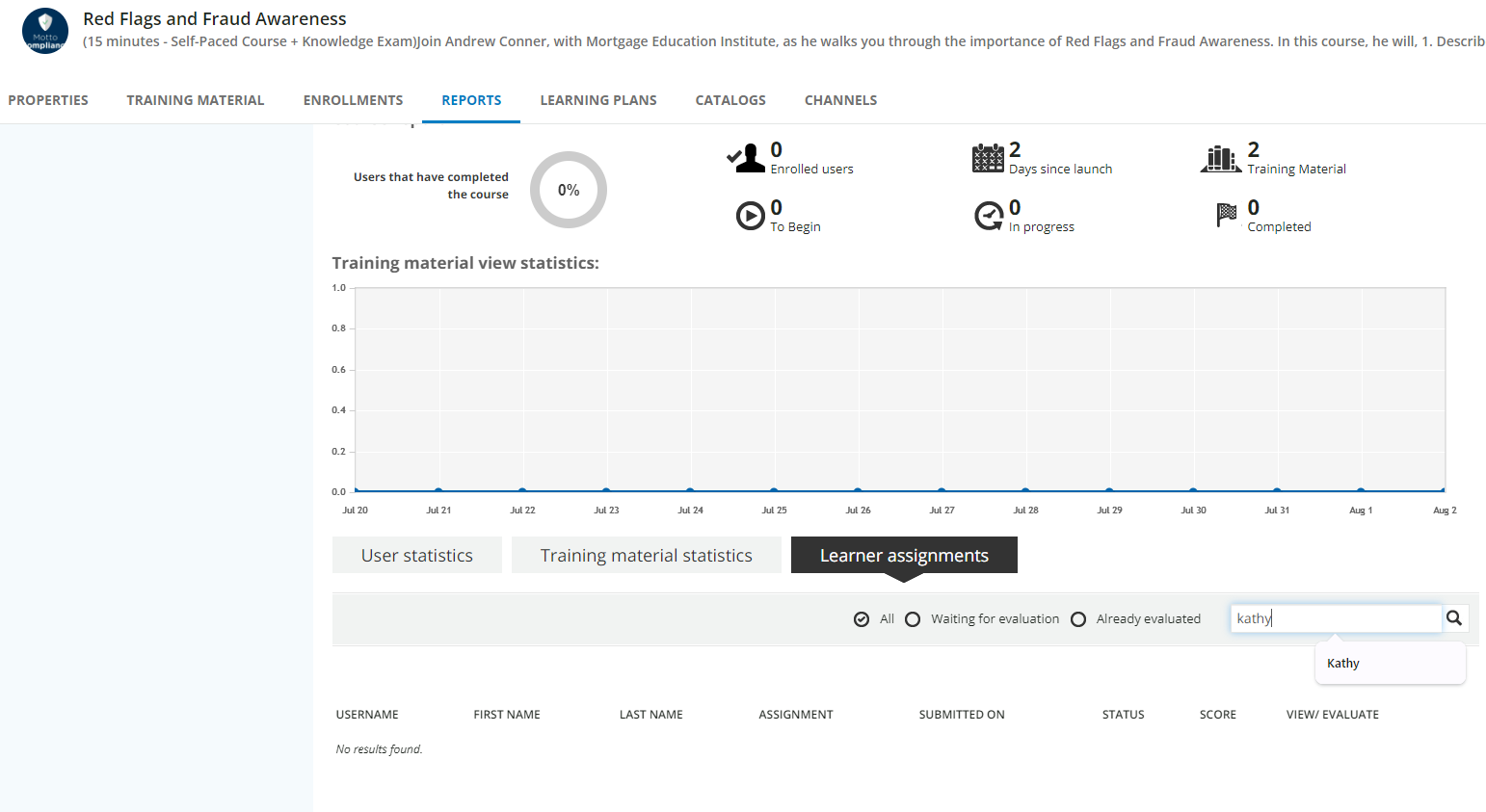
Thank you. Are you meaning the Reports tab in the course (course management)? Here’s what I’m seeing. I’m not locating my name in there to reset. 


Hi @kljenkins0502 

  • Go to Report tab
  • Choose User statistic
  • Search for your username
  • Click on your username
  • Find the test and reset it

Hope this help!


kljenkins0502
Contributor III
Forum|alt.badge.img
  • Author
  • Contributor III
  • August 2, 2024

Thank you!


kljenkins0502
Contributor III
Forum|alt.badge.img
  • Author
  • Contributor III
  • August 2, 2024

@Nhan Dang Minh That worked. THANKS again!

Sharing the images with anyone else who wants to reference this in the future. (Note: Don’t unenroll the user...which is what I did.) Take the steps Nhan offered above.