VILT Help

  • January 28, 2026
  • 8 replies
  • 31 views

Hello, I am trying to Lauch a live event. I have double checked the following: 

Session is set up correctly

Event set up correctly. 

Teams still showing paired. 

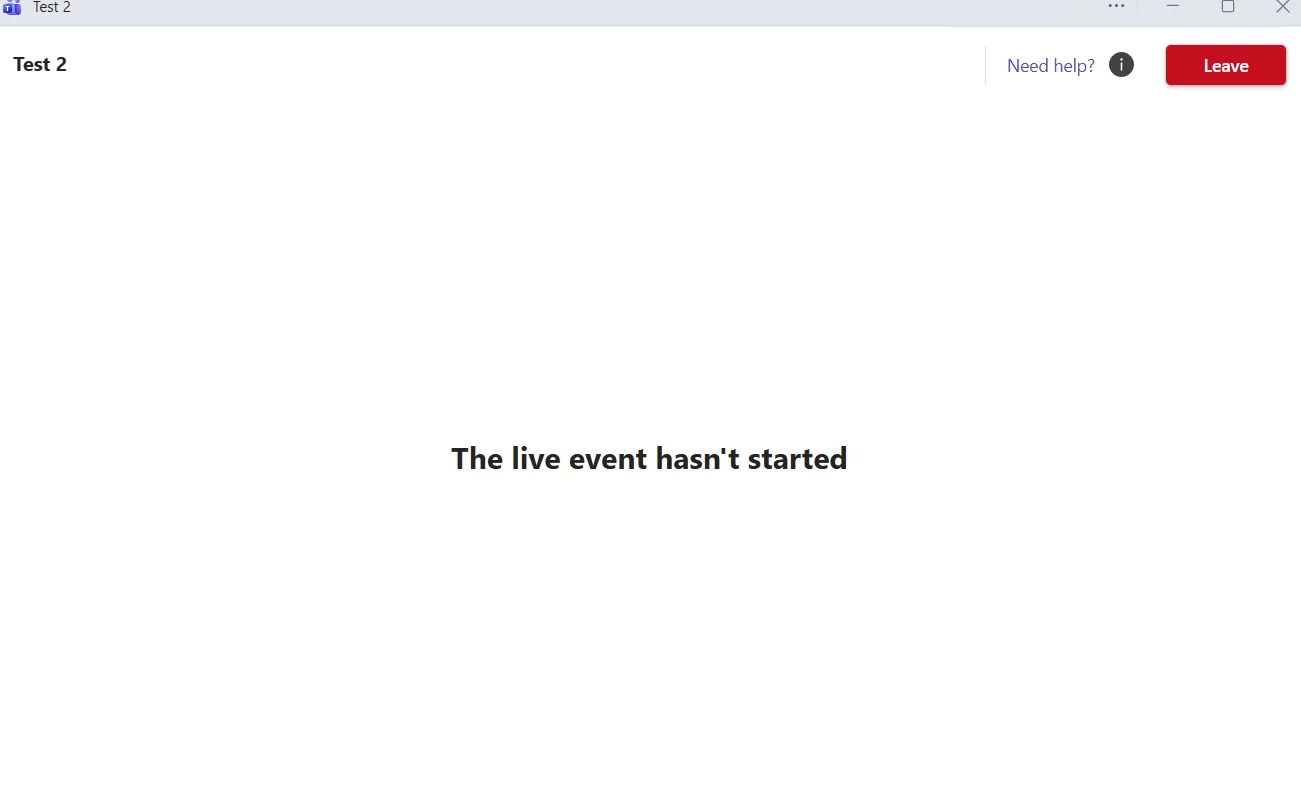
When I go to launch the event as an instructor the button is there that says “Start Live Event” I can click it and my teams pop up. However, I get a message across the screen that says, “Live Event has not yet Started” This never goes away and I am not able to do anything. My IT department says Teams is integrated correctly. Checking here for help on something I might have missed. 

Thank you 

8 replies

  • Novice III
  • January 28, 2026

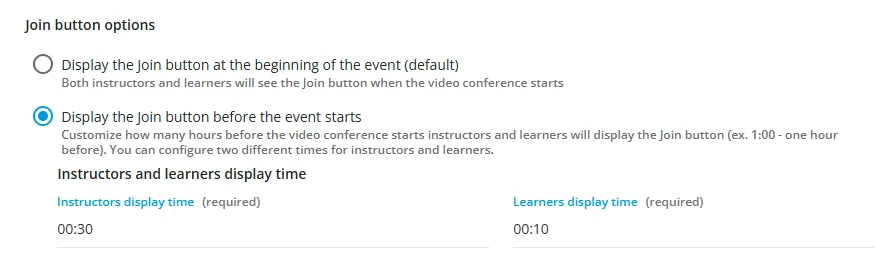
Do you have your event set up so the Instructor can log in early? 


Yes, the button displays and we can launch but this is what we get when do that. it just sits here. Even after the event was supposed to start. 


  • Novice III
  • January 28, 2026

Hmm interesting! are you in the Live system or sandbox? Instead of the instructor launching the course can the person/account who is listed on the VILT account you are using for the VILT go to their teams account and start the meeting? 


sjennings78
Guide III
Forum|alt.badge.img+7
  • Guide III
  • January 29, 2026

Is the event set up with the Instructor’s Teams account or was another account used for creating the event?  If it’s not that person’s account that created it, they will need to be added as a co-organizer on the event (from the MS Teams side).  We have a bank of Teams accounts we use on Docebo for creating all of our VILT courses, but those are not the Instructors’ accounts, so we log into the host accounts and add them in as co-organizers - which allows them to start the meetings without the host account having to join in .


  • Novice III
  • January 29, 2026

Is the event set up with the Instructor’s Teams account or was another account used for creating the event?  If it’s not that person’s account that created it, they will need to be added as a co-organizer on the event (from the MS Teams side).  We have a bank of Teams accounts we use on Docebo for creating all of our VILT courses, but those are not the Instructors’ accounts, so we log into the host accounts and add them in as co-organizers - which allows them to start the meetings without the host account having to join in .

Yes, we do the same here as well. I was sort of asking that myself but ​@sjennings78 did a much better job of explaining it. 

If all else fails maybe start over with a brand new ILT test course and create a new test VILT to see if it works. Maybe it's the course you are working with?


sjennings78
Guide III
Forum|alt.badge.img+7
  • Guide III
  • January 29, 2026

Also, you have your accounts paired as a “meeting” session type or “event” session type?  When we moved over to using MS Teams a couple of years ago, we had issues with getting the Event types to work correctly, so we are only using the Meeting type (which is mostly what we use the VILT courses for anyway).  I believe the “Event” type is what MS Teams also refers to as a Town Hall.


  • Author
  • Novice I
  • January 29, 2026

@sjennings78  it was the session type. We had it set to “event” we went in and updated it to “meeting” and it worked perfectly. We have been working on this issue for a week and even Docebo helpdesk couldn’t troubleshoot it. I feel like it is Christmas morning 😁Thank you 


sjennings78
Guide III
Forum|alt.badge.img+7
  • Guide III
  • January 29, 2026

Awesome, ​@Holly Lynn Ray. I’m glad I was able to point you in the right direction.  Your issue sounded very familiar from all the initial testing I had done when we moved to MS Teams, so I was hoping it was something similar.  This is why I love having the Community!