

Answer

When I click Learner View it automatically enrolls me in a course

  • March 12, 2024
  • 6 replies
  • 138 views

Forum|alt.badge.img

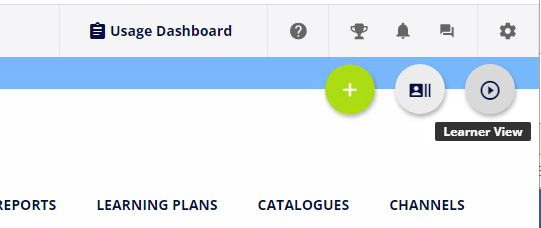
I am a Super Admin for our LMS. When I am in Course Management and I click “Learner View”, to see what the end-user sees in terms of dates available etc, when they search the catalogue, it automatically enrolls me on the course that I am looking at.

I started noticing this when my line manager kept getting e-mail alerts that I had enrolled on a number of courses. It seems to do this for any Super Admin who does this as she had the same issue.

If I have already completed the course, I can’t see the course at all from the end user’s perspective. Instead it just takes me to a record of when I completed the course.

Has anyone else noticed this problem please?

 

Best answer by KMallette

@Lucy Hi, Lucy.  This is just what the platform does for all courses. I can see why it’s annoying, but I actually find it helpful in some ways.You can always unenroll yourself when you’ve completed your review.

6 replies

KMallette
Hero II
Forum|alt.badge.img+9
  • Hero II
  • Answer
  • March 12, 2024

@Lucy Hi, Lucy.  This is just what the platform does for all courses. I can see why it’s annoying, but I actually find it helpful in some ways.You can always unenroll yourself when you’ve completed your review.


Bfarkas
Hero III
Forum|alt.badge.img+6
  • Hero III
  • March 17, 2024

Like @KMallette said, this is not a ‘Docebo Problem’ but intended behavior. Its another use case of sometimes having test users to go and view things comes in handy, or constant reset yourself :)


Forum|alt.badge.img

I could MAYBE see it being “okay” for superadmins, but it’s enrolling all of our powerusers (every manager in our company) in everything. 

This is a problem for us.


dklinger
Hero III
Forum|alt.badge.img+11
  • Hero III
  • February 24, 2025

@ariel.zimmerman - good afternoon - could you further advise on something on your statement above?

I could MAYBE see it being “okay” for superadmins, but it’s enrolling all of our powerusers (every manager in our company) in everything. 

This is a problem for us.


Nothing should be auto-enrolling all of your powerusers into everything other than enrollment rules that is not auditable/traceable. The preview is not meant for all managers - so a proposal for you - maybe dial back your enrollment/course mgmt capability via permissions.


Forum|alt.badge.img

@dklinger If anytime a manager clicks “learner view” they are auto enrolled, that’s a problem.

Additionally, because Docebo does not have a control to limit enrollments for Learning Plans (like Courses do), we had to build a work-around to limit our learners from enrolling in Learning Plans without approval. This work-around involved a “Learning Plan” enrollment course, that is tied to an enrollment rule that enrolls them in the Learning Plan. If any poweruser were to click “learner view” on that enrollment course, it would auto enroll them in the LP as well a all the associated courses. 


As for the preview not being meant for all managers, I’m not sure I understand. All of our managers are PUs because they need to manage learning for their locations and all those employees. I may have caused confusion by referring to them as managers.


Forum|alt.badge.img

Has anyone determined the CSS to hide the “Learner View” button?







