Question

Widget Limit

  • October 7, 2021
  • 5 replies
  • 177 views

Forum|alt.badge.img

Hello Docebo Community - 

I have reached a difficult impasse with our Docebo instance and I could really use some help. We are building out a customer journey on one of our pages with widgets. We just reached a dreaded message telling us that we have a 20 widget limit. I am PRAYING that someone has a way around this that we can implement into our site. 

The only other way around is to create an actual webpage and iframe it into our platform but we really don’t want to do that. Hoping Docebo has a workaround or someone else does. Thank you!!


5 replies

alekwo
Guide III
Forum|alt.badge.img+1
  • Guide III
  • October 8, 2021

@cshrecengost in the past it used to be 10 widgets… still we’re also close to the limit of 20 on a few pages.

Instead of adding an IFRAME we are adding one bigger HTML widget and put several (as many as you want) static elements there. We’re using this for various instructions - like longer pages of text interlaced with animated GIFs and other visual elements.


DustinSmith
Novice III
Forum|alt.badge.img
  • Novice III
  • October 8, 2021

@alekwo We do the exact same thing. We will transition widgets that we can to a single HTML widget.


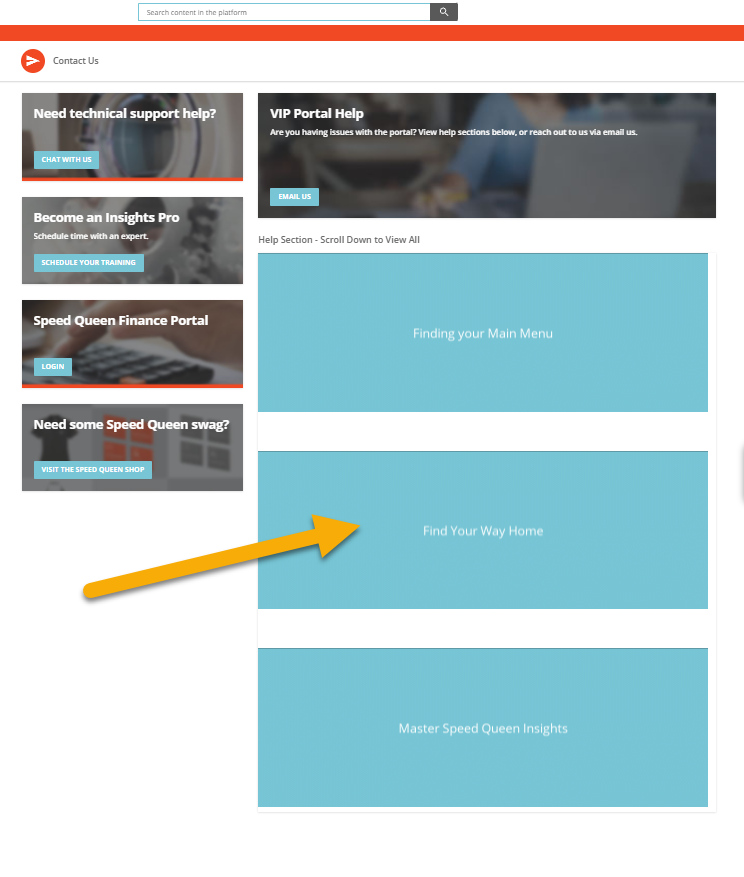
@cshrecengost Here is an example.  These are just help GIF’s, but they could also be static images with links to other areas of the platform.


Forum|alt.badge.img
  • Author
  • Novice II
  • October 8, 2021

@alekwo We do the exact same thing. We will transition widgets that we can to a single HTML widget.


@cshrecengost Here is an example.  These are just help GIF’s, but they could also be static images with links to other areas of the platform.


This is great info, I think that this would probably be a solution that I could work into my page. Would you be able to share the code that you use for that HTML section there? I’m not sure I have the ability to throw something effective together myself. 


DustinSmith
Novice III
Forum|alt.badge.img
  • Novice III
  • October 8, 2021

@cshrecengost

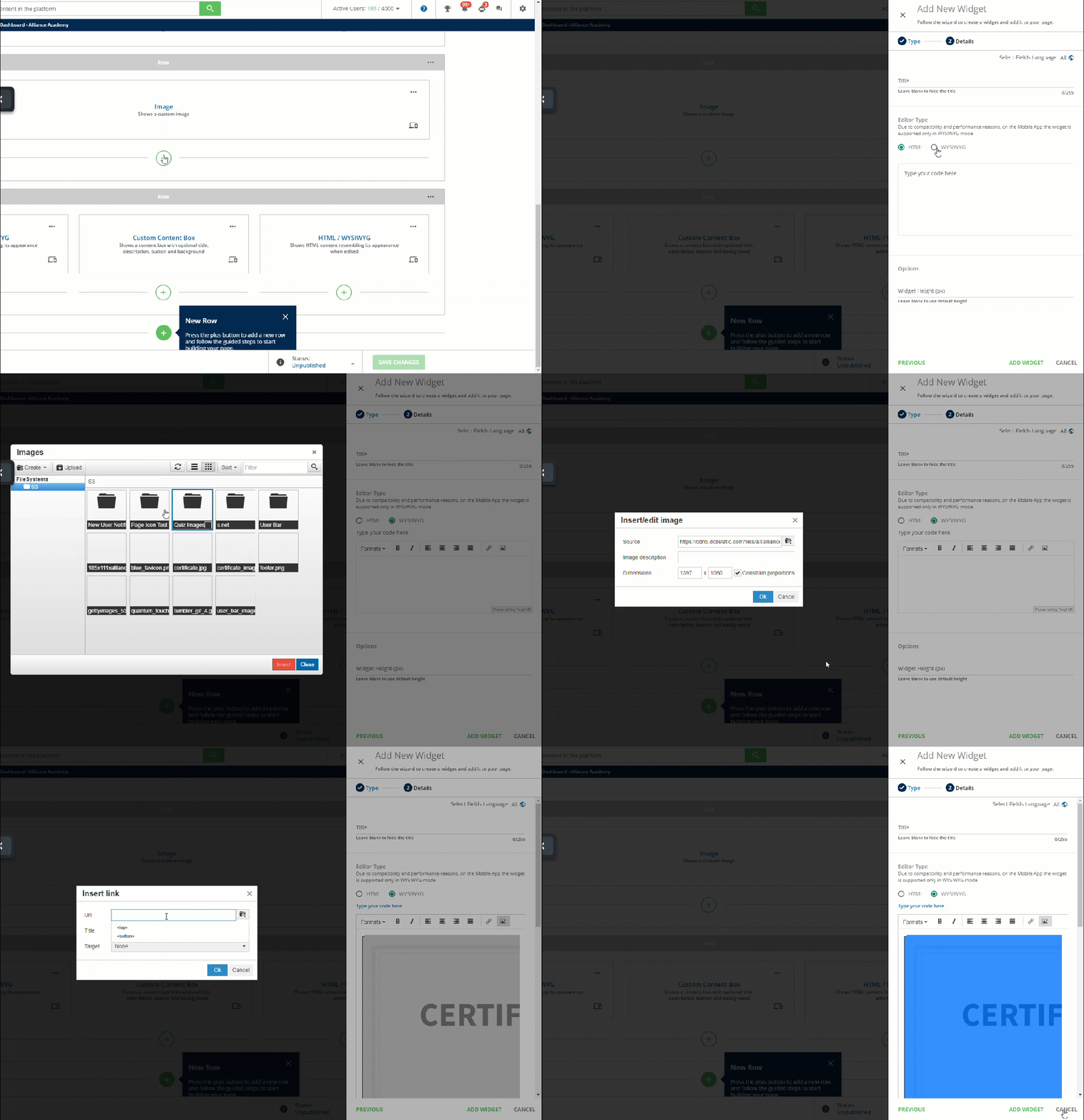
I use Snagit or Camtasia to create the GIFs or images (or photoshop for fancier things) and then use the WYSIWYG option.  I then upload the image to the File System, then click insert. 

In this area, the widget is about 900 pixels wide, measured by using the chrome extension pixel zoomer.  So that’s the widget I make the image.


Forum|alt.badge.img
  • Author
  • Novice II
  • October 11, 2021

Just an update - decided to go with coding the HTML and CSS button with my stuff and was able to get 6 widgets into my 1 HTML widget and cut down a ton on the widget usage. Thanks for all the help!