Question

Using an HTML widget and the code is changing when publishing

  • October 22, 2025
  • 2 replies
  • 35 views

I am trying to embed an external AI coach into the platform - through an HTML widget link. When I add the link it removes the microphone access and therefore the AI coach does not work. Is there any way around this?

2 replies

Forum|alt.badge.img+1
  • October 22, 2025

Hi ​@JulesH the HTML widgets will strip out any code that is potentially a security risk like JS and others. Check out this Docebo Help Article I’m not aware of any way around this.


elamast
Hero I
Forum|alt.badge.img+7
  • Hero I
  • October 22, 2025

Assuming you’re talking about a course widget, I can think of one “supported” possibility.  That would be to use an IFRAME widget.  The embedded page can run it’s own scripts. If you need to pass user information into the IFRAME, there’s even a way to do that by passing in user info through an Oauth client.  

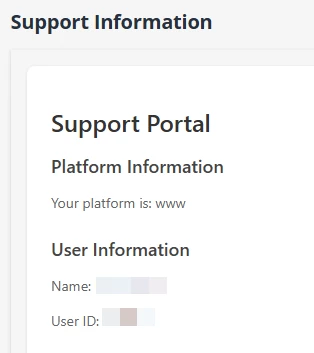
If you need the user info passed into the IFRAME and want to try a “hacky” way of adding in the AI coach, use a webhook URL (like a webhook link from Docebo Connect or other integration service) for the IFRAME source. You’ll need to set up an Oauth client in the system (under API and SSO) and choose it in your IFRAME setup.  The salt secret will be irrelevant for this scenario, so put in something made up. Leave the Oath token unchecked. Your workflow can do some quick processing and return a custom webhook response that contains your webpage (and any scripting).  Here’s a very simple example of a similarly generated IFRAME using this process.  What you see below is entirely dynamically generated.


Here’s an example of the payload sent in the initial GET request:
{
  "course_id": "123",
  "course_code": "YOUR COURSE CODE",
  "user_id": "12345",
  "username": "URL-ENCODED USERNAME",
  "auth_code": "fdsljklkfdsjkljfdsljkfsdlj;kfds",
  "hash": "jfksldjljkdfsj;fdsjkdkljfdsl;kfdslj;kfdslj;kfjdlskfljkdsjklfsdljkfdsljk;fsd"
}