

Best Answer

How do I add languages?

  • August 4, 2025
  • 4 replies
  • 105 views

Scott Foster
Influencer III
Forum|alt.badge.img

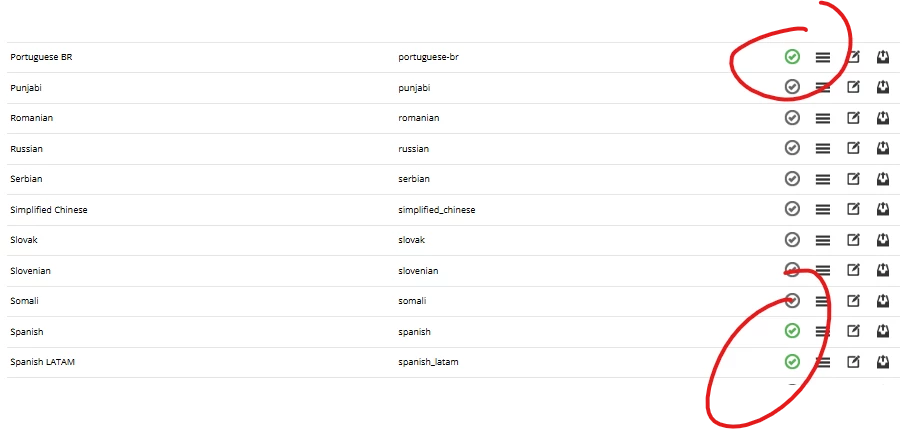
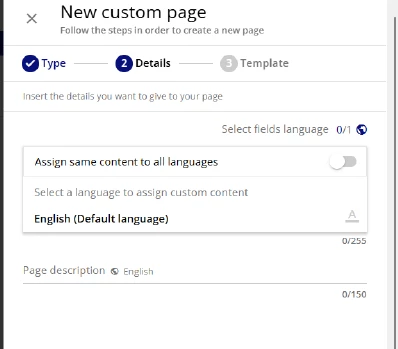
Can anyone help me add another language besides English? I was on a chat with the Help Desk for 40+ minutes and they could not figure it out. We have 4 extended enterprises and for the US region, I was asked to add Spanish but I can’t figure out how nor can the Help Desk. The Spanish, Portuguese (BR), and French (CA) languages are actived in the Localization tool but I can’t add them. Any and all help appreciated! 
 

Best answer by sjennings78

I wonder if you need to enable the other languages under each Extended Enterprise?  Go to Manage under Extended Enterprise in the Admin area and select the setting icon next to one of your domains.  From there, select Language Settings.  You may need to select “enable custom settings for this client” if the language options are greyed out.

4 replies

JUJanet
Novice III
Forum|alt.badge.img+2
  • Novice III
  • August 4, 2025

Have you activated the Languages in the Localization Tool? They should have a green check next to them in the Localization Tool if they are active. (Nevermind, I see you did.) I would try what sjenning78 is suggesting below.


sjennings78
Guide III
Forum|alt.badge.img+7
  • Guide III
  • Answer
  • August 4, 2025

I wonder if you need to enable the other languages under each Extended Enterprise?  Go to Manage under Extended Enterprise in the Admin area and select the setting icon next to one of your domains.  From there, select Language Settings.  You may need to select “enable custom settings for this client” if the language options are greyed out.


Scott Foster
Influencer III
Forum|alt.badge.img
  • Author
  • Influencer III
  • August 4, 2025

Have you activated the Languages in the Localization Tool? They should have a green check next to them in the Localization Tool if they are active. (Nevermind, I see you did.) I would try what sjenning78 is suggesting below.

Yes. The other languages are active in the localization tool.


Scott Foster
Influencer III
Forum|alt.badge.img
  • Author
  • Influencer III
  • August 4, 2025

I wonder if you need to enable the other languages under each Extended Enterprise?  Go to Manage under Extended Enterprise in the Admin area and select the setting icon next to one of your domains.  From there, select Language Settings.  You may need to select “enable custom settings for this client” if the language options are greyed out.

THANK YOU!! That was where it was!!  Problem solved.