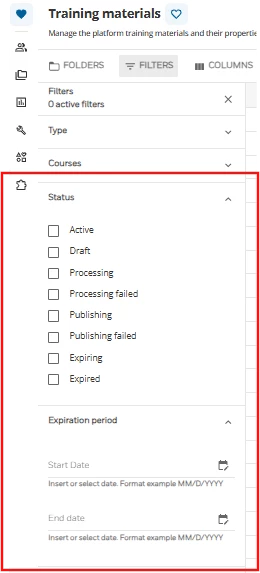
Hi @tasha.sanchez ,
Great question! It's completely understandable why those filters are confusing.
The "Expiring" and "Expired" statuses in the Central Repository aren't actually meant for your internally uploaded training materials. They are specifically tied to the Docebo Content and Docebo Content Classic libraries. When the publisher of an off-the-shelf course is preparing to decommission it, Docebo flags it as "Expiring" and eventually "Expired". You can verify this in the Managing the Training Materials Page documentation.
Since Docebo handles the lifecycle of off-the-shelf content automatically, you don't need to worry about those. However, because there isn't a native "review date" setting for your internally created training materials (like your own SCORMs, videos, etc.), you'll need a different approach to manage your internal content lifecycle.
The recommended approach for internal content: When I've set up content governance for organizations with similar requirements, the pattern that holds up best is managing this at the Course level rather than the Training Material level.
-
Go to Admin Menu > Course Additional Fields.
-
Create a new Date field and name it something like "Next Content Review".
-
Require your team to set this date whenever they create or update an internal course.
-
Build a Custom Report (using the Courses template) that includes this additional field. Your team can schedule this report to run monthly to see exactly what internal content is coming up for audit.
Hope this helps clear up the mystery of those filters!