Can we set rules based on user profile attributes to mark user profile status as de-active on Docebo platform?
For eg.- Say we have a user profile attribute that gives data - ‘Days passed Last visit = x days’. Can we set rules to auto update profile status as de-active if ‘Days passed Last visit > m days?
Best answer by lrnlab
Found this for the Automation app but the definition of “inactive” is not clear.
If it does refer to a user not having interacted with the LMS to mean “inactive” this might work for you.
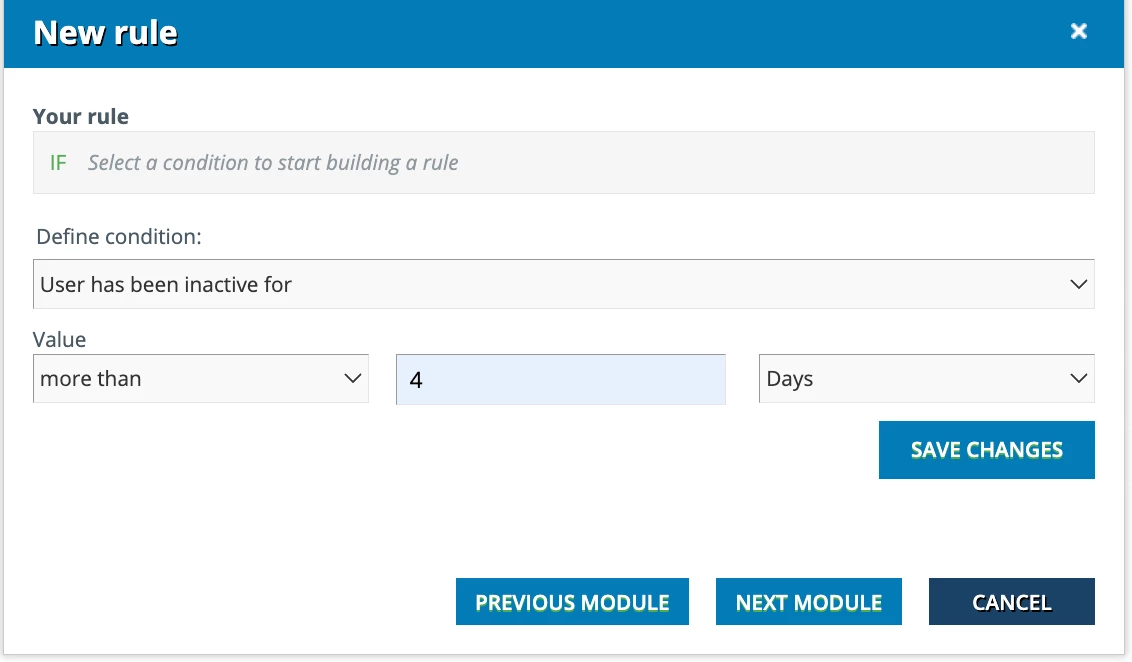
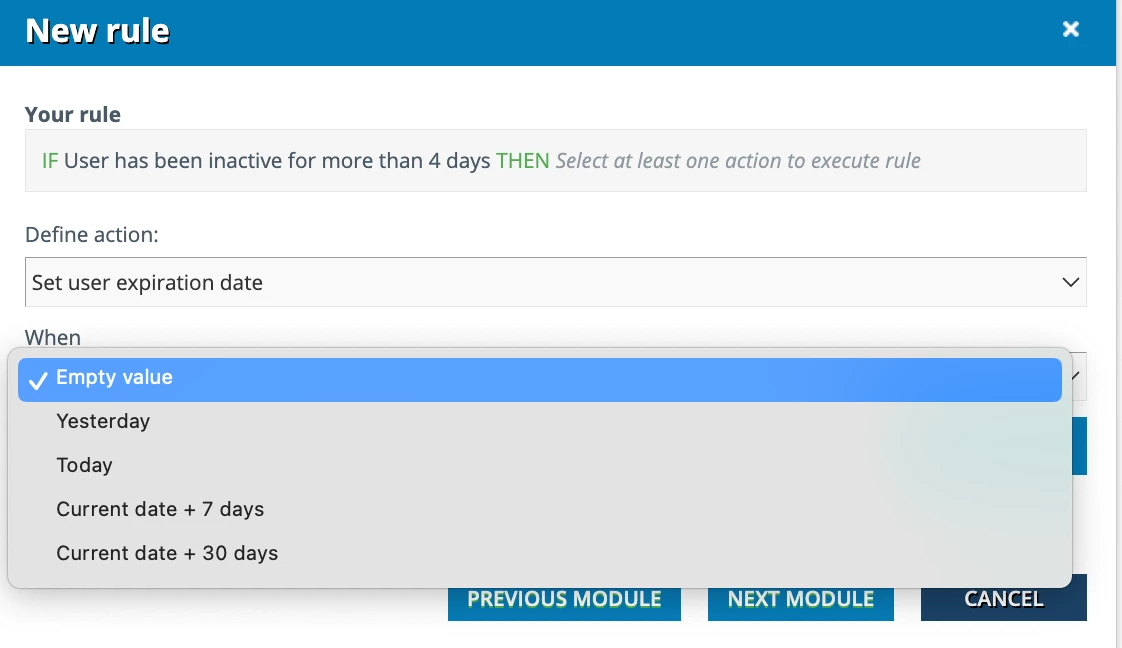
You can create a rule that looks for users who have been “inactive” for x days, weeks, or months, and then set their expiration date on their profile. This is an automated scheduled rule.
This would be a great feature...if no one has a solution I would add it as an Idea and then let us know so we can vote on it.
Quarterly I run reports on this data and then do an import to update those user that I want to expire with an expiry date. Yes, manual, but it works. :-)
Found this for the Automation app but the definition of “inactive” is not clear.
If it does refer to a user not having interacted with the LMS to mean “inactive” this might work for you.
You can create a rule that looks for users who have been “inactive” for x days, weeks, or months, and then set their expiration date on their profile. This is an automated scheduled rule.