Best Answer

Custom Widget with Learner Name

  • March 3, 2026
  • 9 replies
  • 150 views

Forum|alt.badge.img+1

Hi Community,
 

I am creating a custom landing page based on branch assignment and looking at option to call the logged in learner name.

Including a hero banner on top, and the banner text to include “Welcome, <<learner name>>”

Is there any way to include this. Your inputs are highly appreciated. Thank you.

Best answer by Moshe.Machlav

Great question — and a common ask!

Unfortunately, Docebo doesn't natively support dynamic variables (like <<learner name>>) in hero banner text on custom landing pages. The banner text field is static.

The workaround: My Profile widget + CSS

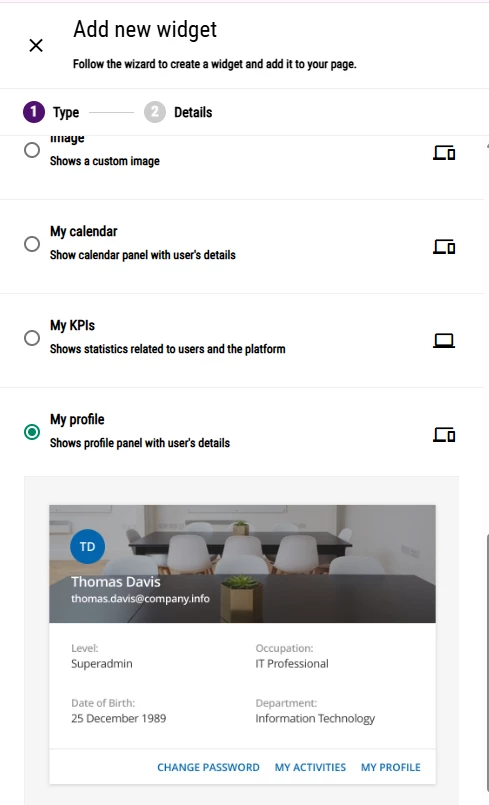
Add the My Profile widget to your custom page, then use custom CSS to hide everything except the learner's name, and prepend your welcome text. Something like:

css

.FullName::before {
content: "Welcome, ";
}

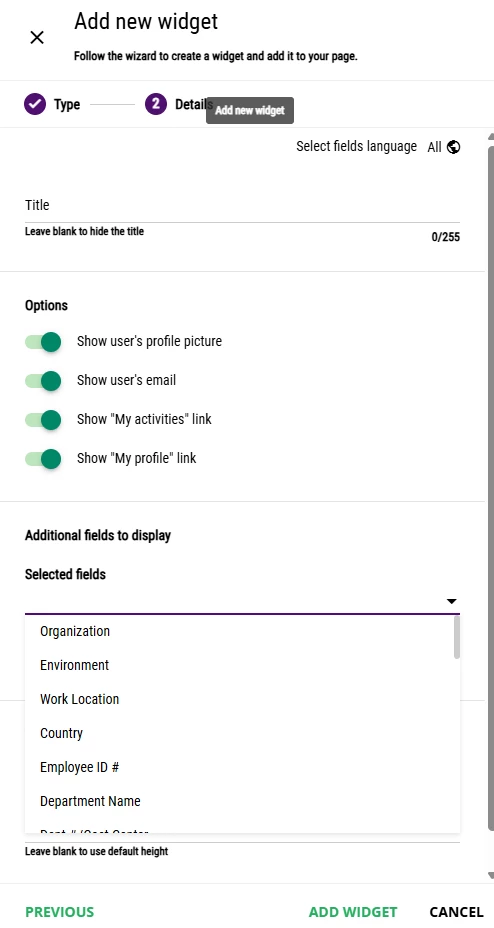
You can also suppress the profile picture, email, and password reset button so only the name shows — making it look clean and intentional as a greeting.

If you only want the first name displayed, make sure users have a Preferred First Name populated in their profile, then target that field instead.

A few caveats to keep in mind:

  • This relies on CSS styling, not native personalization tokens, so it may need adjusting if Docebo updates its widget markup
  • The widget will need to be positioned/styled to visually fit within or below your banner

It's not a perfect native solution, but it's the closest you'll get without custom development.

9 replies

Moshe.Machlav
Novice III
Forum|alt.badge.img
  • Novice III
  • Answer
  • March 3, 2026

Great question — and a common ask!

Unfortunately, Docebo doesn't natively support dynamic variables (like <<learner name>>) in hero banner text on custom landing pages. The banner text field is static.

The workaround: My Profile widget + CSS

Add the My Profile widget to your custom page, then use custom CSS to hide everything except the learner's name, and prepend your welcome text. Something like:

css

.FullName::before {
content: "Welcome, ";
}

You can also suppress the profile picture, email, and password reset button so only the name shows — making it look clean and intentional as a greeting.

If you only want the first name displayed, make sure users have a Preferred First Name populated in their profile, then target that field instead.

A few caveats to keep in mind:

  • This relies on CSS styling, not native personalization tokens, so it may need adjusting if Docebo updates its widget markup
  • The widget will need to be positioned/styled to visually fit within or below your banner

It's not a perfect native solution, but it's the closest you'll get without custom development.


Vmueller
Contributor II
Forum|alt.badge.img+2
  • Contributor II
  • March 3, 2026

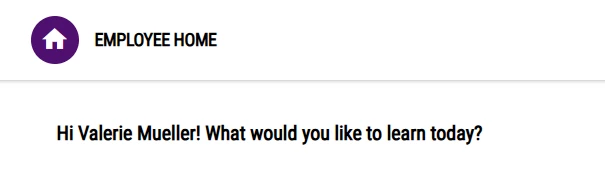
If creating a page, you can use the profile widget Can be custoomized. 


kbrink1
Influencer II
Forum|alt.badge.img+1
  • Influencer II
  • March 9, 2026

If creating a page, you can use the profile widget Can be custoomized. 


Hi ​@Vmueller did you use the same CSS as above for this? If not, can you share how you got this result?


Vmueller
Contributor II
Forum|alt.badge.img+2
  • Contributor II
  • March 9, 2026

No CSS Needed. Just add widget to page. You can then select the information you want to show. 


kbrink1
Influencer II
Forum|alt.badge.img+1
  • Influencer II
  • March 11, 2026

No CSS Needed. Just add widget to page. You can then select the information you want to show. 


Good morning, To my understanding, the native functions of the MyProfile widget do not yield the greeting you have in your first post above. If you can would you mind sharing the steps you took to get it to appear that way without CSS?


Vmueller
Contributor II
Forum|alt.badge.img+2
  • Contributor II
  • March 11, 2026

My apologies as I did not add but it may very well be built into this when I took over. I did find a link regarding this that shows how a user modified using CSS. Is there a way to add the user's first name to text in html widget | Community

!--scriptorstartfragment-->

/!--scriptorendfragment-->


Moshe.Machlav
Novice III
Forum|alt.badge.img

One more thing - with the UX Transformation rolling out across the platform in 2026, there's a chance that custom CSS targeting the My Profile widget might break if class names or DOM structure change. I'd keep an eye on the sandbox releases (available ~8 weeks before GA) to test any CSS customizations ahead of time.


kbrink1
Influencer II
Forum|alt.badge.img+1
  • Influencer II
  • March 18, 2026

Thank you everyone! I appreciate the additional lead ​@Vmueller!


pmo
Docebian
Forum|alt.badge.img+4
  • Docebian
  • March 18, 2026

@ana.sorensen cool trick to implement in the future.