
Question

Customizing Search Results

  • July 16, 2026
  • 4 replies
  • 50 views

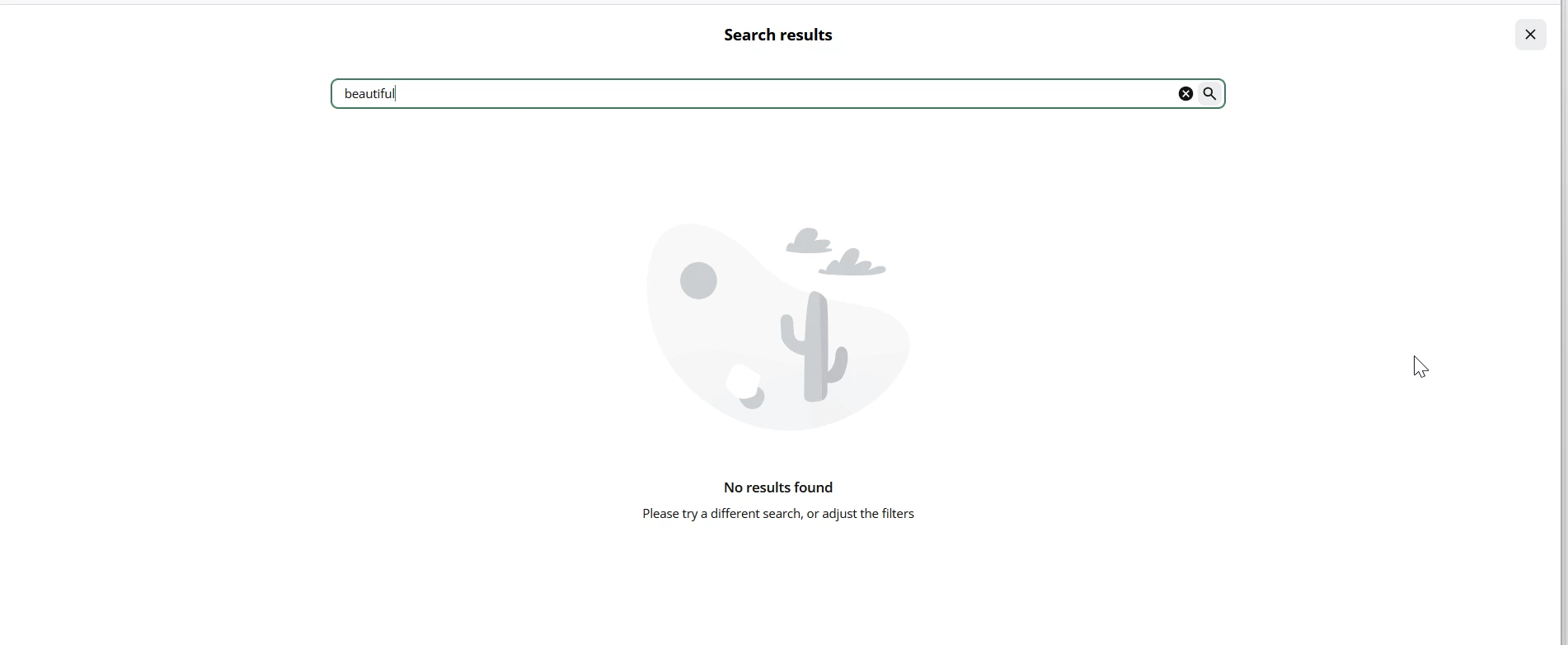
When a user types a keyword in the search bar at the top of the screen and the results page populates, is there a way to prevent the results from taking over the entire screen?  Or can you customize this page to display text or links to forms for submitting content requests?  All I’m seeing is the following screen with no additional navigation options or instructions:  
 

4 replies

Forum|alt.badge.img+1

We inquired about this to our CSM and were told it is working as designed.

Our concern is that unless you really look for the X at the top right, you don’t realize it’s a pop up and then you try to hit the back button, which doesn’t appear to do anything because what is happening is hidden behind the search window.


  • Author
  • Newcomer
  • July 16, 2026

Agree - it gives off the appearance of dead end.  I need to be able to add specific text which appears at the bottom of all search results.  I also would like to not have the left hand navigation not go away.  


  • Novice II
  • July 16, 2026

It would be a great addition or change to help with the UX design, ​@JGPenney have you submitted this on the idea board? https://community.docebo.com/p/idea-submission-template


lrnlab
Hero III
Forum|alt.badge.img+10
  • Hero III
  • July 17, 2026

Hi ​@JGPenney have you looked in the localization app to see if you can update the text displayed on this page? There are likely labels you can update to something better than what is there now.





