Would like to display all the open sessions in the learning calendar, so the learners can view the upcoming sessions in the calendar view and self-enroll to the desired session.
The current calendar view setting is limited to only enrolled users.
Can this be achieved by any settings change? Please share your thoughts.
Best answer by Sdinnoce
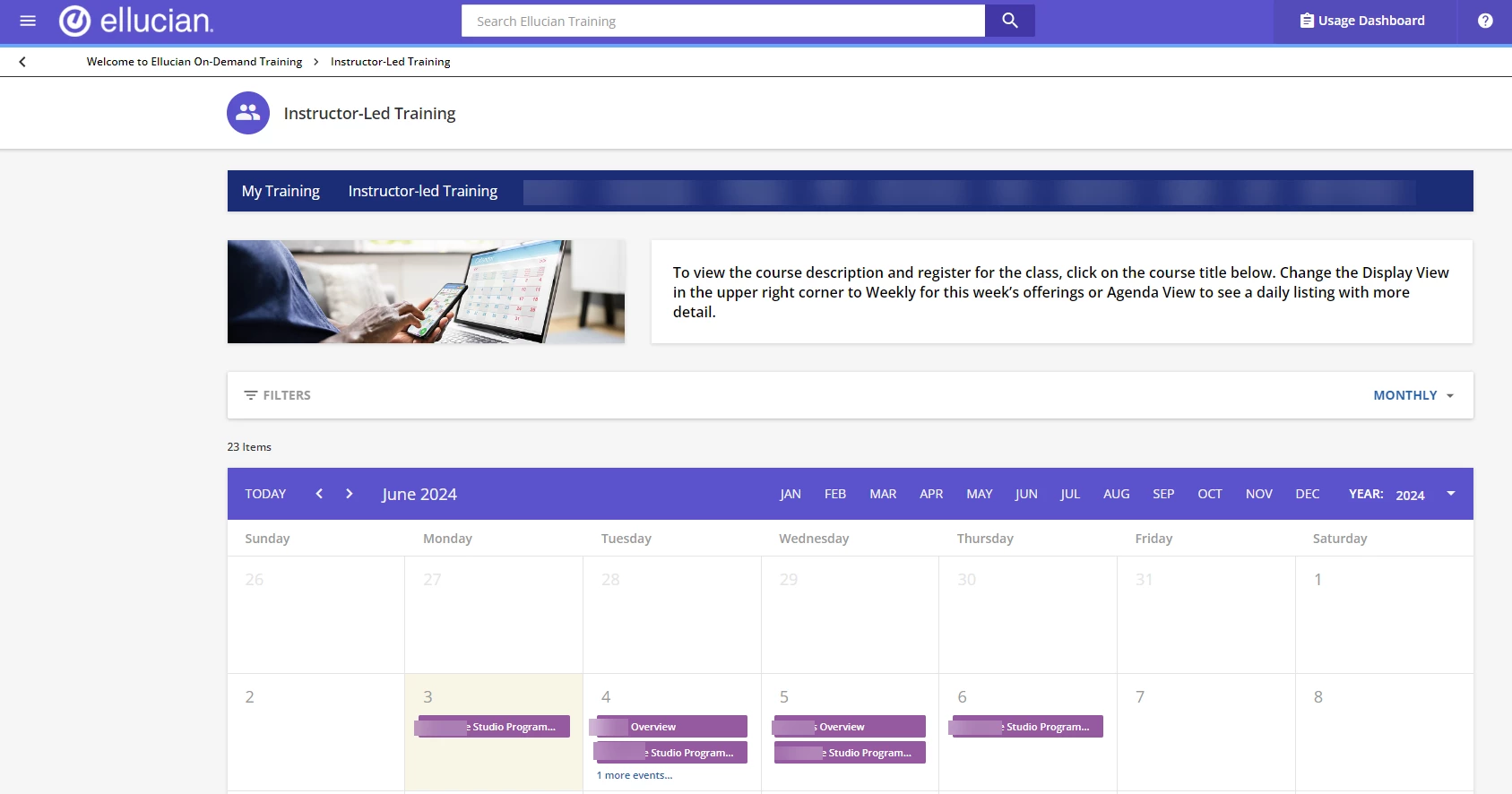
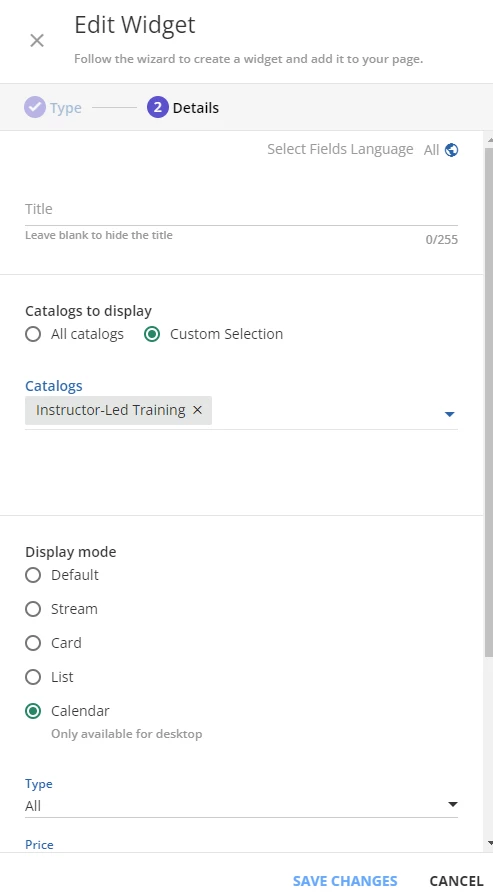
Good morning. Instead of using the My Calendar page which is limited to just the courses/sessions you are enrolled into, we have a page we created called “Instructor-led Training” and on that page we have one catalog which is our ILT courses and the view is set to the Calendar view by default. Here are two screenshots of what the page looks like and what the widget settings look like. This way people can browse the calendar and sign up for courses
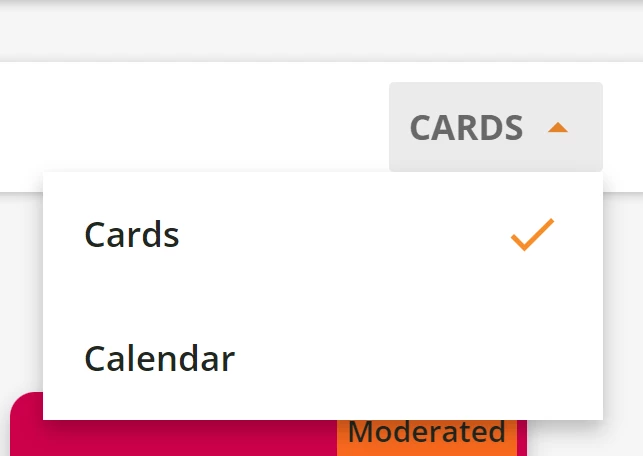
If anyone goes to the course catalog, they can click over in the upper right hand corner. It will first say cards (usually because of configurations I am seeing as most common). Users can then select calendar instead to see upcoming courses on a calendar view.
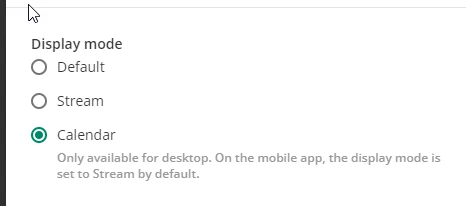
You can also use the catalog widget on a page within your platform, and then choose calendar as the display. Doing this allows the learner to see any open sessions - provided they have access to that catalog.
Good morning. Instead of using the My Calendar page which is limited to just the courses/sessions you are enrolled into, we have a page we created called “Instructor-led Training” and on that page we have one catalog which is our ILT courses and the view is set to the Calendar view by default. Here are two screenshots of what the page looks like and what the widget settings look like. This way people can browse the calendar and sign up for courses
Good morning. Instead of using the My Calendar page which is limited to just the courses/sessions you are enrolled into, we have a page we created called “Instructor-led Training” and on that page we have one catalog which is our ILT courses and the view is set to the Calendar view by default. Here are two screenshots of what the page looks like and what the widget settings look like. This way people can browse the calendar and sign up for courses
I like this idea! However, how do you restrict enrollment for manager vs. IC ILT courses? Do you have separate catalogs for each (i.e. ILT Manager and ILT IC)?
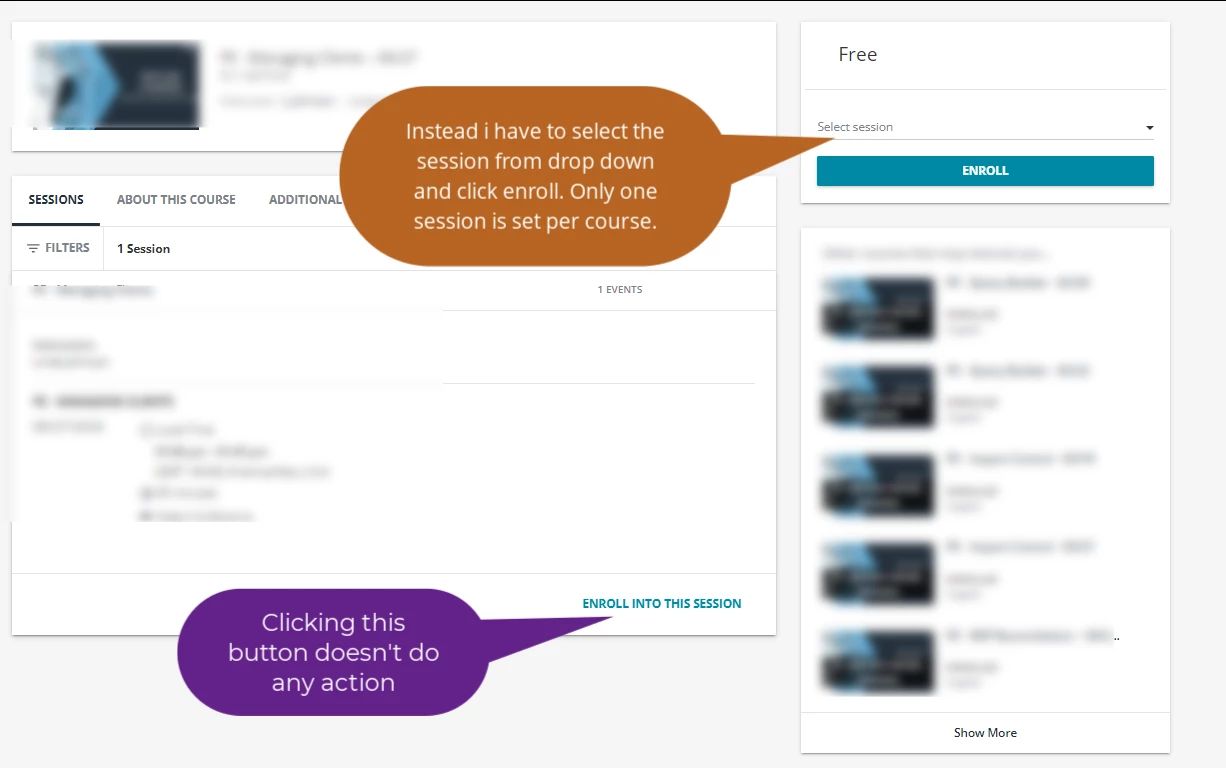
I did setup a separate page for to display catalog in calendar format, and it works fine for my requirements. In the enrollment page, i could see two enrollment buttons, but however the “Enroll into this session” isn’t doing any action.
I would love to see this catalog view for agenda be used as a sign up page. However, now it is not enforced to the user to see this. Rather they see a calendar. I much rather have by default a list of upcoming sessions. This way we can better nudge users to sign up.
Thank you to you all on this thread. I am testing adding an ILT calendar on a separate page which will allow facilitators to check if there are other events happening on a day, and allow users to sign up for those sessions.
The steps I followed are:
Create ILT Catalogue
Assign users to the catalogue so they can see it
Create new page
Add Catalogue widget
set it to display as a calendar
choose ILT catalogue to be the only catalogue displayed in the widget
I have only tested it using one user profile so far, but so far so good. It shows all the events in the calendar and allows me to self-enrol if I want to.
I am also going to have a second page which displays the same ILT catalogue as a list. I know users can change the view if they want to, but as a learner journey we would prefer them to have both options clearly laid out.