
Best Answer

Issue with new hire group and removing users

  • May 12, 2026
  • 9 replies
  • 73 views

kprim
Novice I

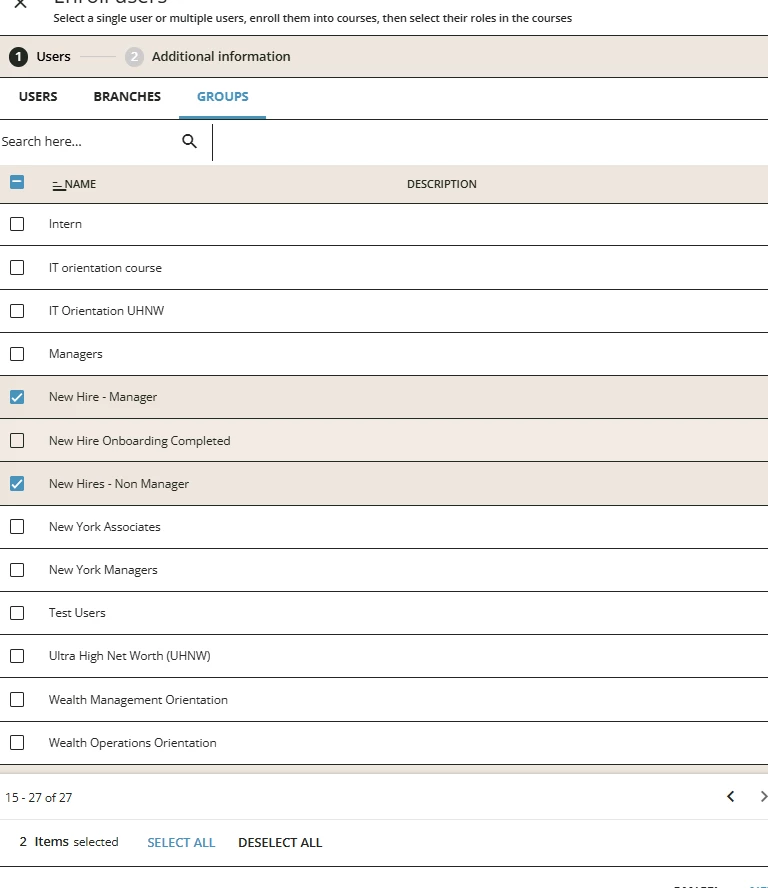
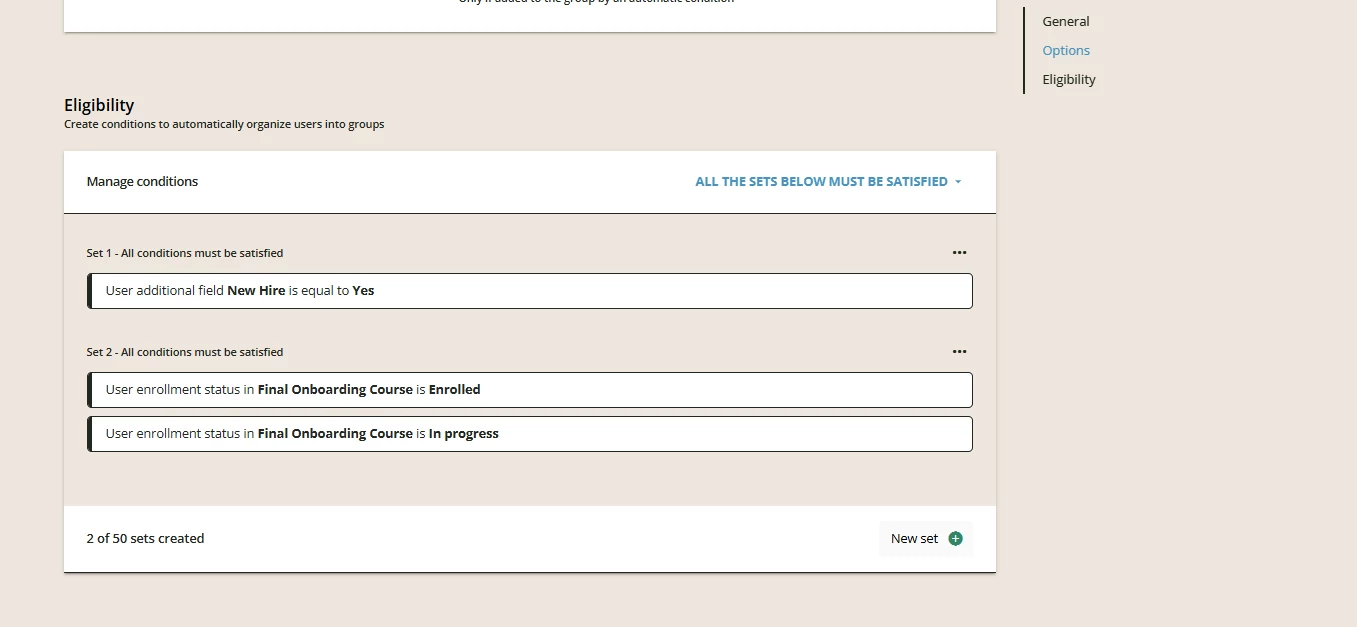
I currently have my set up to put new hires into a group. I used additional fields for this when new hire = Yes. When this happens they see the new hire onboarding page.  I need them to be removed from this group once they finish a final onboarding course so they can see the main home page. I originally had this course set up to automatically to enroll users in the new hire group. This created circular logic that didn’t enroll people into the group or the course( see images).  

What is the best way to remove users from a group so they can see the main homepage and not the onboarding page? 
 

Best answer by dklinger

A proposal - change your approach lightly.

Duplicate your group. In the duplicate? Add an enrollment criteria to your group for a keystone/milestone course. It should be set to enrolled / in progress.

Use that to drive your visibility of the page. That will ensure anyone that should not be viewing the onboarding page will not see it (those that have a flag of N instead of Y).

9 replies

Forum|alt.badge.img
  • Novice I
  • May 12, 2026

Following


dklinger
Hero III
Forum|alt.badge.img+11
  • Hero III
  • Answer
  • May 12, 2026

A proposal - change your approach lightly.

Duplicate your group. In the duplicate? Add an enrollment criteria to your group for a keystone/milestone course. It should be set to enrolled / in progress.

Use that to drive your visibility of the page. That will ensure anyone that should not be viewing the onboarding page will not see it (those that have a flag of N instead of Y).


estarks8
Helper I
Forum|alt.badge.img+6
  • Helper I
  • May 12, 2026

We have something similar to this! 

Essentially once the course is completed, they will no longer be in that group due to not satisfying all the conditions, therefore not have that page. You will need to make sure your menus are structured right so that way they see the menu that corresponds to their group. 

Does the New Hire field control other things as well?


JZenker
Guide II
Forum|alt.badge.img+2
  • Guide II
  • May 12, 2026

Add a rule to the second group that says if X course is Completed users will be added.

See if this then takes precedent over the first group and the user then sees the page associated to the second group


kprim
Novice I
  • Author
  • Novice I
  • May 12, 2026

Thank you ​@dklinger  that seems to be working!


kprim
Novice I
  • Author
  • Novice I
  • May 12, 2026

@estarks8  the new hire groups doesn’t currently control anything else. We are still pre launch at the moment. 


dklinger
Hero III
Forum|alt.badge.img+11
  • Hero III
  • May 12, 2026

Thank you ​@dklinger  that seems to be working!

You are welcome - a request mark it as a best answer. I could use the points…


lrnlab
Hero III
Forum|alt.badge.img+10
  • Hero III
  • May 12, 2026

Hi ​@kprim you would need to change the “new hire” to “No” somehow or you could use a course completion as the trigger to add them to another group. Note that the order of your menus will be important since menu assignment works from the top down; whatever visibility rules match the user first in the top down order is the menu/pages they will see.


For our new joiners we have an Onboarding Group set up based on their start date.  Onboarding = Yes based on their start date. After 21 days we remove them from the Onboarding group. Onboarding = No and they come out of the group.  They still have access to all the learning that they have been enrolled on, but their home page changes after this time as we have a home pages set up for those in the Onboarding group.

Depending on their role in the business they see another home page.

Onboarding = Yes or No was an additional field.

Our IT team, updated the file that comes from our HR system, added a few extra fields and script to look at the start date and if less than 21 days Onboarding = Yes.  Greater than 21 days Onboarding = No.

This then comes over to Docebo via the Automation.

This has been working for 4 years for us now and has worked well.

Not sure if this would work for you.

Best wishes


Winnie