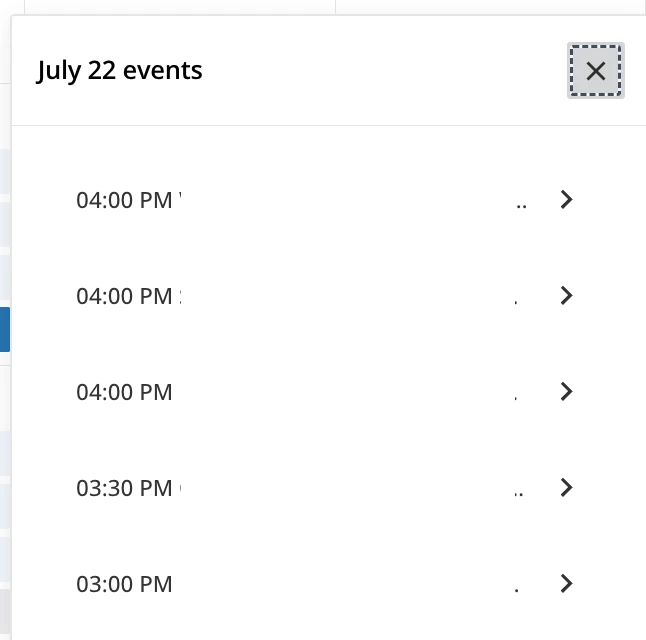
We have a major issued that started yesterday when you change from ‘Card’ view to ‘Calendar’ view. The whole screen look changed, but more important when you are in calendar view and click the course hyperlink it is give you a pop-up of garbage text showing the course description with various code (Image attached). Previously, when you click on the course hyperlink it would open the course page and that is how a Customer or Employee registers for courses or VILT courses. Right now, the only way someone can register for class is to open the actual course tile.
Is anyone else having an issue since Docebo pushed the July update yesterday? I have a ticket opened, but I got the typical ‘moved to tier 2 and they will get back to you’ email.
Best answer by Scott Peacock - Docebo
Our calendars are also working again. Disappointed that you only see 1 line of the course description and not option to ‘show more.’
If anyone figures out how to change the ‘Go to Event’ button wording, please share. We would prefer it has ‘Go to Course.’
Hi Cheryl,
You can do this natively as a Super Admin!
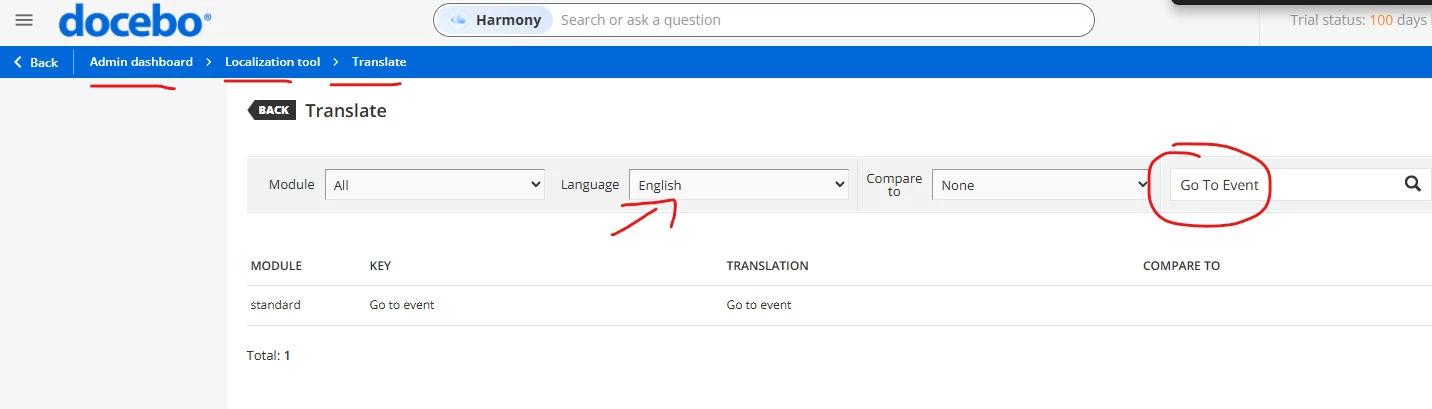
Go to your admin dashboard,
Open “Localization Tool”
Select the language you want, in this case likely English.
Search on the top right “Go to Event”
Type in your new translation, in this case “Go to Course”
Confirm and reload your platform (hard refresh).
These steps should work, let me know if it doesn’t for you, but you can do this with any hard-coded text across the entire platform! :)
I want to chime in to this thread to let y’all know that we hear you and are working actively to fix the various bugs introduced by this change.
For the bugs, we’ve already deployed 3 fixes, with 2 more ready to go.
Rest assured, we do read these threads. You’re heard, not just on tickets, but in the community - and we weren’t happy with the way this widget upgrade went out either. We’ll be much more careful with any UX-impacting updates going forward.
As always big thanks to @lrnlab and @Sdinnoce for helping other folks mitigate while we fixed!
One thing I noticed thought is the events are listed in reverse order where the later times in the day are displayed first; same when you click Show All