


Question

Marking an eLearning course unavailable vs unpublished

  • October 27, 2026
  • 1 reply
  • 11 views

jckemv
Helper I
Forum|alt.badge.img+2

I’m keen for an eLearning course to remain visible in its catalogues, but the enrol button to be greyed out so learners can find the course for the time I have the setting applied it is unavailable. Ideally I would like a custom message to be displayed.

So the only option I can find that keeps the course visible (not locked and can be opened), but the enrol button is greyed out, is to set the Maximum Course Enrolments to 1, enrol myself, and now it is greyed out but visible. Only problem, is a message in a red box above says “Not available for enrolment, the course is fully booked”.

I assume there is no other way to achieve what I am seeking? Would be nice to have an option to make a course unavailable to enrol, but not lock it, not unpublish it, not allow enrolments, ideally a little custom message would be nice too.
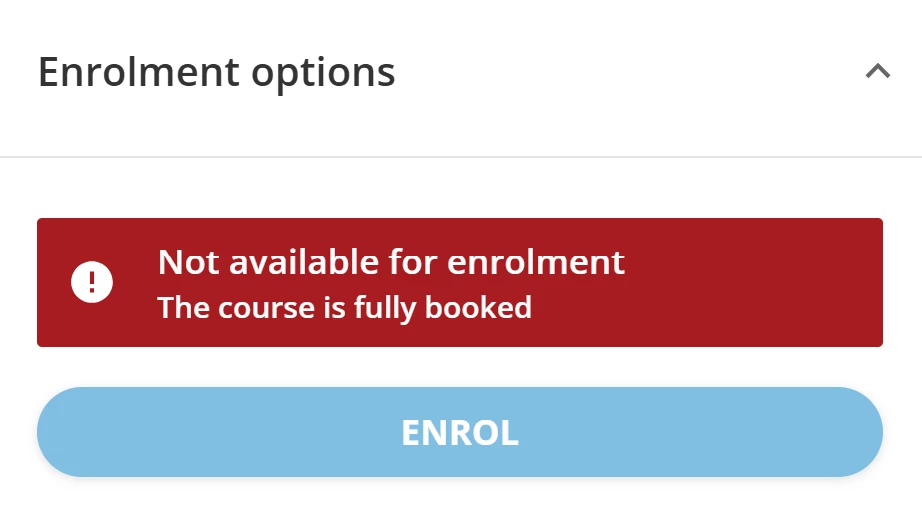


1 reply

Ian
Helper III
  • Helper III
  • October 27, 2026

You can use Localization and CSS* to improve your current workaround. For example, with Localization you can change the text of the red message from “The course is fully booked” to your own message. You can then use CSS to adjust the display of the message and the button below (via e.g. a next-sibling selector).

Of course, with this approach, if a course is actually fully booked, learners would see your custom message instead of the real status.

To avoid this, another option is to use the “Pending administrator approval” setting instead. This works only if you do not need moderated self-enrollment for other courses.

  • Enable “Pending administrator approval”. The course thumbnail then shows a “Moderated” tag, and an alert appears above the enroll button.
  • Use Localization to change the text of the tag and the alert. For example, change “Moderated” to “Unavailable”.
  • Use CSS to hide the enroll button when the alert is showing. If a next-sibling selector doesn’t work, the :has() pseudo-class might help.

* CSS does not work in the mobile app. I’m not sure if that matters for you or not.