Hi
Is there a way of running a report to determine who are the Super Admin and Power Users in Docebo. We are doing a tidy up within the system and not all PU need to be SA.
Thanks

Hi
Is there a way of running a report to determine who are the Super Admin and Power Users in Docebo. We are doing a tidy up within the system and not all PU need to be SA.
Thanks
Best answer by CaseyCrompton
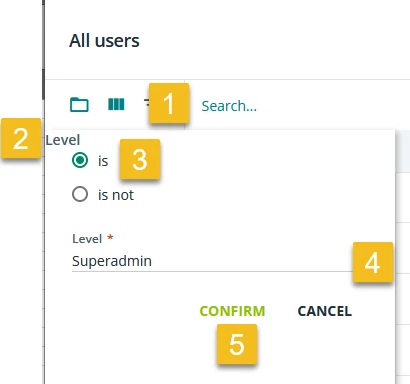
Under the new reports, I use a custom built report. The report type is “users” and for filters/view options, ensure the “user level” is selected and it will show which users are super admin and power users.
Enter your email address or username and password below to log in to Docebo Community. No account yet? Create an account
Enter your E-mail address. We'll send you an e-mail with instructions to reset your password.