

Google Analytics not showing all pages

  • July 24, 2023
  • 5 replies
  • 122 views

aweber20
Novice I

Hey all!


I am a Google Analytics newbie. I copied and pasted the code GA provides into the LMS. When I open Developer Tools on Google Chrome, I can see the tag is active. On GA, I can see events, conversions, and site views, but when I go to what I really want detailed information on--the pages and screens--it shows only 4 pages:
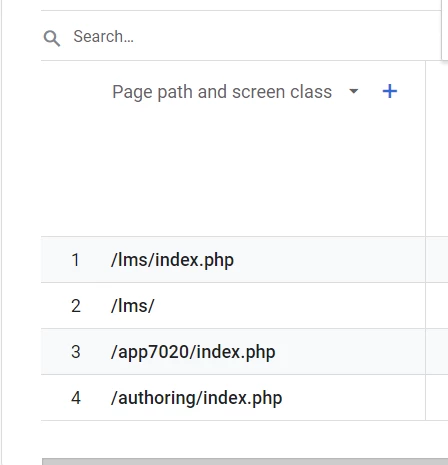


The LMS has way more than those 4 pages. How do I get them to show within Google Analytics? Any tutorials, links, advice, etc are appreciated!

5 replies

  • Newcomer
  • July 25, 2023

This is a major failing for us, it’s something to do with session checking on every page and seems fundamental to do with the build. Resulting in you not being able to see campaign effectiveness and get stats outside of logged in pages.

Really poorly thought out.


aweber20
Novice I
  • Author
  • Novice I
  • July 25, 2023

Hey all!


I am a Google Analytics newbie. I copied and pasted the code GA provides into the LMS. When I open Developer Tools on Google Chrome, I can see the tag is active. [...]


Update: I think I fixed it!

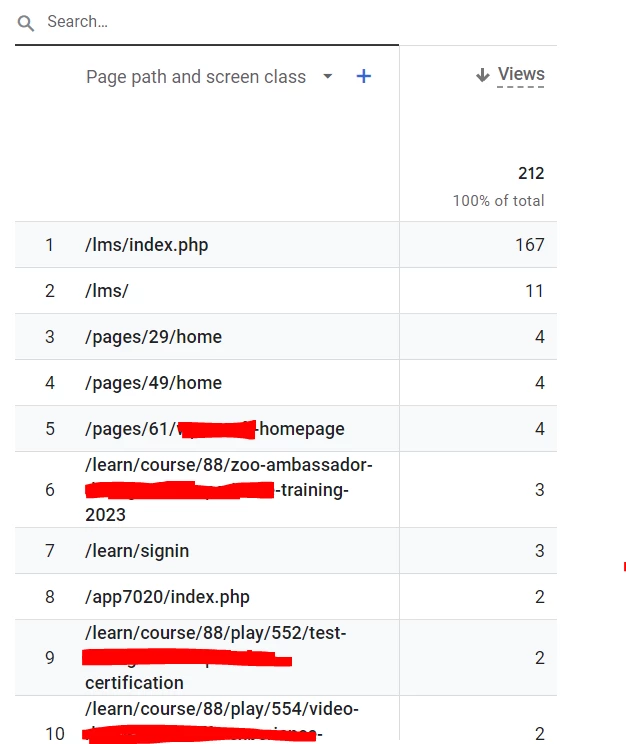
I went into Google Tag’s Tag Coverage and added a couple sample URLs associated with logged-in portions of the site. After checking those were sending information using the Tag Assistant, I let the site sit overnight, and woke up to this!

So to anybody struggling with the same thing, it might be worth checking your tags are reading the correct URLs. 


  • Novice II
  • April 24, 2024

Hey all!


I am a Google Analytics newbie. I copied and pasted the code GA provides into the LMS. When I open Developer Tools on Google Chrome, I can see the tag is active. [...]


Update: I think I fixed it!

I went into Google Tag’s Tag Coverage and added a couple sample URLs associated with logged-in portions of the site. After checking those were sending information using the Tag Assistant, I let the site sit overnight, and woke up to this!

So to anybody struggling with the same thing, it might be worth checking your tags are reading the correct URLs. 

This literally solved the issue I was looking for. THANK YOU!!


hailey.gebhart
Helper III

Hi there, 

would anyone be willing to help me with the “went into Google Tag’s Tag Coverage and added a couple sample URLs associated with logged-in portions of the site.” I can’t seem to get the Google Tags to connect to any of my pages that aren’t already connected. I would appreciate any guidance anyone can provide. Thanks!


hailey.gebhart
Helper III

Figured out my above question. Make sure you are using the “Google Analytics 4” app not just “Google Analytics” in Docebo. Thanks!