Question

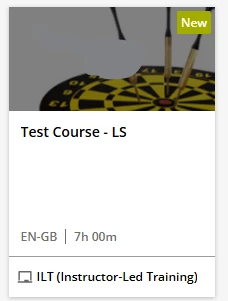
Course card description

  • September 29, 2025
  • 5 replies
  • 57 views

Hi, I’m hoping someone is able to point me in the right direction for this. I’ve noticed a couple of similar related posts but not quite. (Happy to be corrected, as I know there will be better ‘searchers’ out there!!)

We’re currently building our solution and it would be great to be able to add the short description to the course cards (so in the white space underneath ‘Test Course - LS’). Is there a way to do this via CSS? I did have a look at the properties of the short description when you click through, but got stuck. I have a feeling it’s going to be one of those “We want this, but it’s in a Development backlog”, but fingers crossed!! 

 

5 replies

dklinger
Hero III
Forum|alt.badge.img+11
  • Hero III
  • September 29, 2025

Hi - can you add a screenshot to show us visually what you like to achieve?

Thinking outside of the box for a second - have you attempted to change the background image to the player for the single course and use a “template” to fill in the white space that you are desiring to fill?


  • Author
  • Newcomer
  • September 29, 2025

Hi ​@dklinger , sorry I hadn’t realised the image hadn’t uploaded! So this is what I mean by card (hope it’s the correct terminology). So you’d have ‘Test Course - LS’ and then underneath ‘This interactive course will provide delegates with an overview of good recruitment practice.’. 
This is using the ‘standard’ Course Catalogue page/widget.


dklinger
Hero III
Forum|alt.badge.img+11
  • Hero III
  • September 29, 2025

No worries - I thought we were in the course player for a second. So what you are describing is an attribute of the catalog widget...and there has been folks manipulating the heck out of these for a little while which is good news.

The bad news - I personally do not know how to pull that off but can you do me one more favor? Can you expand your view or do a tiny mock up of one? so that folks can see the text element that you are hoping to show? Or it isnt there and you are calling out to see if it can be done?

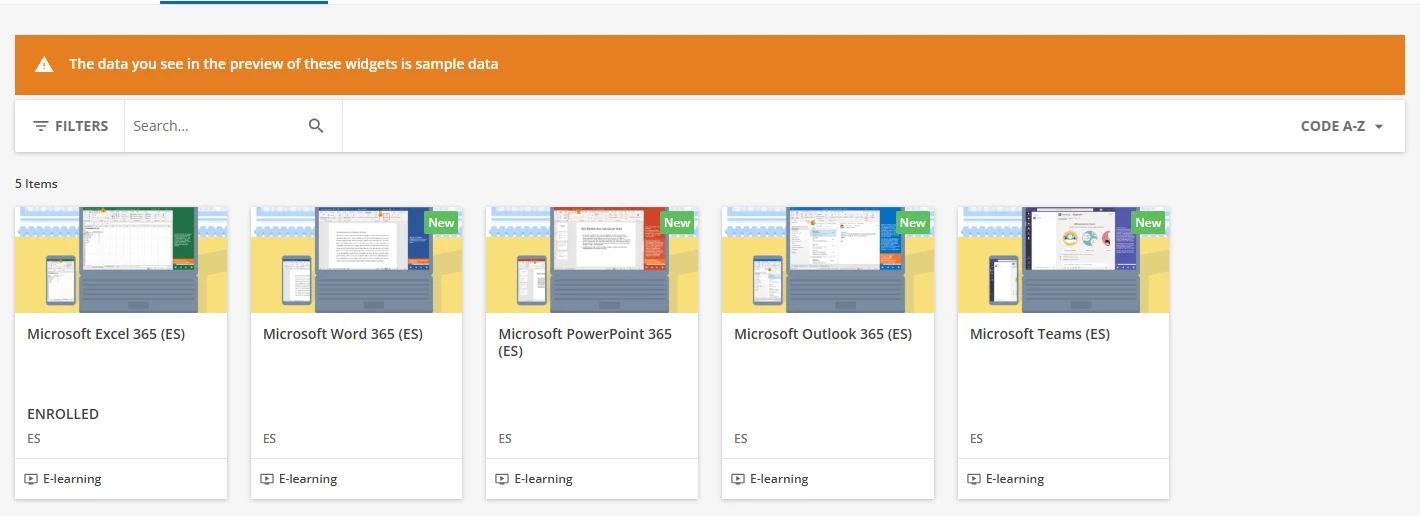
For example I look at all the widget flavors and they all basically come back the same way (see below).
I am asking because I dont think I have ever seen the catalog widget support descriptions.

Meaning if it isnt an element already an element on the page in the widget, I dont think a way will exist to bring that element into the widget (and this confirmation is what I think you are after).


dklinger
Hero III
Forum|alt.badge.img+11
  • Hero III
  • September 29, 2025

BTW - You can get nuts with the HTML widget though on a page and support links to courses….but no one in their right mind would want to do that for many courses when you have many to maintain.


JeanetteMcVeigh
Hero III
Forum|alt.badge.img+7

Hi all!  I am not aware of a way to do that, but it’s a great idea (maybe you should post the idea as an enhancement). 

BUT, in the meantime. You could perhaps design the thumbnail to contain the short description maybe?  yes, it’s a lot of graphic/image work, but just a thought. :-)