Question

CSS Not Applying to "HTML Page" Training Material in Docebo

  • Mar 31, 2025 8:38 AM UTC
  • 3 replies
  • 216 views

Hi everyone,

I'm trying to apply CSS to an "HTML Page" training material item in a course, but it's not working as expected.

  • When I test my HTML and CSS in CodePen, everything works fine.

  • In Docebo, I add a new "HTML Page" training material and paste my HTML code.

  • Then, I go to Custom Styles and paste my CSS code.

  • After saving and refreshing the course page, the CSS is not applied.

I've used this method before, and it usually works without issues. Could this be related to how Docebo handles CSS for course players versus page widgets? Do I need to specify anything in the code to ensure it applies correctly?

Any insights or troubleshooting suggestions would be greatly appreciated!

Thanks in advance!

3 replies

gstager
Hero III
Forum|alt.badge.img+9
  • Hero III
  • Mar 31, 2025 11:50 AM UTC

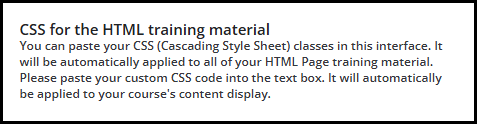
There is a separate place for training material CSS under course player.

Did you try to place your code there?


lrnlab
Hero III
Forum|alt.badge.img+10
  • Hero III
  • Mar 31, 2025 1:25 PM UTC

Also note that not all HTML works across the LMS. The HTML/WYSIWYG widget for example, is quite limited as well. Basic HTML works well but things like buttons are harder to code and get working.


  • Author
  • Novice I
  • Apr 2, 2025 2:07 PM UTC

thanks ​@gstager, I wasn’t aware of that option specifically for HTML pages in a course. I was able to apply the code now. 

many thanks!