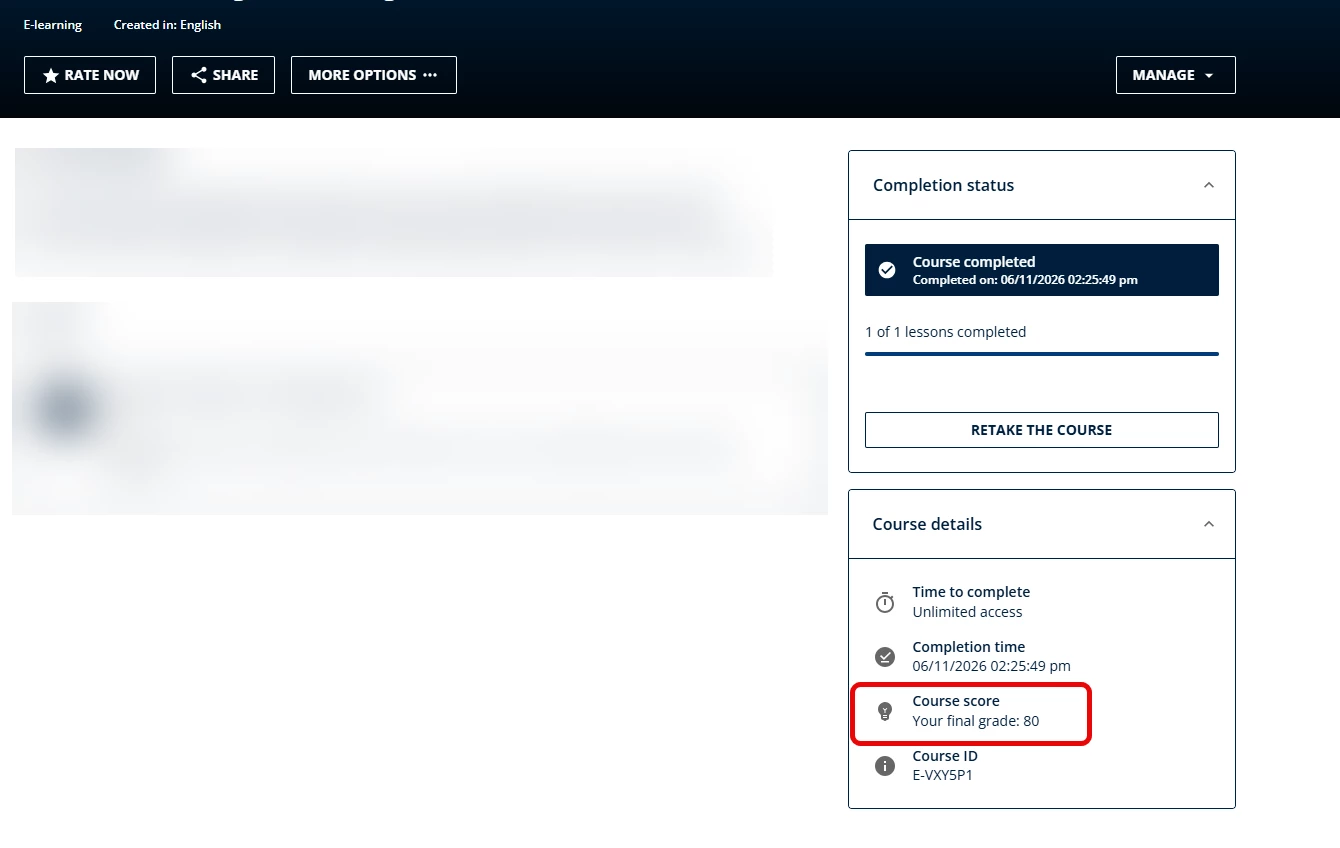
I’m looking for help with CSS to hide the course score on the course landing page after completion of a specific course. Any help would be greatly appreciated!



 +1
+1I’m looking for help with CSS to hide the course score on the course landing page after completion of a specific course. Any help would be greatly appreciated!
Best answer by Moshe.Machlav
Hi
I understand exactly what you're trying to do. Often, we need to track completion but don't want to cause learner anxiety or confusion by displaying a score on the landing page, especially for compliance or purely informational courses.
However, there is a technical limitation to be aware of when using CSS for this specific scenario.
While you can easily target specific Custom Pages (like dashboards) using their unique #doc-page-[ID] wrapper, Docebo's New Course Player does not inject the specific Course ID into the HTML structure. Because of this, it is not currently possible to write custom CSS that hides the score for only one specific course.
Here are the two best ways to handle this:
When I've deployed this for organizations with similar requirements, we usually lean toward the native settings to avoid using CSS that might accidentally hide critical passing grades on other courses.
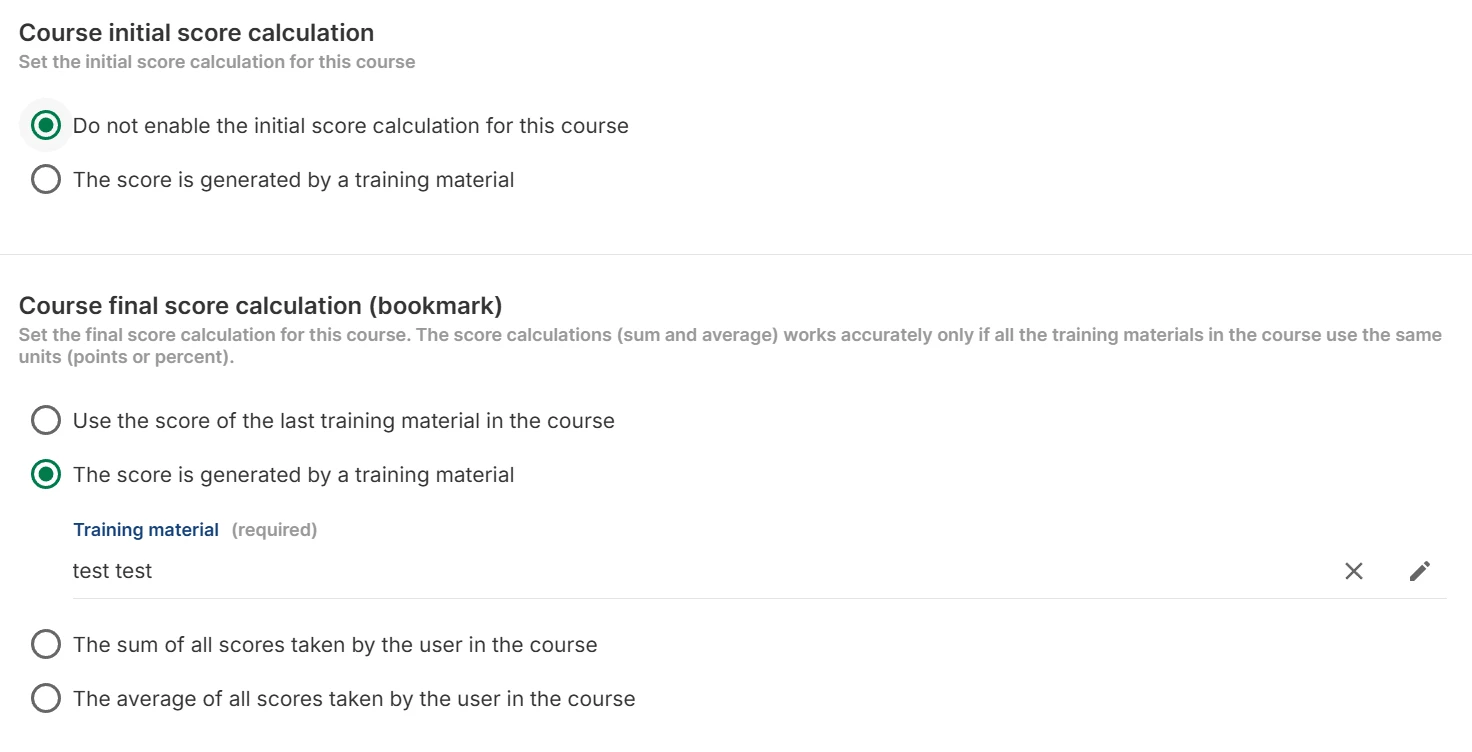
Instead of CSS, simply stop this specific course from generating a final score. Go to Course Management > [Course] > Properties > Score and credits and adjust the calculation settings. If the platform doesn't calculate a score for the course, it won't display the score row in the Course Details widget at all.
If you don't mind hiding the score widget across all courses on your platform, you can apply this snippet to your Admin Menu > Configure Branding and Look > Custom Styles > 7.0 Custom CSS:
CSS
/* Hide the course score globally in the Course Details widget */
li.lrn-widget-content-details-course-score {
    display: none !important;
}
You can read more about how final scores are managed natively under the "Score and credits" section in the official documentation here: Managing properties for courses – Docebo Help Center.
Enter your email address or username and password below to log in to Docebo Community. No account yet? Create an account
Enter your E-mail address. We'll send you an e-mail with instructions to reset your password.