Hide Empty Bin (Cat Tail) Image in Task List Widget with CSS

  • August 28, 2025
  • 1 reply
  • 57 views

dwilburn
Guide III
Forum|alt.badge.img+4

Hello all, my boss asked me to get rid of the cat tail (her exact words were cat butt but writing butt got my post flagged) image in our Task List Widget. The code below was first tested in the sandbox and then moved to production.

/** Hide Cat Butt Image **/
/** Target the element by its data attribute **/
[data-illustration-name="empty_bin"] {
display: none !important;
}

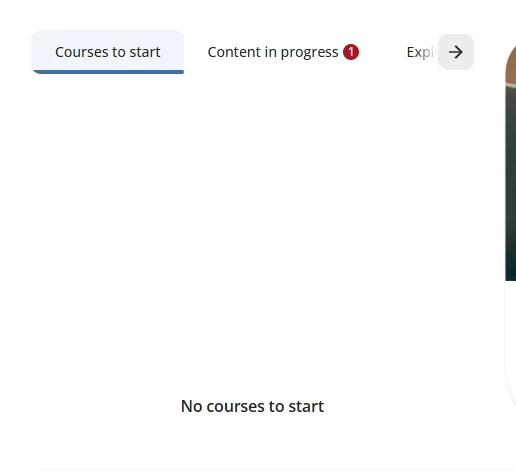
I wanted to get rid of the image, but keep the “No courses to start”
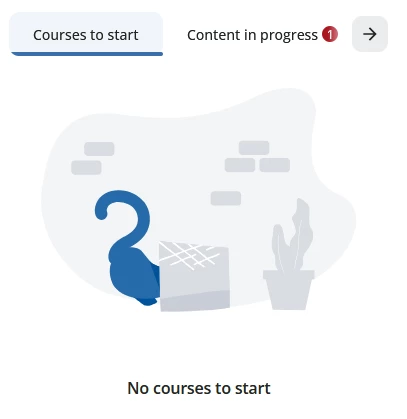
 

Before
After

I checked our transcripts page and it still shows other “empty” images that we are fine with.

1 reply

Forum|alt.badge.img+1
  • Novice III
  • January 21, 2026

Thank you ​@dwilburn! That cat butt has been driving me crazy!

I was also able to replace the image with this code, if anyone’s interested.

/* Replace Cat Butt */
svg[data-illustration-name="empty_bin"] {
background-image: url("https://cdn5.dcbstatic.com/files/t/f/tfs_docebosaas_com/userfiles/yourfilehere.png");
background-repeat: no-repeat;
background-position: center;
background-size: contain; /* or `100% 100%` if you want a stretch */
/* ensure the svg keeps its layout space */
width: 300px; /* keep or change to match your layout */
height: 204px; /* keep or change to match your layout */
display: block; /* helps in some layouts */
}