Question

Hide Invite to Watch Buttons

  • September 22, 2025
  • 1 reply
  • 56 views

Hi,

I’m wanting to hide the  “invite to watch” circle button from channels as well as the ‘invite to watch’ button from the drop down list.

Or does anyone know the CSS code to hide them?

I found a couple of questions similar but there CSS isnt working ☹️

Many thanks!

 

1 reply

rodel.lacaba
Novice I

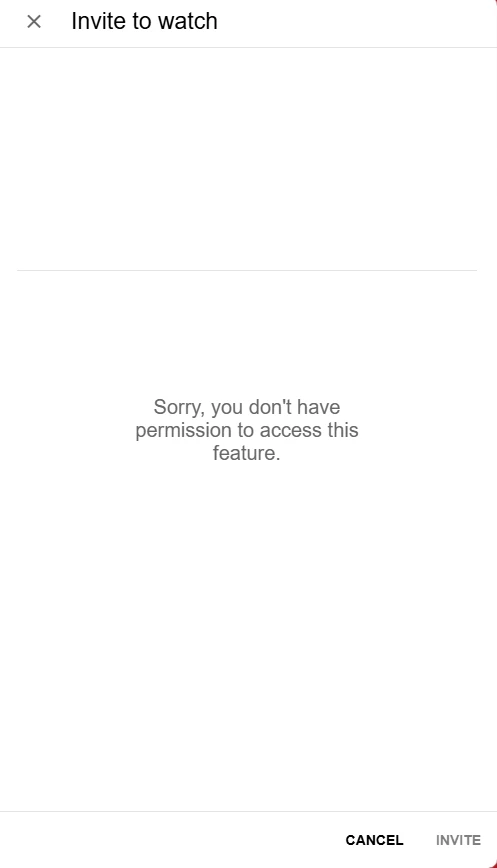
You can use this alternative option, which works better than trying to hide it completely:


/* Hide the content of the Invite to Watch right panel and display a permission message */

.invite-to-watch-wrapper[_ngcontent-ng-c2567855706] {
    position: relative;
    visibility: hidden;
}

.invite-to-watch-wrapper[_ngcontent-ng-c2567855706]::after {
    content: "Sorry, you don't have permission to access this feature.";
    visibility: visible;
    position: absolute;
    top: 50%;
    left: 50%;
    transform: translate(-50%, -50%);
    color: #666;
    font-size: 20px;
    font-weight: 500;
    text-align: center;
    line-height: normal;
}


This hides the content of the right panel whenever users click "Invite to Watch" and displays the message:

"Sorry, you don't have permission to access this feature."


I hope this helps.