Best Answer

Api user created by

  • April 18, 2024
  • 14 replies
  • 209 views

I’ve been thinking about something:
When creating a user, inside of the platform or using the api…. how do we know which user created the new “user record”?

I can see that there is a “created date” field… but what about “created by” or something similar?
Docebo does not save this type of detail?
No “created by, modified by, owner” and other similar fields like in other platforms like dynamics or salesforce?

Can I retrieve this information using the endpoint “/manage/v1/user/list”?

If there is no such fields… how can I handle this? create custom fields for this purpose? 

Best answer by dwilburn

There is an audit trail endpoint in the API, I have not tested it.

14 replies

dwilburn
Guide III
Forum|alt.badge.img+4
  • Guide III
  • April 18, 2024

Hi @flistergod I looked a /manager/v1/user/{user_id} and it does not have created by info. I know that is stored in other elements like power users info. It also doesn’t show the creation date/time. So there may be a better endpoint.

Typically when I am looking for this info I go to the audit trail and filter where the target = the user’s email address (our main tracking element).

I’m going to take another look around. At the least it would seem that we could find where the last access date/time is stored.


dwilburn
Guide III
Forum|alt.badge.img+4
  • Guide III
  • Answer
  • April 18, 2024

There is an audit trail endpoint in the API, I have not tested it.


dwilburn
Guide III
Forum|alt.badge.img+4
  • Guide III
  • April 18, 2024

  • Author
  • Novice II
  • April 18, 2024

@dwilburn Amazing help! I’m still checking this… I was thinking about creating the fields myself and create a automation around them… is this possible? I’ll check what you’ve said and I’ll be back with updates! TY!


dwilburn
Guide III
Forum|alt.badge.img+4
  • Guide III
  • April 18, 2024

The system automation app is pretty limited. Docebo Connect has some lookup type automations. 

That could be an option, add a user addition field, “Created by” and populate it. Especially if it is being created by a small user set. 

With the user additional field you could also populate this field when a user creates the new user with an API or CSV.


  • Author
  • Novice II
  • April 18, 2024

@dwilburn  You are correct! The Audit does return the details that I’m looking for!
Post https://domain.docebosaas.com/audittrail/v1/audittrail
In the body, provide the filters that you want.
In my case, I wanted every change to Users:

sample:


{

  "timeframe": {

    "from": "2024-04-11 14:51:34",

    "to": "2024-04-18 14:51:34"

  },

  "eventTypes": [

    "newUserCreated",

    "newUserCreatedByExtIntegration",

    "userDeleted",

    "userModified",

    "userModifiedByExtIntegration",

    "newUserCreatedSelfReg",

    "userSuspended",

    "userUnSuspended"

  ]

}


Use the queryId returned from the 1st request and use it on the request below:

Get https://domain.docebosaas.com/audittrail/v1/audittrail/queryId

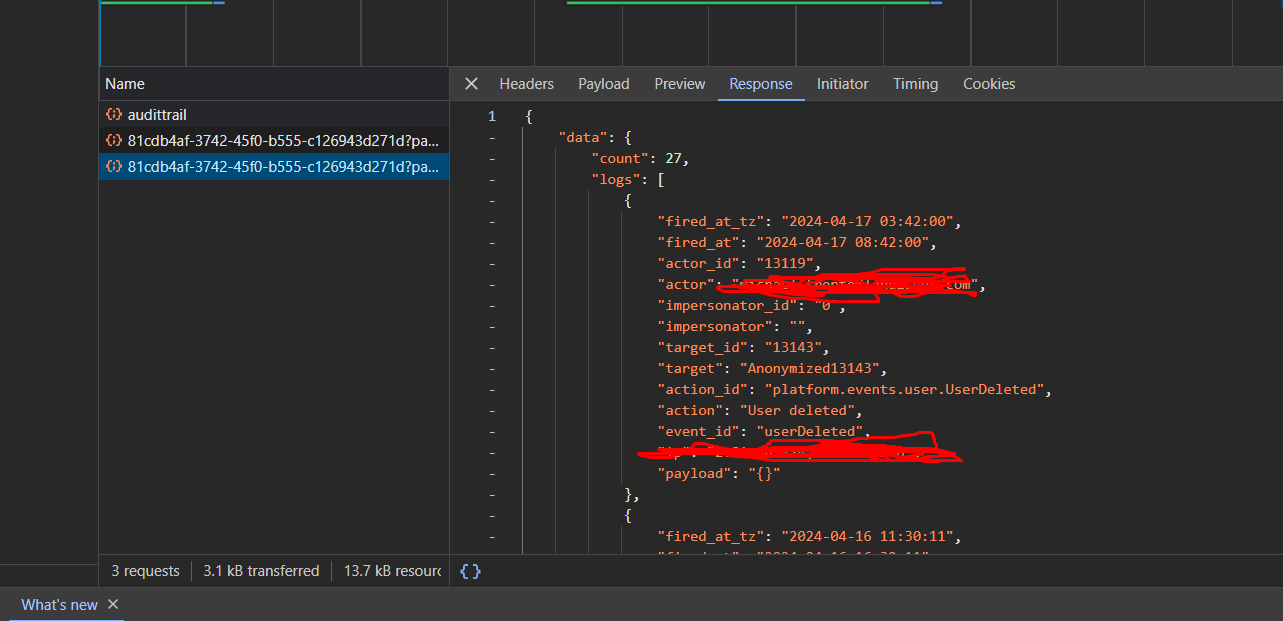
It returns the filtered logs:


KMallette
Hero II
Forum|alt.badge.img+9
  • Hero II
  • April 18, 2024

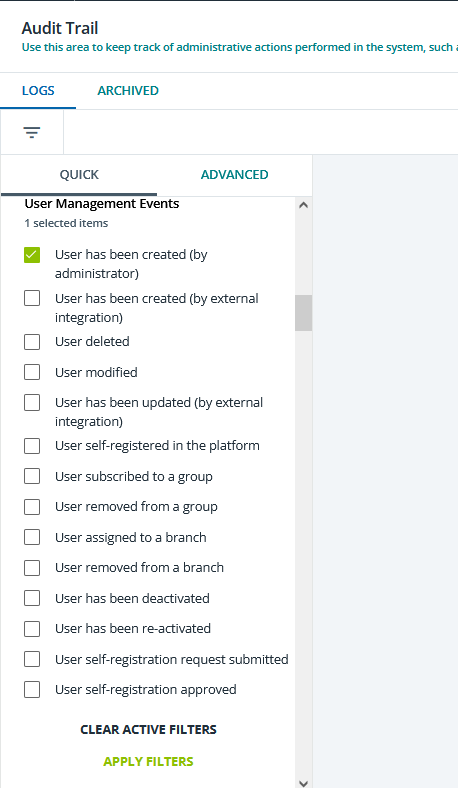
@flistergod You can also use the Audit app from the Admin menu…


  • Author
  • Novice II
  • April 18, 2024

The post is about using the Api, but i did use that to double check my postman results!


dwilburn
Guide III
Forum|alt.badge.img+4
  • Guide III
  • April 18, 2024

That filter is handy, that is how I typically look things up.


  • Author
  • Novice II
  • May 29, 2024

@dwilburn 
Hello again! Again about this topic if you wanna help out ahaha

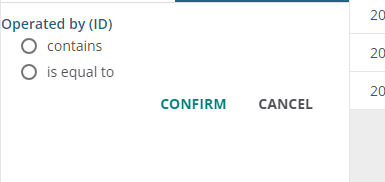
I’m looking at the advanced filters:


behind the scenes the “is equal to” is “like” in  the http request

{
  "timeframe": {
    "from": "2024-05-28 19:18:37",
    "to": "2024-05-29 23:29:37"
  },
  "eventTypes": [
    "userModified"
  ],
  "adminFilters": [
    {
      "operatedById": {
        "option": "like",
        "value": "13119"
      }
    }
  ]
}

but can´t find the documentation on the possible operators...
What could be the operator for “is not equal to”?
Any ideas?
TY!​​​​​​​


dwilburn
Guide III
Forum|alt.badge.img+4
  • Guide III
  • May 29, 2024

@flistergod - which endpoint?


  • Author
  • Novice II
  • May 29, 2024

@dwilburn  /audittrail/v1/audittrail


dwilburn
Guide III
Forum|alt.badge.img+4
  • Guide III
  • May 29, 2024

@flistergod - I looked at an Audience that I have a “not equal to” setting and this was the operator.
 

"operator": "!equal"


dwilburn
Guide III
Forum|alt.badge.img+4
  • Guide III
  • May 29, 2024

@dwilburn  /audittrail/v1/audittrail


I’m not finding anything useful there. Also, no luck googling. Easy enough to open a chat request ticket on it.