
Proposals for Improving Multilingual Content

  • Nov 11, 2026 9:29 AM UTC
  • 7 replies
  • 18 views

72989513W
Novice I

- When a learner sets a language on the platform, courses should automatically appear in that language (i.e., the learner should not have to go into each individual course to change the language).


- Final course score: If there is a separate test for each language, it is currently not possible to configure the final course score to be based on a specific test depending on the language selected.


7 replies

Dominik
Helper I
Forum|alt.badge.img+1
  • Helper I
  • Nov 11, 2026 10:44 AM UTC

Hi ​@72989513W,

For us, the language assignment is working as expected. When I change my profile language from English to German, for example, all my eLearning content is displayed in German when that language is available. Otherwise, it falls back to our default language, which is English.

If this is not happening for you, I would recommend raising a support ticket.

We build our courses and knowledge checks using either Articulate Storyline or Rise. In these tools, we sometimes have different content for each language. A quiz could have different passing scores depending on the language.


​@72989513W Just some context from our experience:

  • In non-Creator lessons, language assignment works similar to ​@Dominik’s experience - learners get the language that matches their profile, or defaults to English
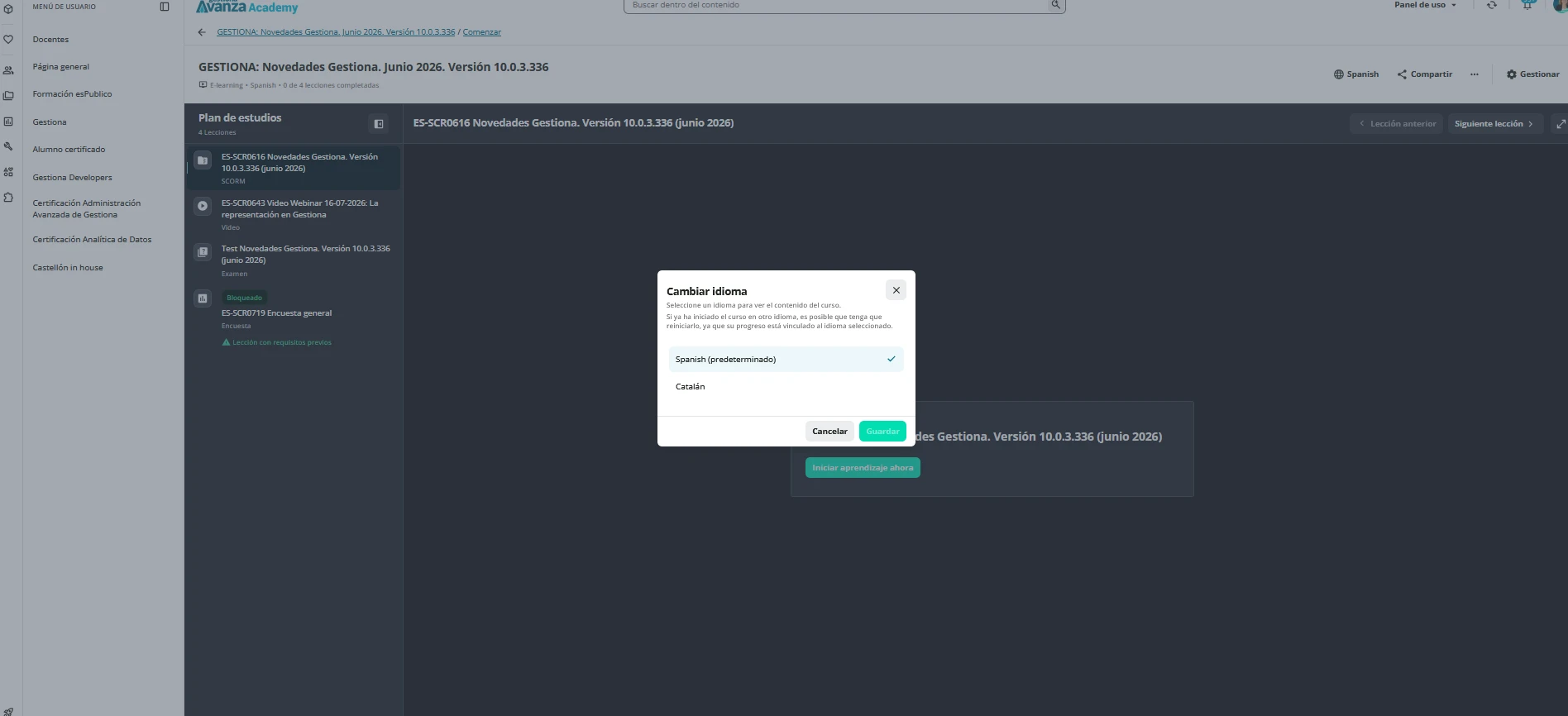
  • In Creator lessons specifically they need to manually adjust their language. Support confirmed that Creator does not currently automatically select the available translation that matches the learner's preferred platform language. We’ve been told that this will be fixed in a yet-to-be-roadmapped product enhancement.

Not sure if you’re experiencing issues with Creator on non-Creator lessons, so thought I’d flag that there is a difference in behaviour.


Dominik
Helper I
Forum|alt.badge.img+1
  • Helper I
  • Nov 11, 2026 1:20 PM UTC

Thanks for the clarification ​@jasminekkochar. Wasn’t aware how Creator lessons work, as we have not yet been using Creator at all.


72989513W
Novice I
  • Author
  • Novice I
  • Nov 11, 2026 1:22 PM UTC

We also work with Articulate. When a user selects a language to view lesson content in that language, they have to select it again from within the course—is this the intended behavior?


Thank you very much.


Dominik
Helper I
Forum|alt.badge.img+1
  • Helper I
  • Nov 11, 2026 1:56 PM UTC

Hi ​@72989513W, 

Is my assumption correct that you create one SCORM/xAPI file that contains all languages, rather than one SCORM/xAPI file per language? If so, Docebo would not be able to automatically select the correct language within an Articulate course.

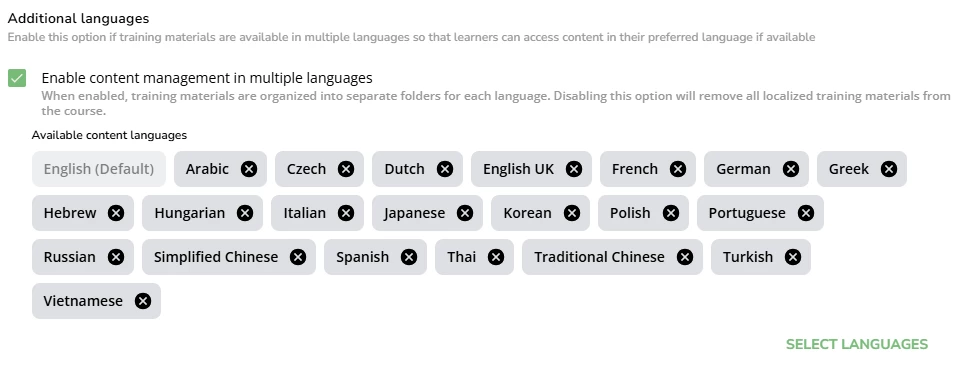
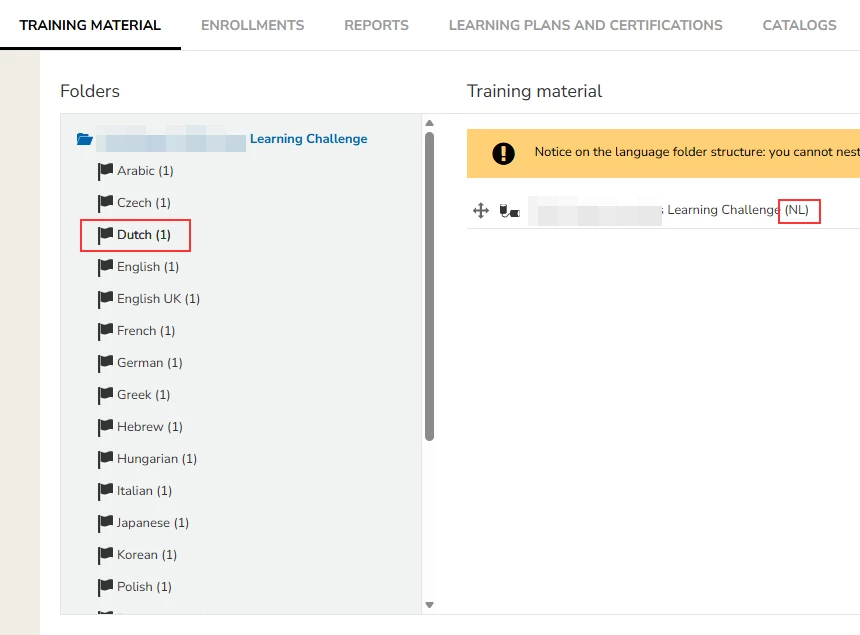
For the automatic language selection to work, you need to have one file per language, leverage the multi-language feature, and assign only one language per folder.


For example, the Dutch folder should only contain the Dutch-language version.

Hope that makes sense 😊.


72989513W
Novice I
  • Author
  • Novice I
  • Nov 12, 2026 6:15 AM UTC

Thank you very much for your help.


That is indeed how I have it set up: one folder per language, with the content for each language placed in its respective folder. However, when a user selects a language on the main platform, the course content (the SCORM packages) does not appear in that language by default; instead, the user must manually change the language setting from within each individual course.


Dominik
Helper I
Forum|alt.badge.img+1
  • Helper I
  • Nov 12, 2026 12:12 PM UTC

That is strange. I would say you set up everything correctly. Maybe it is worth raising a support ticket. It could be that there is one setting that might impact the language selection.

Or someone else from the Community can support 😊.