Share you UX landing page?

  • October 26, 2025
  • 3 replies
  • 46 views

Fairly new Docebo admin here.  I’d love to see other people’s landing page for your standard users.  I’ve done some work here and there but I’m more concerned with what is possible.  If you pushed the UI into something you are proud of could you share a screenshot?

3 replies

shanejacques
Helper III
Forum|alt.badge.img+5
  • Helper III
  • October 27, 2025

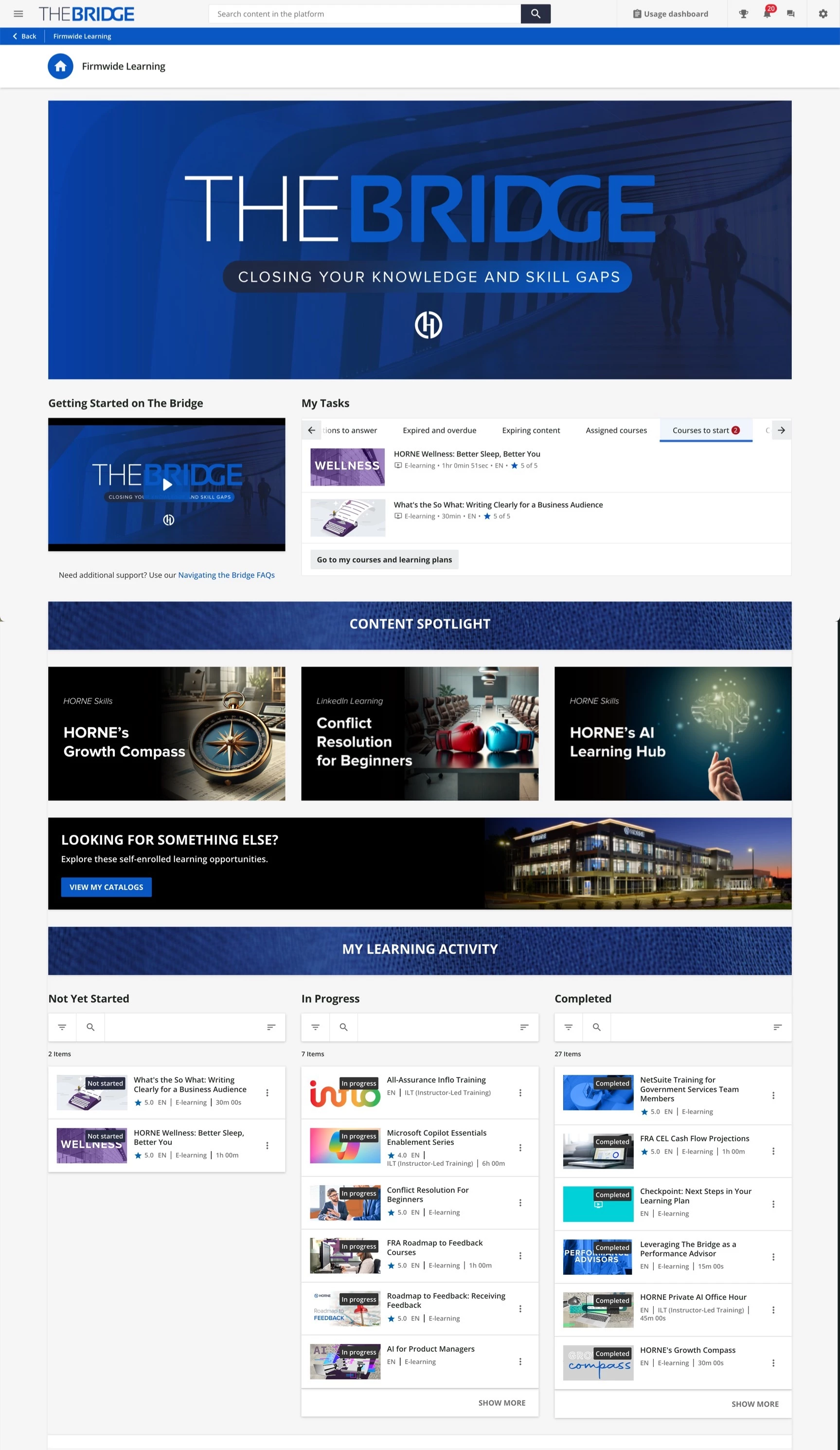
I don’t know that ours does anything special, but here’s a screenshot.

When we onboarded to Docebo about 18-months ago, our SDR shared this community post that offered a lot of inspiration. Might be worth checking out if you haven’t seen it: Engaging Home Page Layouts | Community.

I think the folks at eSkillz just hosted a webinar last week on landing page design. I missed it, but I think they said they would record it.


dklinger
Hero III
Forum|alt.badge.img+11
  • Hero III
  • October 27, 2025

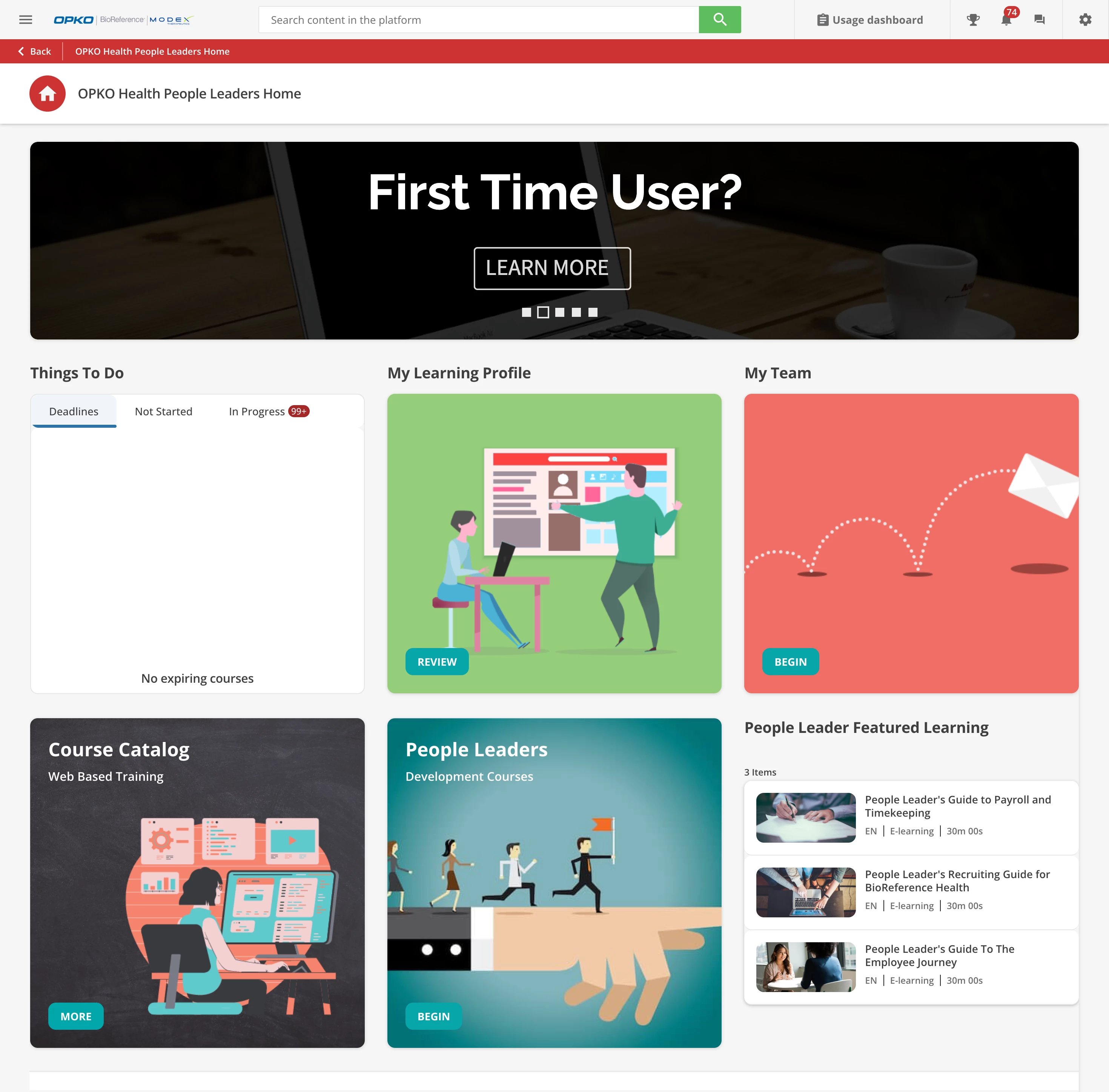
Morning - Like ​@shanejacques said - that one page has a bunch of user experiences.

We are going to be tuning up a few more things shortly, but here is a current managers view as well.

Basic - but gets the job done and it works well for us. Call to action - caroseul - Things to Do Widget and Personalized Learning (that featured learning is a catalog widget in list mode).


memassey
Novice II
Forum|alt.badge.img
  • Novice II
  • November 3, 2025

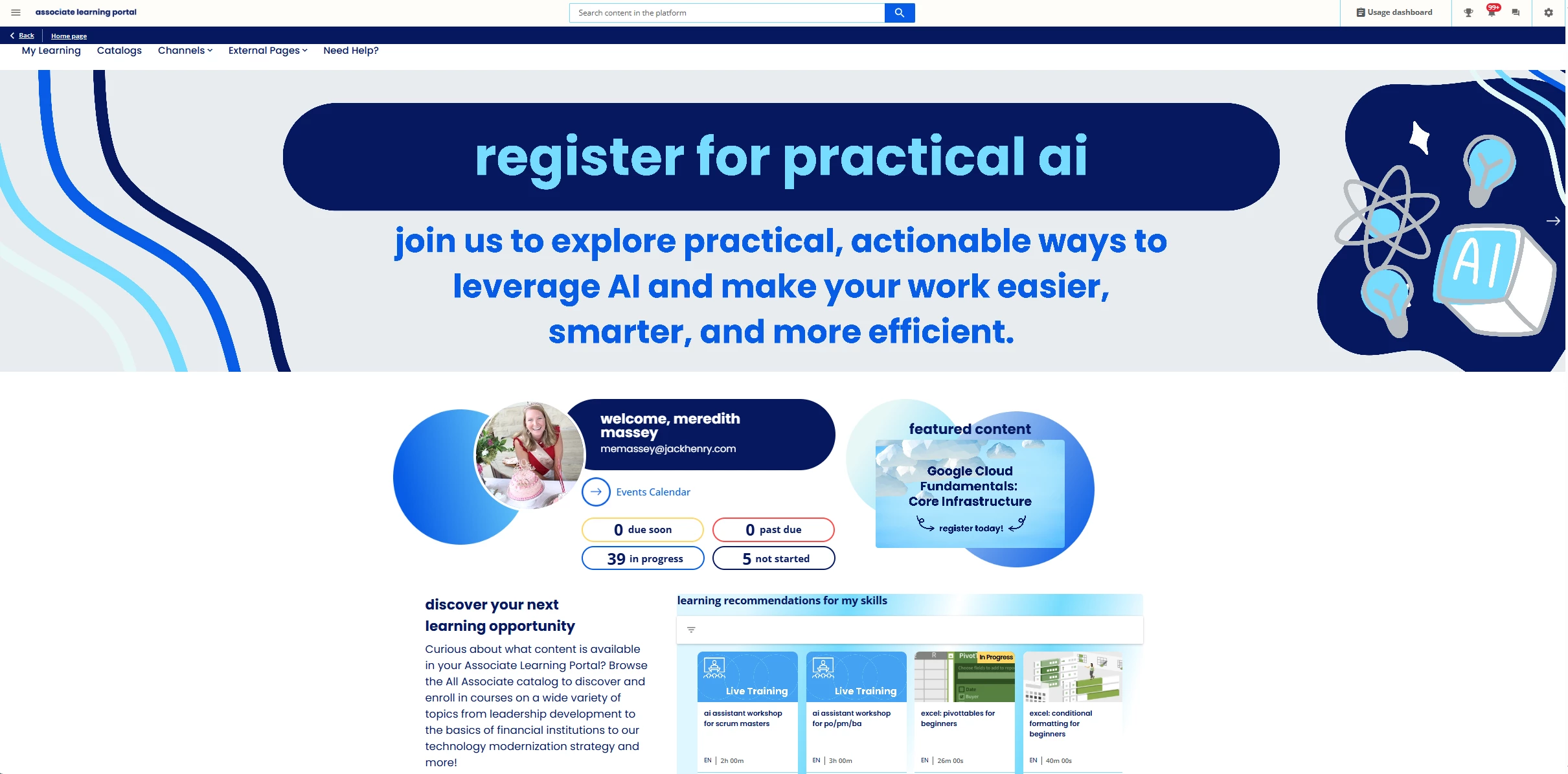
Here is our Associate Landing page if it is helpful! We have a similar setup for Managers, with the only difference being the content in the carousel banner images changing depending on corporate priorities and timing. We partnered with GuyKat during implementation to create our page and then we handle maintenance and updates. We use the 3 banner carousel images to highlight new training or events, and then the recommendations at the bottom are pulled from an AI-based channel using the Skills module we implemented recently.

We did work with GuyKat again a few months ago to make an update and add the “due soon” and “past due” links so it will highlight for learners if they have upcoming or past due mandatory training assigned with a due date and take them directly to a filtered view of those courses which has been greatly appreciated and helpful.