Question

Using Companion in Chrome without Google sign in

  • June 26, 2026
  • 4 replies
  • 38 views

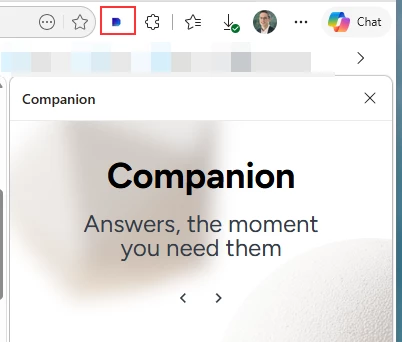
I’d like to implement Companion in Chrome but at my company we use MS products instead of Google. I was able to go through Google and add the companion extension according to the instructions, but I didn’t get any options for customization. The extension was added and it is floating in my Chrome browser. The problem is that it doesn’t seem to connect to Docebo properly even when I give it our domain name. I’m wondering if that is because I’m not ‘logged in to Chrome’. Since most companies use MS products, I’m thinking there must be a way to get this to work, but need some help since I am outside of the guidelines from the steps that are listed in Docebo’s guide.

4 replies

lrnlab
Hero III
Forum|alt.badge.img+10
  • Hero III
  • June 29, 2026

Hi ​@ssingletary Check the Q&A for Companion 

https://help.docebo.com/hc/en-us/articles/35121195657746-Docebo-Companion-Questions-and-answers

IF you can see the extension it should allow you to access your site with the usual login method.

tagging ​@Kristian Luke Jones 


Dominik
Helper I
Forum|alt.badge.img+1
  • Helper I
  • June 30, 2026

Hi ​@ssingletary,

We are also using only MS products, and with the support of our IT team I was able to install the Companion extension in Edge. We’re not using any Google logins or Chrome, and it worked without any issues.


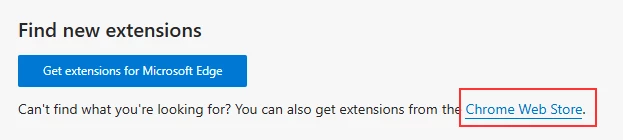
In my case—and I think this really depends on the IT security settings and how the devices are managed—I went to the Edge Extensions tab and accessed the Chrome Web Store from there. It might be different in your setup.


Kristian Luke Jones
Docebian

@ssingletary did you manage to solve your issue?

You should be able to install Companion in either google chrome or microsoft edge as shown by ​@Dominik .

And you do not need to be logged into the browser with a profile.

you just need to enter your platform name within the companion side panel that you want to connect to.

Then it should open a pop-up where you follow your standard authentication method in the platform (either credentials or SSO).

If you are still blocked or would like to provide other feedback, please find a slot that works for you in this scheduler link and we can have a look at the issue together. :) 

Thanks,
Kristian. 


  • Author
  • Newcomer
  • July 6, 2026

I was able to get it to work. Chrome constantly asks for you to log in during the process, but I just kept waving that off. I think part of my confusion is that the knowledge base articles are specifically aligned with using Google products so I wasn’t sure of what was required or not. Thanks for your insight!!