Hello Product Design Group!
I'm excited to share new updates to the Docebo MCP Server, which are now live in your Sandbox environment (as of June 22), with the Production rollout planned for July 22, 2026.
Our vision remains the same: bring the power of Docebo into your flow of work, allowing learners, administrators, and organizations to interact with learning data inside the AI assistants your team uses every day. This release is a major step toward this vision, with updates including:
- New MCP configuration experience
- New administrative tools
- Enhancements to the learner tools
Read more details on what’s available in Sandbox, what to expect in Production next month, and an important action item for beta participants.
Action required: reconfiguring beta connections
As we transition from our temporary beta structure to a permanent, multi-server architecture, all existing MCP configurations created during the public beta must be updated once the Production release goes live on July 22, 2026, to ensure continued service.
You must replace your temporary beta URL with the new permanent system URL within your AI client settings (e.g., Claude, ChatGPT, or Copilot).
- Old Beta URL Format: https://[your-docebo-instance-name]/mcp
- New Default URL Format for the Built-In Learner Server: https://[your-docebo-instance-name]/mcp/servers/system_learner/http
Administrators will need to delete the previous connector and create a new one, after which end-users will be required to re-authenticate. This is a one-time reconfiguration required for this architectural upgrade.
For more details on configuration steps and the new tools, please refer to the following documentation: Configuring the Docebo MCP Server.
New MCP configurator
We are launching a new MCP configurator natively within the Docebo AI Control Panel
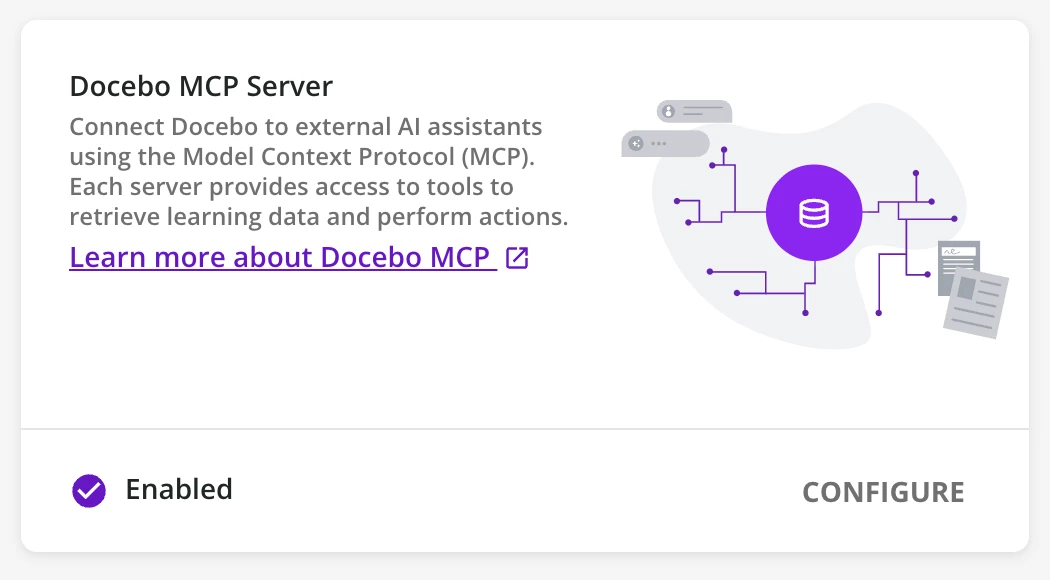
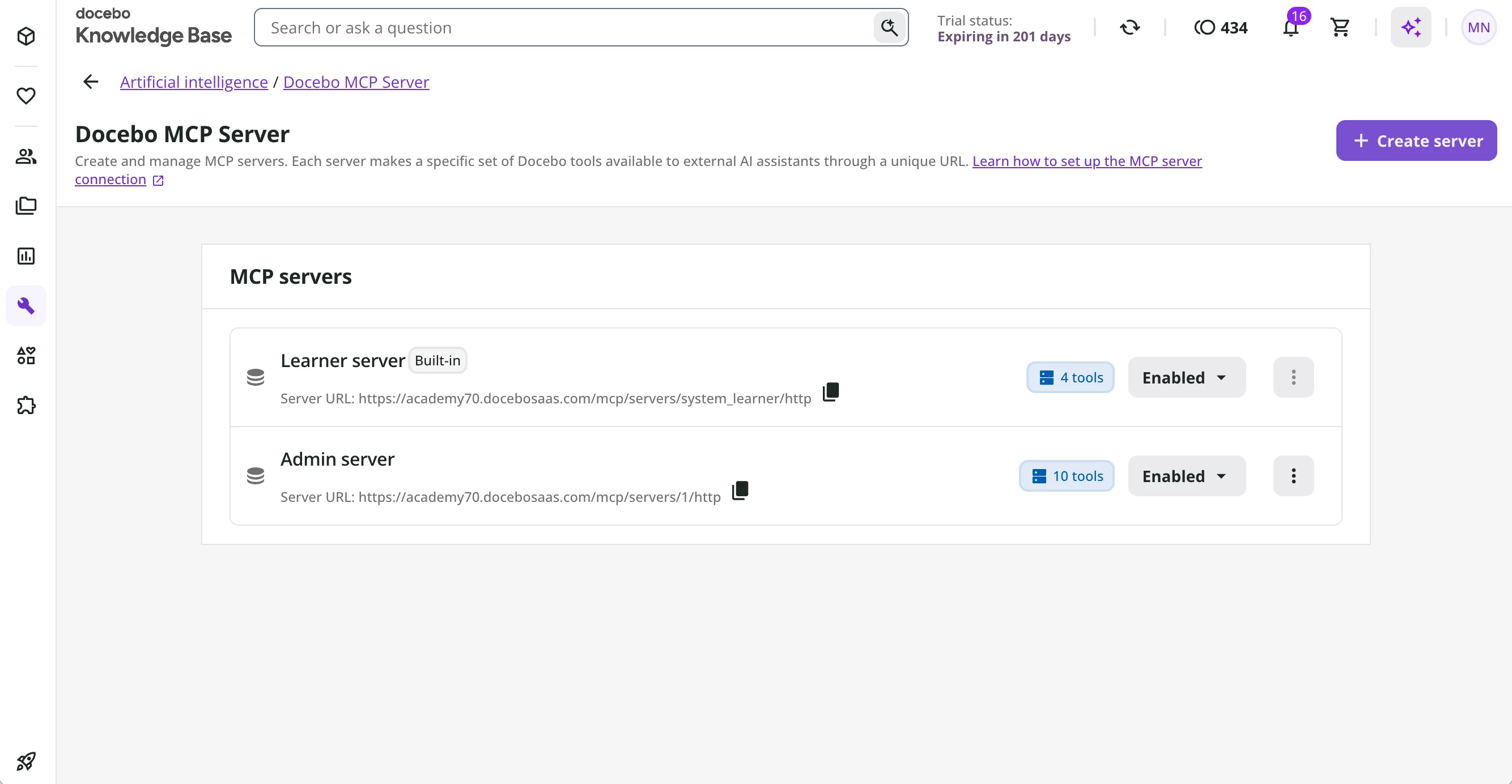
To ensure users only see the tools they need, Superadmins can now build and manage tailored MCP "sub-servers" from a centralized library of Docebo tools. This granular control allows you to restrict tool access and design specific experiences scoped by the user, such as distinct environments for Learners and Administrators.
The Configurator interface includes:
- Built-in Learner Server: A pre-configured server exposing essential learner-focused tools. This requires no setup and remains locked to ensure stability.
- Custom Servers: Bespoke endpoints created by Superadmins for specific use cases (e.g., an Admin-only server). You can customize the server name, define a unique URL path, and toggle individual tools on or off.
New admin tools
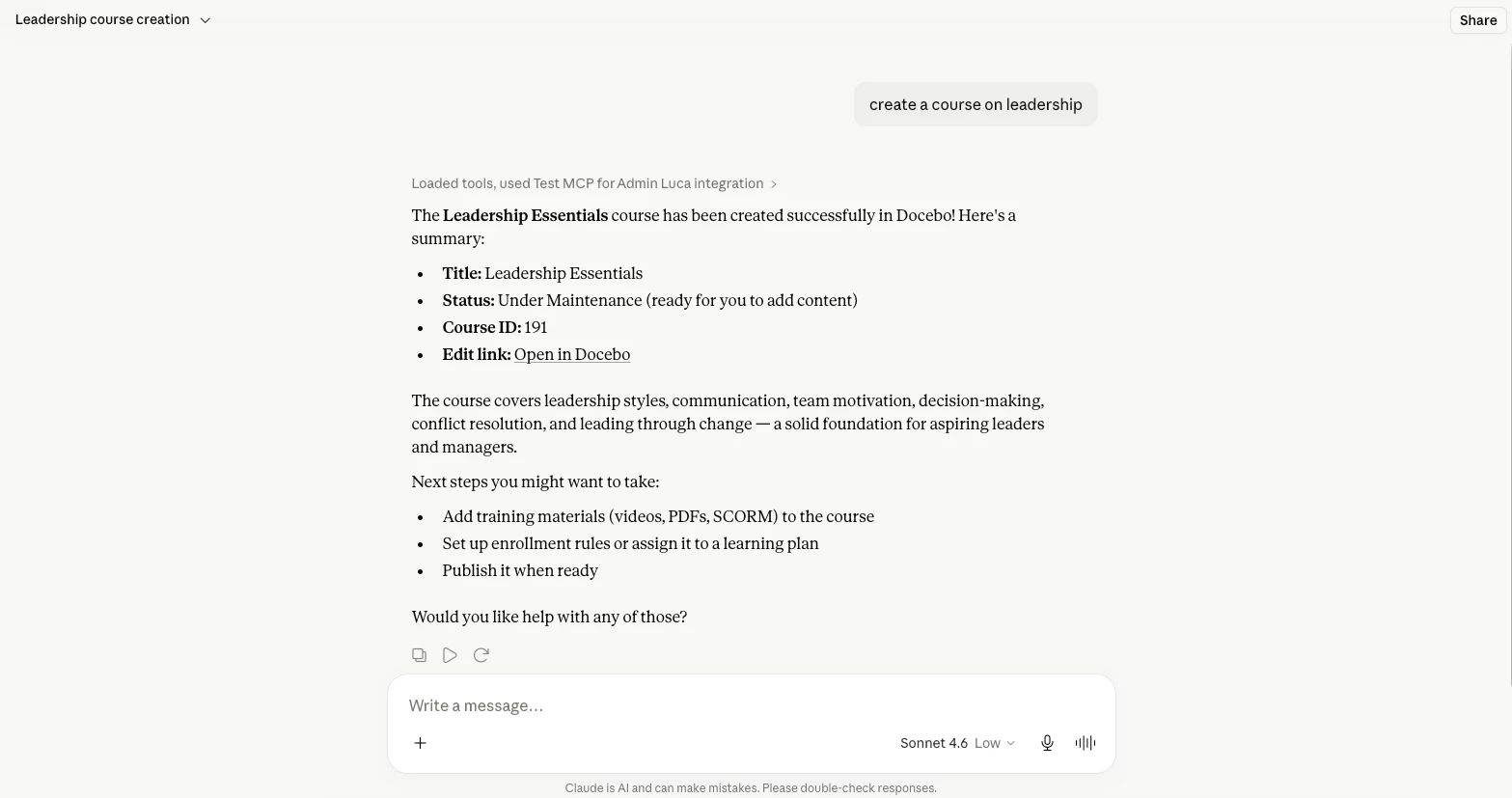
We are extending the power of the MCP to platform administrators. With our new catalog of admin tools, Superadmins can manage core learning management workflows directly through their AI assistants using natural language.
The initial set of admin tools focuses on two core areas:
- Courses and Learning Plans: Instruct your assistant to create courses, draft learning plans with suggested titles and descriptions, update metadata, or bundle training materials.
- Enrollments: Effortlessly query enrollment statuses, manage individual user enrollments, archive progress, or perform bulk enrollments for specific groups and branches.
We are committed to continuously expanding our administrative tool library. Our current development roadmap includes upcoming tools for Content Marketplace and Insights.
These initial admin tools (covering Courses and Learning Plans, and Enrollments) are included in your standard license.
Improved learner tools
Based on valuable feedback from our beta users, we have refined the learner tools to provide a more intuitive and powerful experience.
Key updates to the learner experience include:
- From "Ask learning content" to "Fetch learning item": This updated tool allows for more precise queries. The AI assistant can now read the content of specific courses, learning plans, or training materials to answer questions or generate summaries. This utilizes the same parsing engine as Docebo Harmony, adhering to identical content and visibility limitations. Support for assets will follow in a future release.
- Scalable Lists: The "Get my learning enrollments" and "Get my learning certifications" tools have been optimized to break down long lists into smaller, manageable parts, enabling AI agents to efficiently navigate and retrieve data even when handling extensive lists of records.
Our next priority for the learner library is developing dedicated tools for managers to retrieve enrollment information for their team members.
Learner tools remain included in the standard license. Please note that starting with the July release, the "Fetch learning item" tool will include Monthly Active User (MAU) counting with new events tracked in the Docebo Usage Dashboard, maintaining parity with Harmony's behavior.
Update on authentications enhancements
To ensure the highest standards, the planned updates for our known OAuth limitations on MCP connections are undergoing further refinement and will be deployed in a subsequent release. We look forward to sharing a definitive release timeline with you shortly. Full details regarding current setup requirements and active workarounds can be found in the above documentation article.
We’re excited for you to try out these updates, which are available now in your Sandbox environment, ahead of the Production rollout planned for July 22, 2026. If you have any feedback please share it below!