A report to show courses within learning plans

  • August 21, 2025
  • 4 replies
  • 34 views

HI All

We really need to be able to easily report on which courses exist within our learning plans within Docebo,

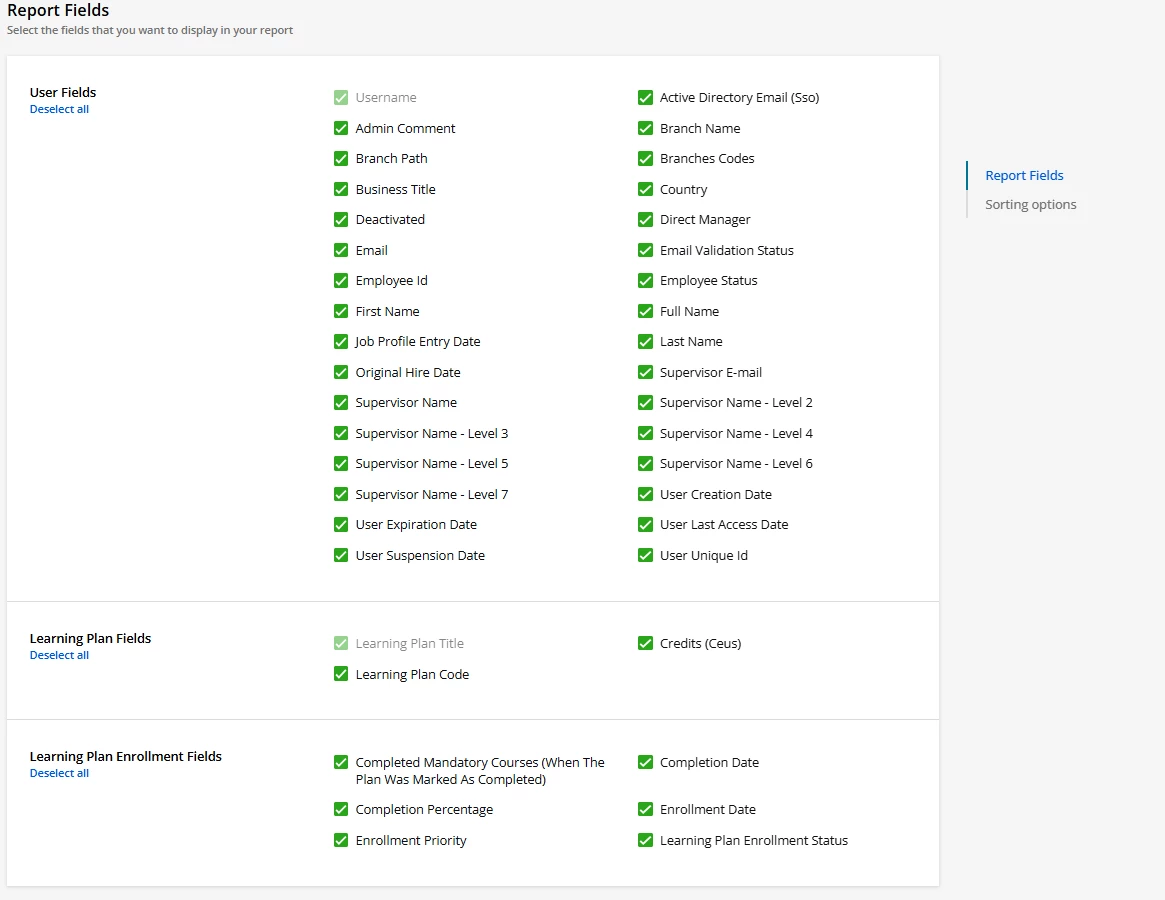
The learning plan report does not contains course titles.

Any ideas? Thanks in advance

4 replies

  • Novice III
  • August 22, 2025

Hello, does this not show up in the ‘Users - Learning Plan’ report? I just had a look and it shows me course titles, although I guess you’d have to go through them and remove duplicates for each Learning PLan (and I guess at least one person would need to be enrolled)


  • Author
  • Novice I
  • August 22, 2025

Thanks for your response, no my learning plan report does not show course titles - but that would be helpful - here’s what fields I have available when I try to create a learning plan report:


  • Novice III
  • August 22, 2025

Oh that’s weird, mine has course title and various other course fields in the Users - Learning Plans report, when I look at the product updates I think this feature was added last year in Sept (Product updates – Docebo Help & Support), so maybe worth checking in with your Docebo contact as to why you can’t see it? Sorry to not be more helpful! ☹️


New report fields for the Users - Learning plans report
As communicated on July 29, 2024, the Completion Percentage field in the View options of the Users-Learning plans report is:

  • Renamed Progress Percentage (All Courses)
  • Moved to the new section Learning Plan usage statistics fields

In addition, please note the following improvements made to the report:

  • three new sections are added to the View options tab:
    • Learning plan usage statistics fields
    • Course fields
    • Course enrollment fields
  • The fields Start of validity and End of validity are added to the Learning Plan Enrollment Fields section
  • Nine new fields are added to the section Learning plan fields
  • The Learning plan enrollment date and the Learning plan completion date filters are added to the FIlters tab.

  • Author
  • Novice I
  • August 22, 2025

Thanks so much - really appreciated!