Certificate upload

  • August 1, 2024
  • 4 replies
  • 82 views

Forum|alt.badge.img+1

When users upload a certificate for an external training course the date of the upload will register as the enrolment date whereas the user may have completed the training two weeks prior.  Is there any way to work around this without having to manually change the date as this will affect the renew functionality.

4 replies

annalisa.arcidiacono
Docebian
Forum|alt.badge.img

Hi Suzy_q,

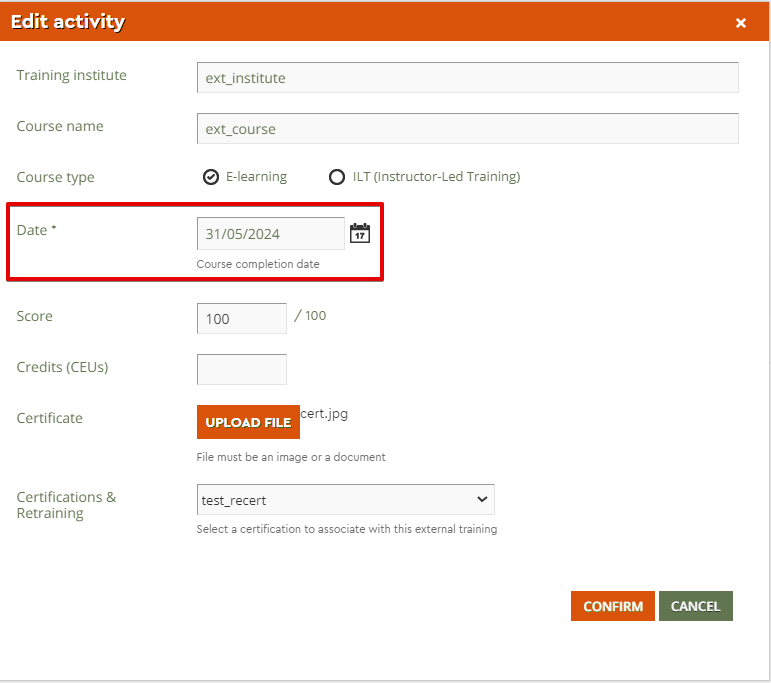
If I’m understanding correctly your question, you are referring to when a user is recertifying and chooses to upload an external training activity as an alternative to completing the course/learning plan. If such is the case, in the popup the learner will get there is a date picker where it is possible to select the course completion date


This same date will be the one taken into consideration as certification issue date


Hope this helps 😊


Cheers!


Forum|alt.badge.img+1
  • Author
  • Influencer III
  • August 22, 2024

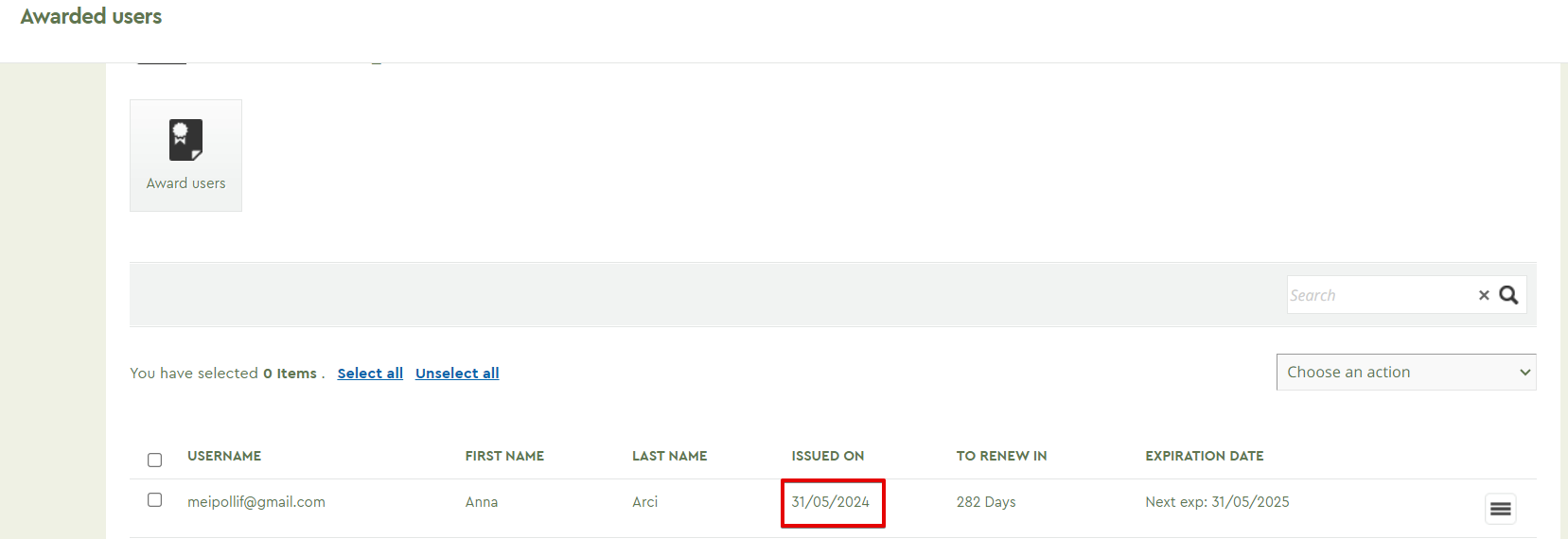
Thanks @annalisa.arcidiacono, we currently do this however in the user’s certifications the date under issue date column shows as the course completion date and not the date that the certificate was completed with the external trainer.


annalisa.arcidiacono
Docebian
Forum|alt.badge.img

Hi Suzy, 

The date you pick as course completion when uploading external training should be the one that shows up as the certification issued on date, as per my tests.

If this is not the case, please submit a ticket to our helpdesk and we will gladly investigate it for you to understand why it is not working as expected.

Cheers!


Forum|alt.badge.img+1
  • Author
  • Influencer III
  • August 22, 2024

Thanks @annalisa.arcidiacono this is being investigated.