Question

Certification Report

  • June 23, 2026
  • 4 replies
  • 21 views

Forum|alt.badge.img

Hello, 

I am trying to set a report up so it shows certifications that are going to run out in the next 3 months but can’t seem to get the filters correct. Has anyone set a report up like this before or know the correct options to click or if it’s even possible?


4 replies

Moshe.Machlav
Guide I
Forum|alt.badge.img+2

Hi ​@Ella Seaton ,

Before diving into the report setup, what is the end goal of pulling this 3-month list?

If you are running this report so you know who needs a reminder to renew, you might not need a manual report at all! You can completely automate this using the Notifications app. 

However, if you definitely need a spreadsheet report (for example, to share a compliance forecast with leadership), here is how to get the date filters to cooperate:

  1. Go to Reports and create a New Custom Report.

  2. Select the Users - Certifications report type.

  3. Navigate to the Date Options tab on the left-hand menu.

  4. Scroll down to the Expiration Date section.

  5. Choose the Select Date radio button.

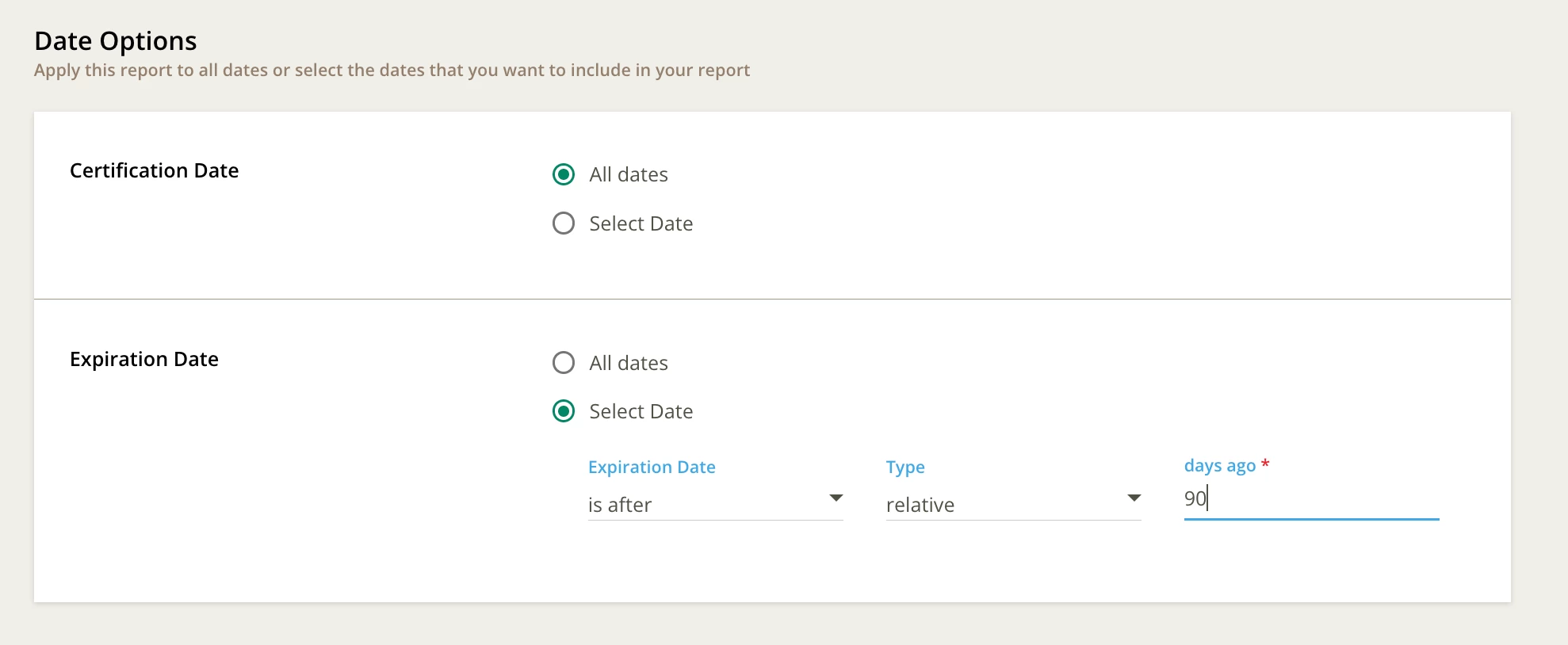
  6. Configure the filters that appear: Set the Expiration Date operator, change the Type dropdown to relative, and set the days field to 90.

In organizations I've worked with, the pattern that holds up best is a hybrid approach: use the Notification engine to automatically warn the learners 90 days out, but schedule this Custom Report to automatically email Department Managers on the 1st of every month so they have a rolling 90-day forecast of their team's compliance risk.

For the exact date filter definitions, check the official documentation here:

Hope this gets your data flowing correctly!


lrnlab
Hero III
Forum|alt.badge.img+10
  • Hero III
  • June 23, 2026

These should be the exact settings. The key is the first part which is always a little confusing.

Hope that works out for you.


Forum|alt.badge.img
  • Author
  • Contributor I
  • June 23, 2026

Thanks both that’s really helpful. We currently have notifications set up that go to all users but a manager has requested a report to keep a close eye on their staff.

I've used the settings as advised but they only bring up expiry dates from 90 days ago to today rather then 3 months into the future. I thought about selecting the is in the range settings but we want the report to be scheduled rather then a one off.


lrnlab
Hero III
Forum|alt.badge.img+10
  • Hero III
  • June 23, 2026

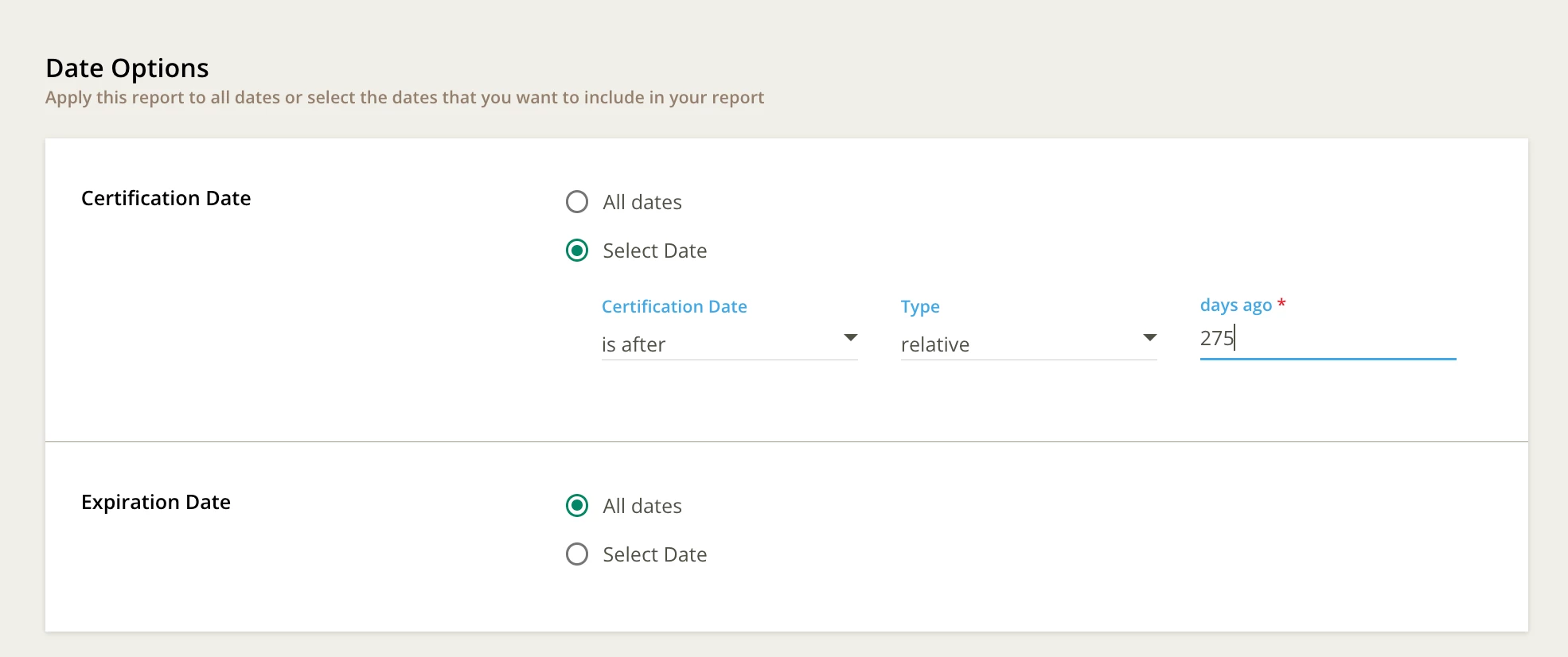
@Ella Seaton see if this can work