Answer

Course attempt configuration

  • February 3, 2023
  • 4 replies
  • 56 views

msantos
Helper II
Forum|alt.badge.img+2

Hello all,

I tried to find a way to configure a course to not allow the learner repeat the course after completed, but I did not find it.


Is it possible?


thanks

 

Best answer by lrnlab

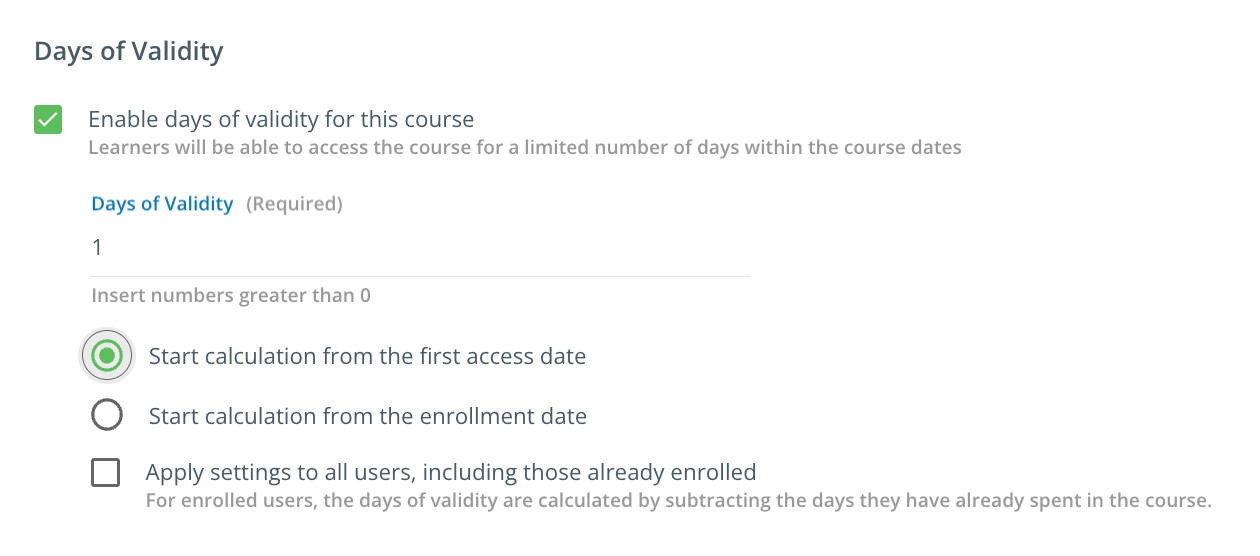
Don't think there is any direct way to do this. You could look to use the validity period (without the shift deadline option) but that would not necessarily remove the ability to take the course again until the validity period ends and locks the course...perhaps something like this could work for you??
 

4 replies

lrnlab
Hero III
Forum|alt.badge.img+10
  • Hero III
  • Answer
  • February 3, 2023

Don't think there is any direct way to do this. You could look to use the validity period (without the shift deadline option) but that would not necessarily remove the ability to take the course again until the validity period ends and locks the course...perhaps something like this could work for you??


msantos
Helper II
Forum|alt.badge.img+2
  • Author
  • Helper II
  • February 3, 2023

Hello @lrnlab , thank you for your tip. 

It's not the ideal solution, because I have to limit the course time, but I`ll test it.

Thank you.


sigamoline
Helper II
Forum|alt.badge.img+1
  • Helper II
  • February 3, 2023

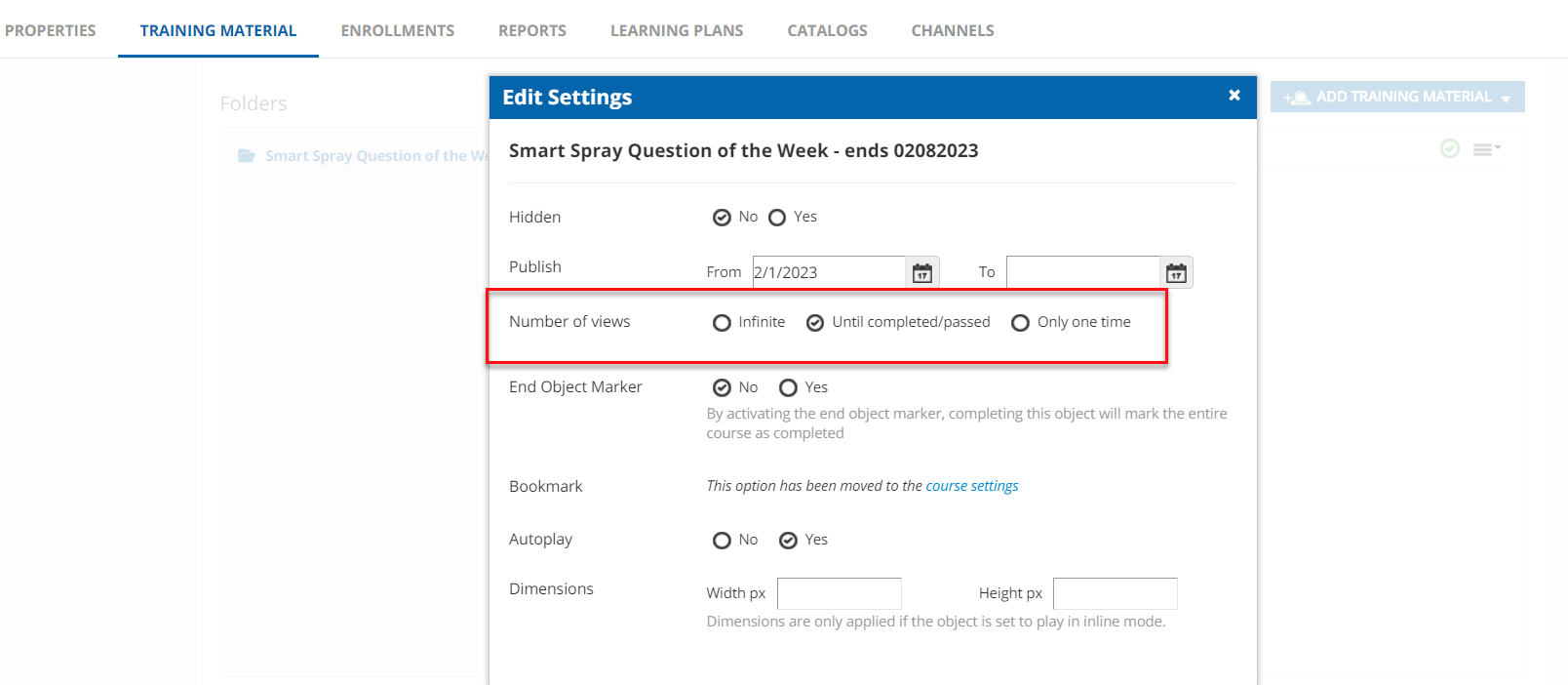
We have a “Question of the week” that a user is only allowed to take once. In the “training material” section, we upload the scorm file, then click “Settings” where you can set it up so that the user only views the course once or until the complete the course.


msantos
Helper II
Forum|alt.badge.img+2
  • Author
  • Helper II
  • February 3, 2023

Hello @sigamoline , thank you for your help.


I tested and works.

Thank you. 


How do I change the “Best answer” flag, and mark your answer with “Best answer”?