
Question

Course Completion for ILT Course

  • July 15, 2026
  • 1 reply
  • 42 views

For an ILT course if we have set the ‘Completion Rule’ as 'Percentage of Completion Status : 75%" and if a learner watches the recording of the session added as a Training material in the course then how attendance is managed for a learner who watches recording of session added as training material and how the course is marked 'Completed' for that user? Additionally, we have set the session completion rule as ‘Training Material’ based i.e. The session is marked as completed when the learner completes the Test training material. Event Attendance option as : 

Mark the event as attended when the user joins the webinar

Mark the event as attended if the user accesses the recordings

Also, how can we track course completion for users with above settings, is it course enrollment status? What does Progress Percentage field specify?


1 reply

Moshe.Machlav
Helper III
Forum|alt.badge.img+2

Hi ​@Design_1 ,

Before diving into the tracking reports, we need to untangle a few of your settings, because they are actually working against each other.

1. The Recording Attendance Disconnect You mentioned you added the recording as a Training Material, but you are relying on the Event Attendance setting ("Mark the event as attended if the user accesses the recordings"). Here’s the gotcha: That setting only triggers if the recording is attached directly to the Event itself (via the Add recording button on the event page or a VILT integration). It does not track standalone Training Materials. If you want the system to automatically mark attendance when they watch the video, you need to add the recording at the event level.

2. The Session Completion Override Since you set the Session Completion rule to Training Material based (tied to the Test), the attendance setting actually doesn't matter for completion! As outlined in the Docebo documentation, when a session is set to this method:

  • The session is marked as completed when the learner completes the test.

  • The session's events are automatically marked as attended when the learner completes the test.

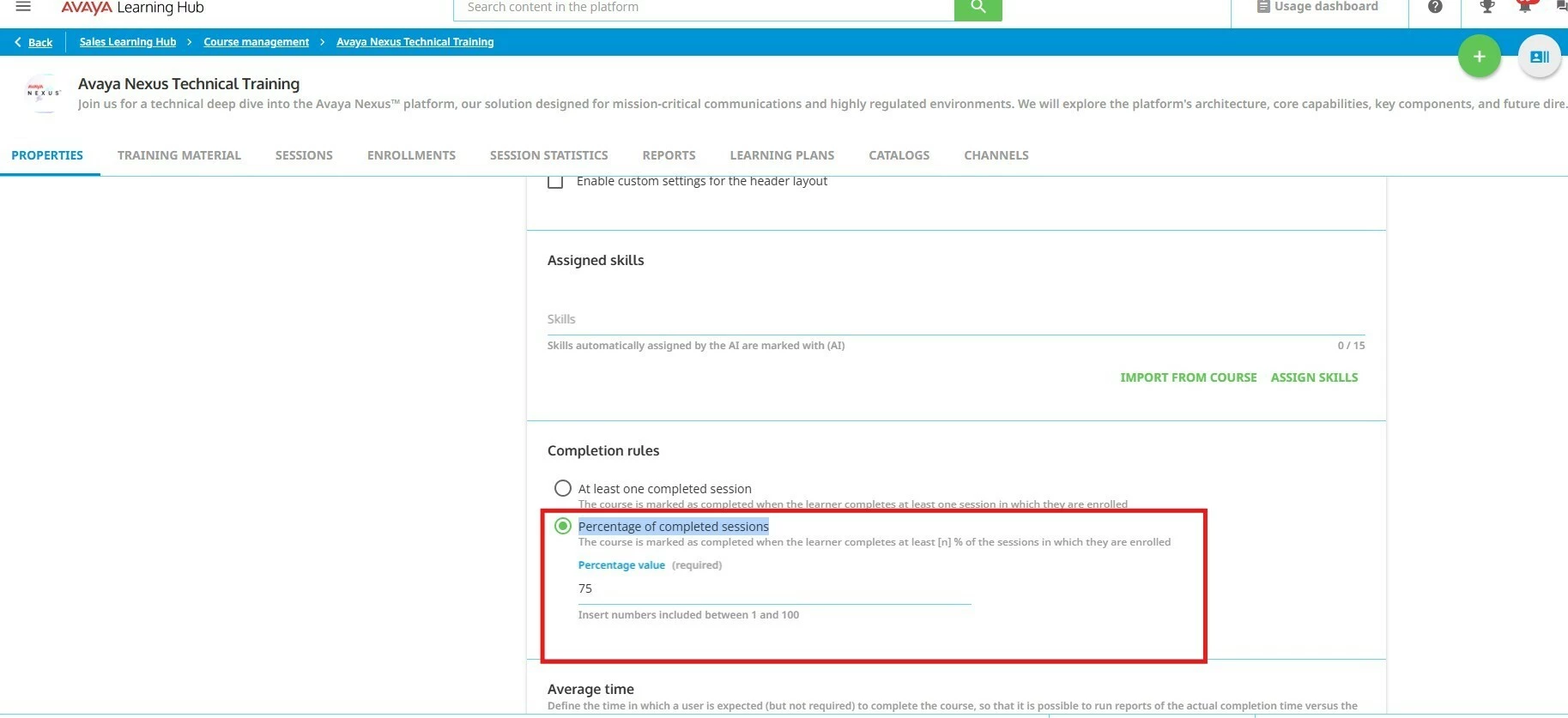
3. Course Completion Because your Course Completion rule is Percentage of completed sessions: 75% (as seen in your screenshot), the course will mark as completed as soon as the learner completes 75% of their enrolled sessions. If they are only enrolled in one session, passing the Test will complete that session, which immediately completes the course.

4. Tracking & Progress Percentage To track course completion, you should rely on the Enrollment Status (Completed / In Progress / Not Started). The Progress Percentage field is primarily designed for E-Learning courses to measure how much of the training material has been consumed. For ILT courses, it is not an accurate reflection of session attendance or overall course completion, as ILT courses track completion at the session level.

How to structure this: In organizations I've worked with that run VILT sessions with mandatory tests, the pattern that holds up best is to simplify:

  • Upload the recording directly to the Event so learners can review it.

  • Keep Session Completion tied to the Test.

  • Let Docebo do the heavy lifting: They watch the recording, they take the test, Docebo marks the session completed and event attended, and finally, Docebo marks the course completed.

You can read more about how session completion and attendance interact here: Creating and managing ILT sessions.

Hope this helps clarify the flow!


