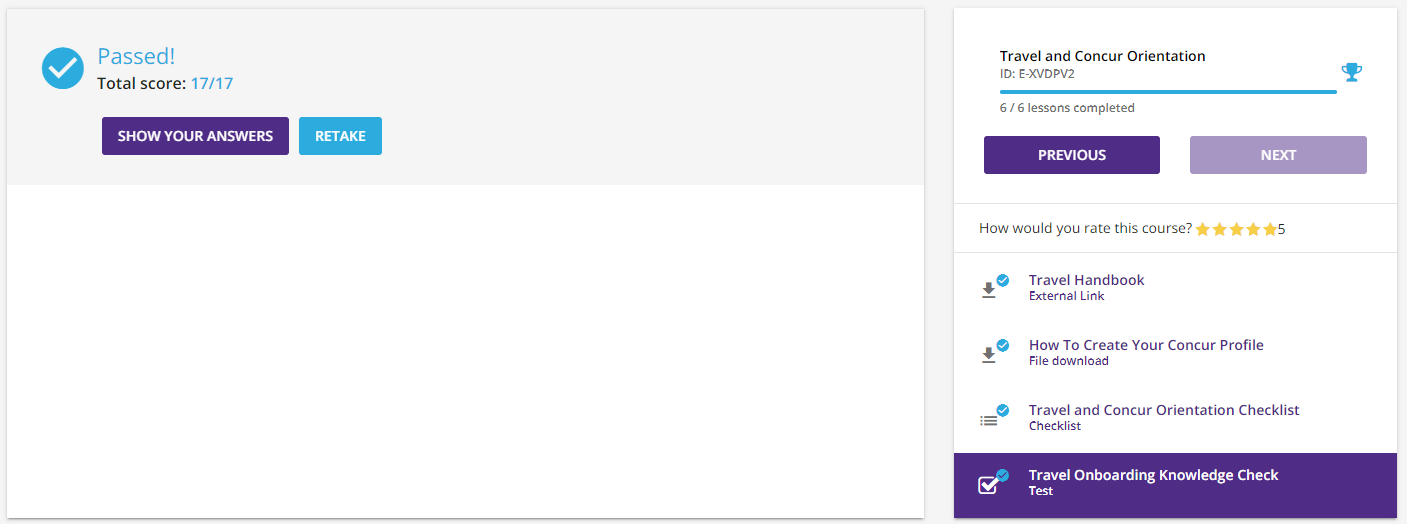
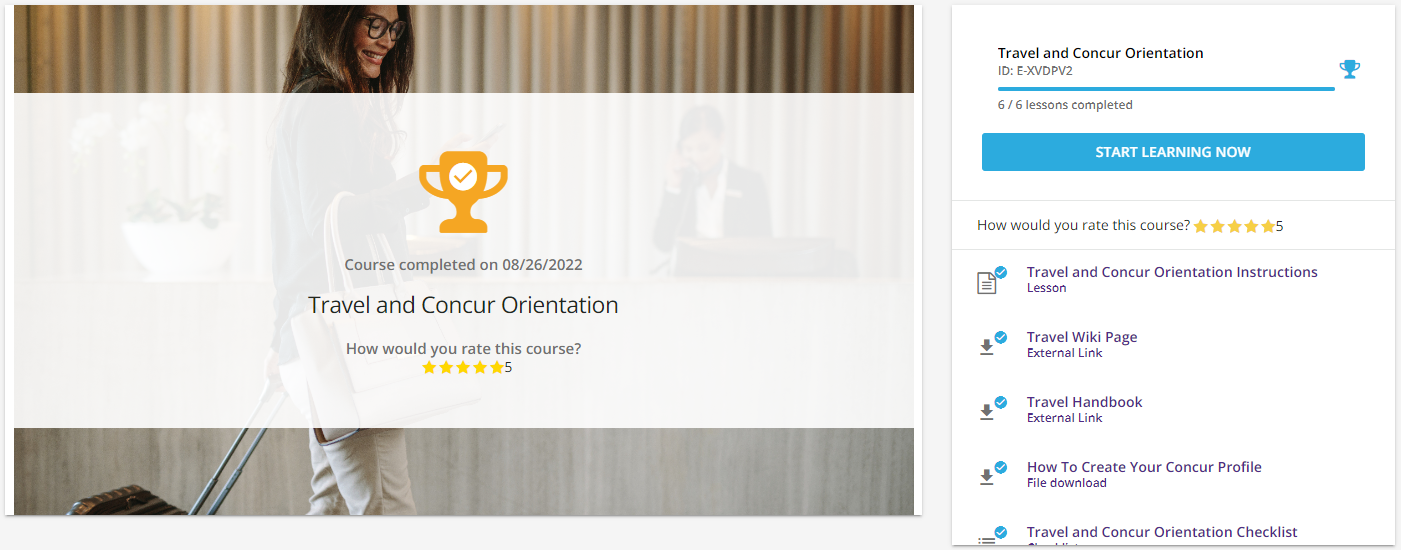
We have gotten some initial feedback from a pilot user that is struggling whenever certain learning objects are the end of a course. For example, if a Knowledge Check is last it shows the results of the Knowledge Check instead of the Complete text with the trophy icon. Is there any way to get the course to always show complete at the end of last object, instead of the object itself? This way learners will not wonder if they are truly complete or not.

Best Answer
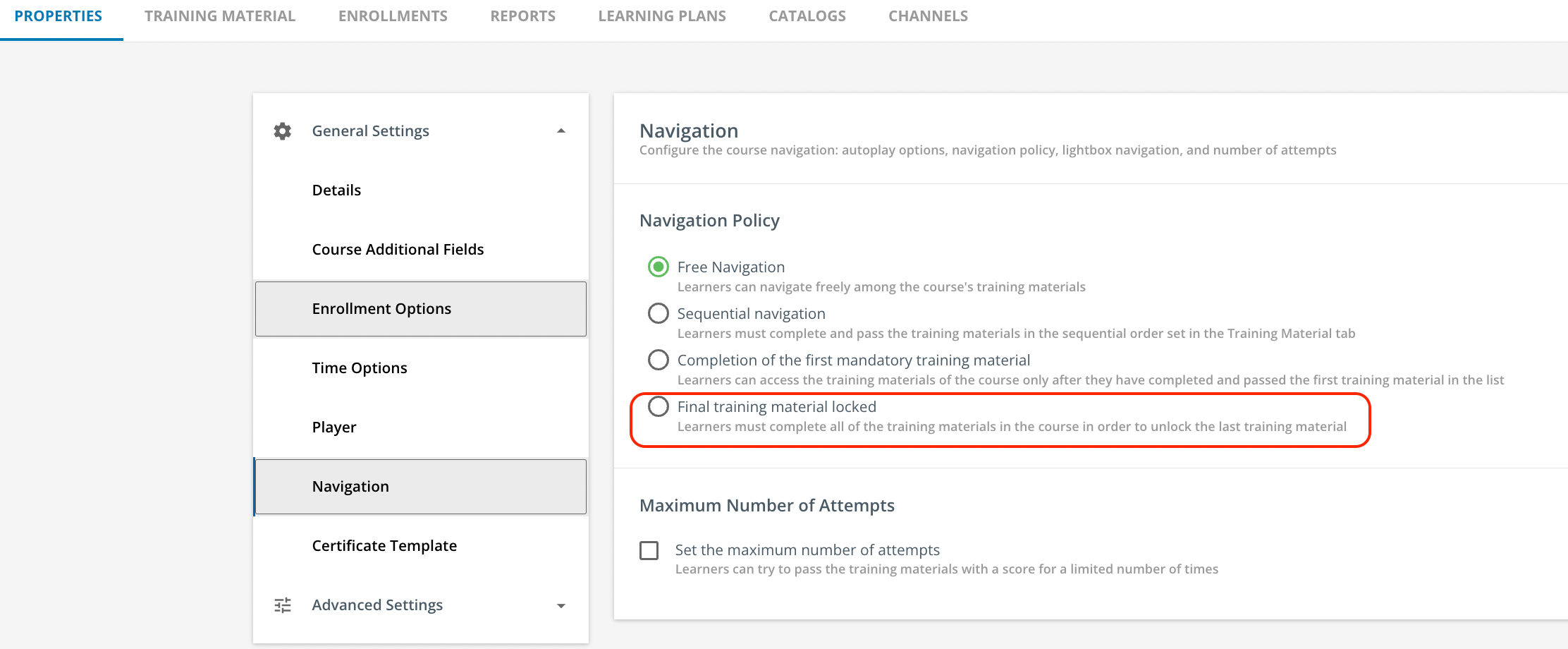
Course Completion Navigation


 +2
+2Best answer by Sarahh
Is there any way to force that second screen even if the final learning object is something like a test
Unfortunately, I don’t think there’s an option for that. Or at least I haven’t seen it.
I’ve gotten questions about this, too. Two things I’ve done:
- Create a short “welcome to your LMS” course that every new staff member gets enrolled into, that has a page dedicated to ‘if you see a trophy it’s done!’
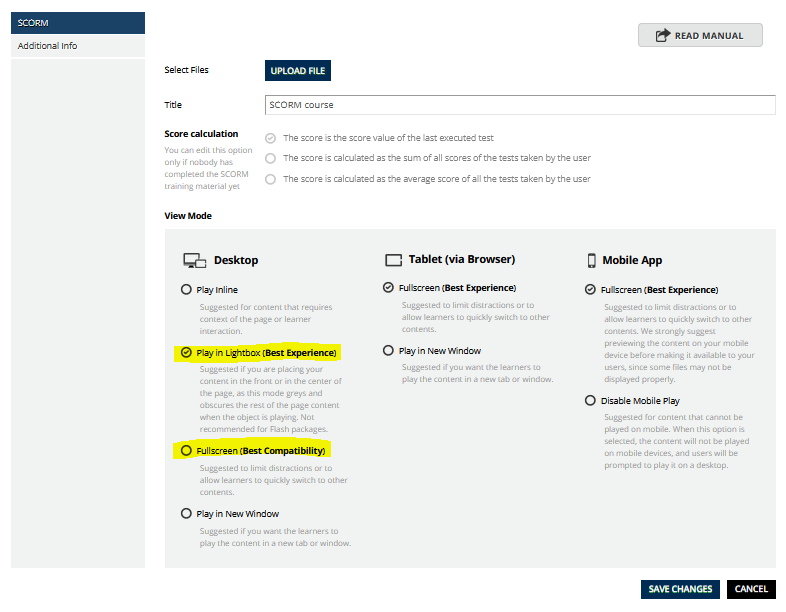
- When practical, create courses where the last training material is a SCORM course played in Lightbox mode (or Fullscreen mode). When a user completes it, it will refresh the page, which will show that second screen with the trophy
Hope that makes sense! I know SCORM and xAPI training materials can be played in Lightbox mode, but I don’t think observational checklists or lessons can be. It may be worth experimenting around with this though?






Log in to Docebo Community
Enter your email address or username and password below to log in to Docebo Community. No account yet? Create an account
Docebo Employee Login
or
Enter your E-mail address. We'll send you an e-mail with instructions to reset your password.