



Hi Community,
We're looking at updating our login page and would appreciate your insights.
All of our users can now log in via SSO, so the username/password option is no longer needed as a primary login method. However, we still need to keep it available for test accounts and a small number of users outside our organization.
Ideally, we would like to make the SSO option the primary login method by placing it at the top of the page, while hiding the username/password fields behind a button or drop-down that users can click only when needed. Something like this:
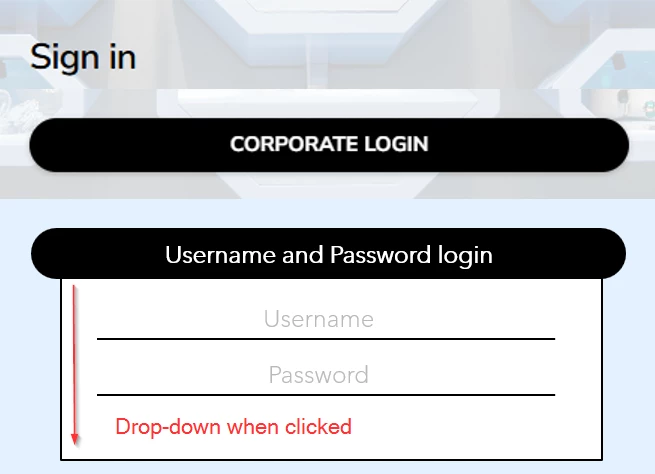
An additional requirement for us is that this setup would need to work both on the desktop login page and within the mobile app. To my knowledge CSS changes do not work on the mobile app.
I came across a few older posts suggesting that this may be possible, at least the switching SSO with the username/password option (Customize Sign in Page | Community).
Thank you in advance for your help and insights!