Answer

Export list of users

  • August 4, 2022
  • 11 replies
  • 761 views

Forum|alt.badge.img+3

Hi! Is there a way to export a list of all of our active users? Ideally it would be from the user menu to capture everyone. I could create a group encompassing all branches, but we have some stragglers not in any branches and I want to review everyone.

Best answer by dklinger

The filters tool.


11 replies

dklinger
Hero III
Forum|alt.badge.img+11
  • Hero III
  • August 4, 2022

Morning,

Yes - you can do that from the Users menu.

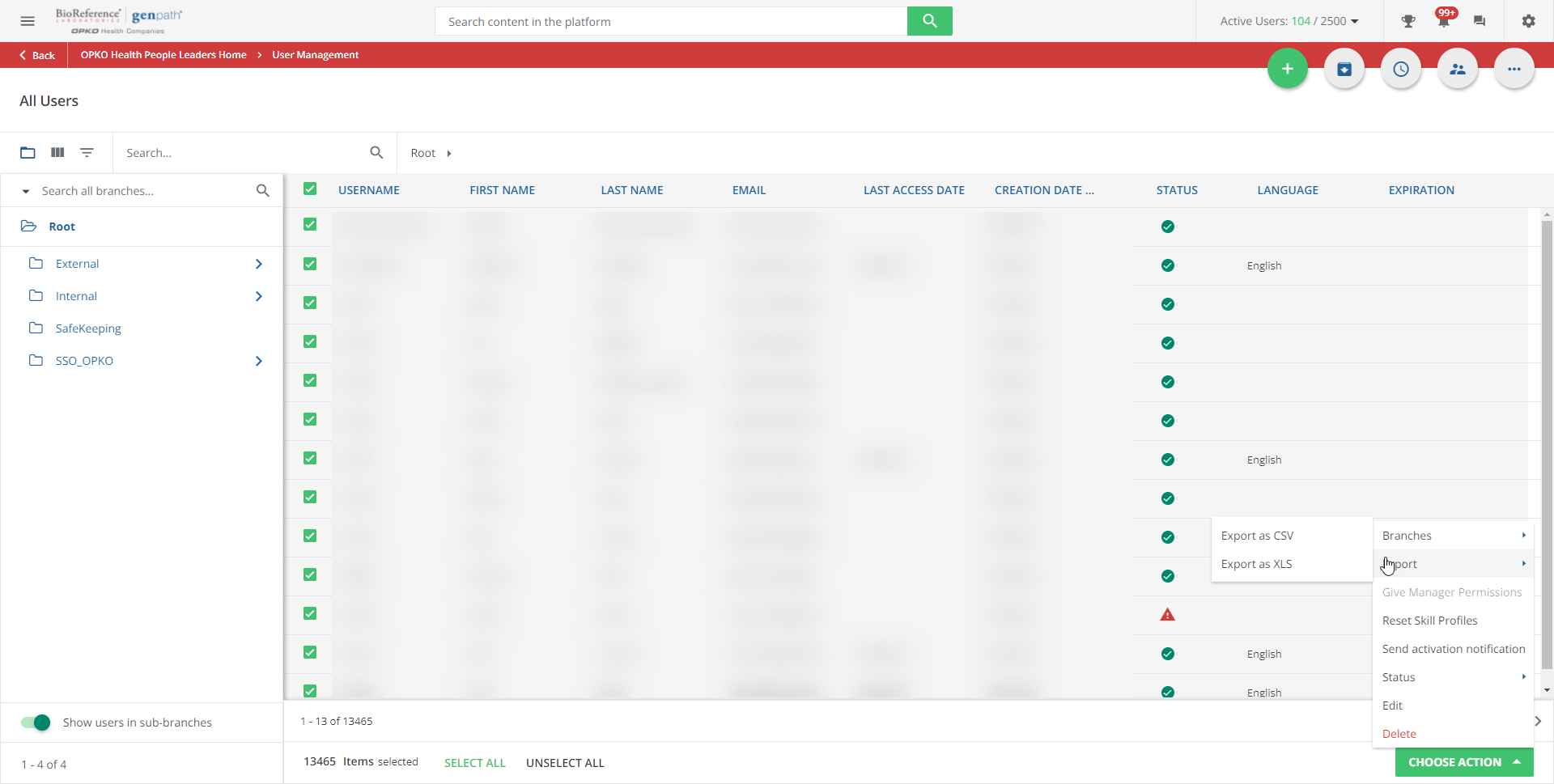
After selecting everyone - there is an export tool that supports what you are after.

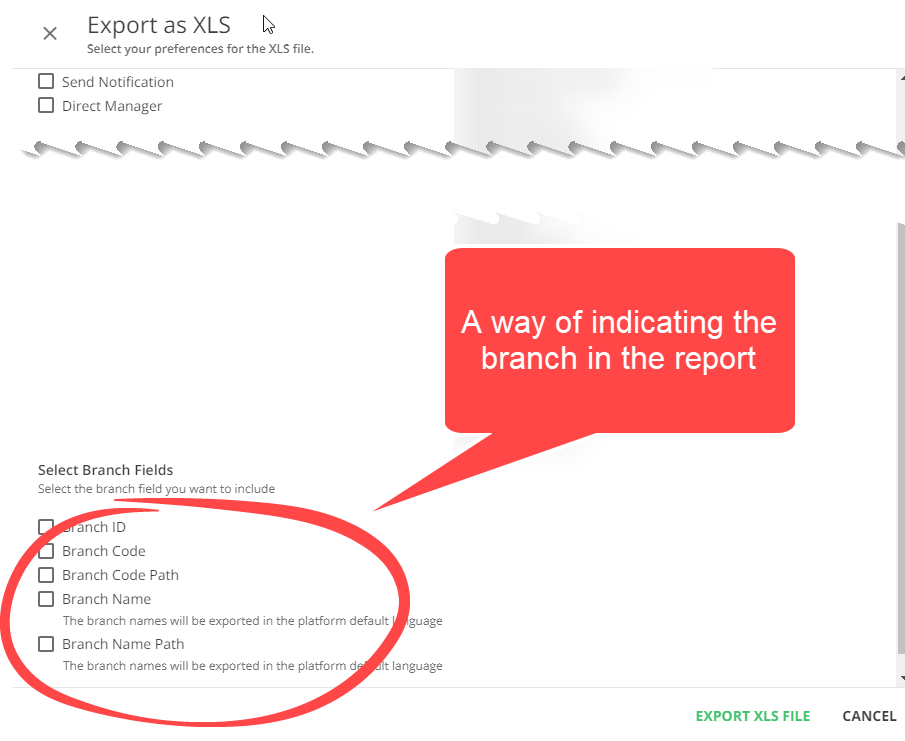
You can set the tool to Filter for you as well and recently a branch field was added.

Give me a minute I will send along a screenshot or the instruction from the Knowledge site.


dklinger
Hero III
Forum|alt.badge.img+11
  • Hero III
  • August 4, 2022


dklinger
Hero III
Forum|alt.badge.img+11
  • Hero III
  • August 4, 2022


dklinger
Hero III
Forum|alt.badge.img+11
  • Hero III
  • August 4, 2022

@simone.yaghi Um - how do you have people in no branches? You mean they are in the root with no other branch assigned to them?


Forum|alt.badge.img+3
  • Author
  • Influencer III
  • August 4, 2022

They are under the general Docebo branch, not under one of our company branches which is fine - but will use those fields to delineate on the report. How can I only export active users? @dklinger thanks!


dklinger
Hero III
Forum|alt.badge.img+11
  • Hero III
  • August 4, 2022

Your order of operations -

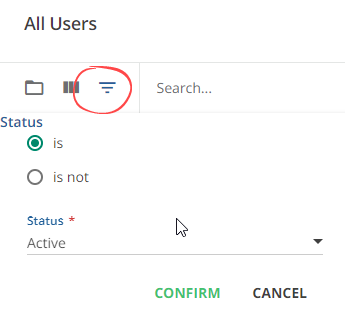
  1. Filter first with the filters tool because you can bring in just Active users.
  2. Then select all.
  3. Follow the pics above

dklinger
Hero III
Forum|alt.badge.img+11
  • Hero III
  • Answer
  • August 4, 2022
The filters tool.


Forum|alt.badge.img+3
  • Author
  • Influencer III
  • August 4, 2022

Perfect! Thanks.


Forum|alt.badge.img+3
  • Author
  • Influencer III
  • August 4, 2022

also @dklinger we have hundreds of pages, do you know of a way to select all at once?


Bfarkas
Hero III
Forum|alt.badge.img+6
  • Hero III
  • August 4, 2022

also @dklinger we have hundreds of pages, do you know of a way to select all at once?

You can also go a different route, under New Reports, there is a user export, and you can filter by anything you want and then save it for future use. Remember it is new reports, so the data is by default only accurate to within the past 24 hours, but you could trigger a refresh then run this.


Forum|alt.badge.img+3
  • Author
  • Influencer III
  • August 4, 2022

Thanks @Bfarkas that’s perfect!