

Answer

Exporting a simple list showing course code, name and creation date

  • January 25, 2023
  • 4 replies
  • 275 views

Daniel
Hero III
Forum|alt.badge.img+3

Hi all,

I would like to export a simple list in xlsx or csv format showing the following three fields for all E-Learning courses on our platform. I had a look at the custom reports builder, but couldn’t find a way to do this. Does anyone know if there is a way to do this using the native tools in Docebo?

  1. Course code
  2. Course name
  3. Course creation date

Best answer by lrnlab

Use the Course Metadata export option. It should give you all you need and more. Select more than 1 course from the course Mgmt page then, under Choose Action, select Export Courses Data

4 replies

Bfarkas
Hero III
Forum|alt.badge.img+6
  • Hero III
  • January 26, 2023

Does the new course info report do this for you? Either do the export and then kill the extra columns and filter for elearning or pre-filter before you select courses?


Daniel
Hero III
Forum|alt.badge.img+3
  • Author
  • Hero III
  • January 26, 2023

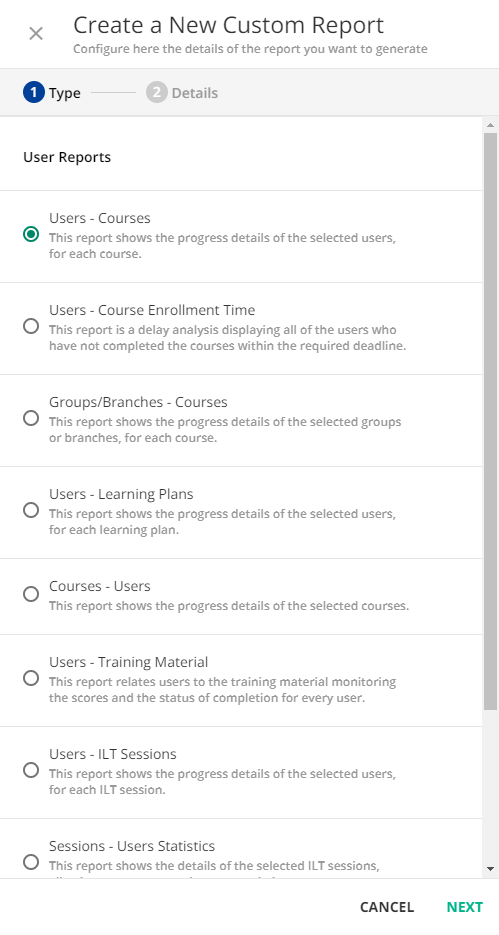
@Bfarkas Thanks for the response. Could you let me know where I can find the “new course info report”. When I go to [New Reports] - [CUSTOM REPORTS BUILDER] and click the + button to create a new report, this is what I see. I can’t seem to find the “new course info report”.


Bfarkas
Hero III
Forum|alt.badge.img+6
  • Hero III
  • January 26, 2023

Sorry, yeah it is not in the reports area. Go to course management, select a couple of course and on the actions menu in bottom right select the export course info(something like that going off top of my head) 


lrnlab
Hero III
Forum|alt.badge.img+10
  • Hero III
  • Answer
  • January 26, 2023

Use the Course Metadata export option. It should give you all you need and more. Select more than 1 course from the course Mgmt page then, under Choose Action, select Export Courses Data