

Question

Green Warning Triangle

  • June 9, 2026
  • 3 replies
  • 48 views

Hello, we’ve noticed this morning that on ILT Session Events there is now a green warning triangle stating “events with synchronization warning”
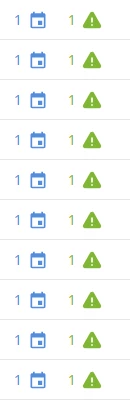
 

Has this happened for anyone else? And what does it mean please? 

We’re a new organisation to Docebo so still trying to understand everything. 


Thank you in advance. 

3 replies

lrnlab
Hero III
Forum|alt.badge.img+10
  • Hero III
  • June 9, 2026

Hi ​@Lydia Poole usually the warning would be orange. Did you change the default system warning colours under the Branding app? Are you using Docebo Connect with your calendar invites? Or are these virtual events? There could be several reasons why you are seeing these warnings.


  • Author
  • Novice I
  • June 9, 2026

Hi ​@Lydia Poole usually the warning would be orange. Did you change the default system warning colours under the Branding app? Are you using Docebo Connect with your calendar invites? Or are these virtual events? There could be several reasons why you are seeing these warnings.

Hello,


Thank you so much. I’ve taken a look and it looks like it has been configured our side for Alerts to be shown in green and Confirmation Messages to be in orange and Errors in red. 

Yes we do use Docebo Connect for ILT courses/invites. 


lrnlab
Hero III
Forum|alt.badge.img+10
  • Hero III
  • June 9, 2026

OK so you may want to check your Docebo Connect recipes for any failures. Also if you made any changes to your recipes after these events were booked, that could also be part of the issue. You can ‘force’ a sync if you add a space to your event description and save the changes. That sometimes resolves the sync issue but it will send out new invites (if your recipe is designed to send updates to enrolled users when something changes on the event)

