Question

Header cover image not updating

  • May 8, 2025
  • 3 replies
  • 21 views

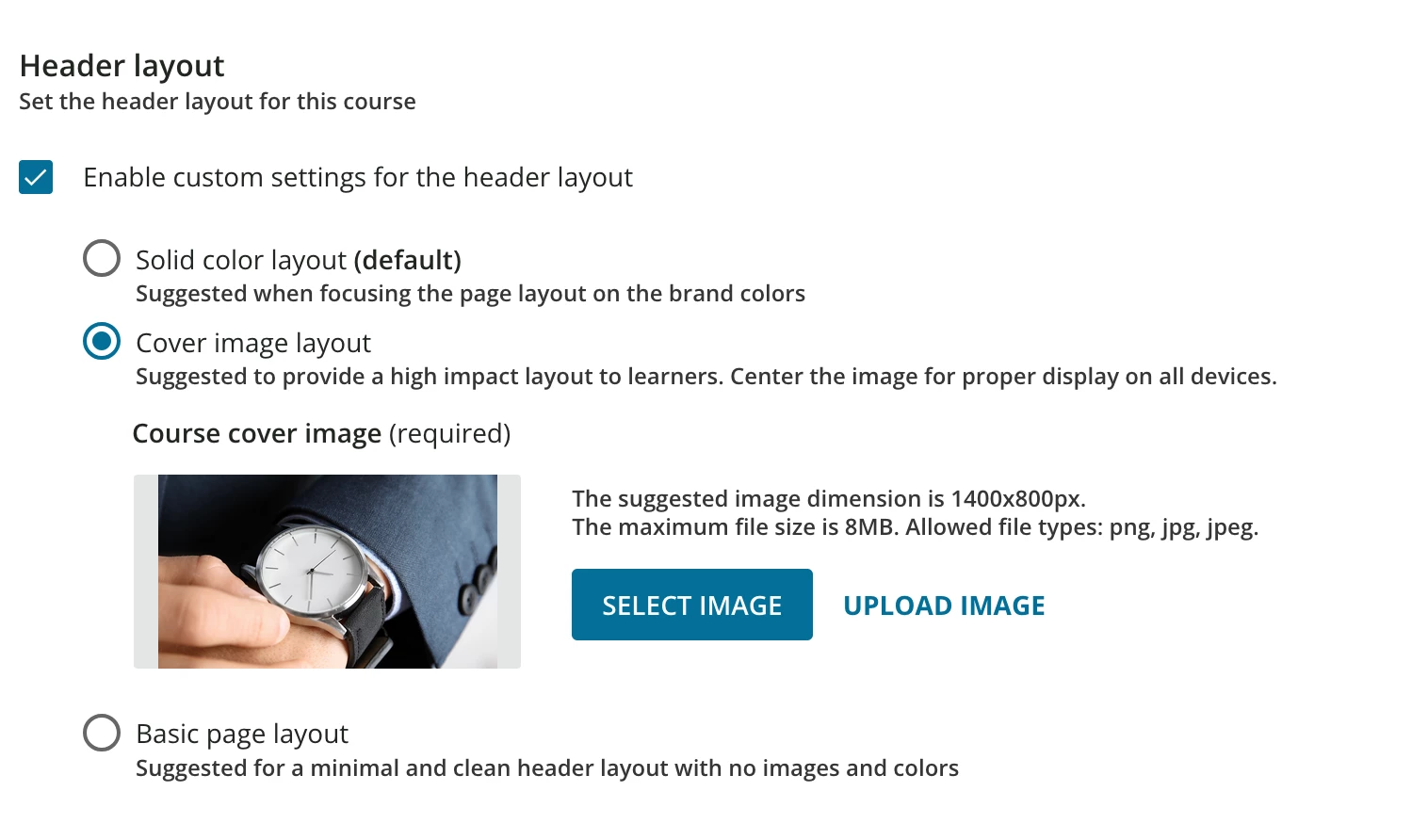
I took over from an employee that was let go and there was no time to cross-train on docebo. I am editing an existing course and based on inspecting the page code I assume this is how I update the top image of a course. However, after saving, it does not update. What am I doing wrong?

I also updated the thumbnail, which did work for the thumbnail view. Before I edited it, the Enable custom settings for the header layout was not checked, so I assumed the header would just adopt the thumbnail, but it did not do that either.


3 replies

lrnlab
Hero III
Forum|alt.badge.img+10
  • Hero III
  • May 8, 2025

The 2 are separate options. Make sure you save the image selection for the header and click SAVE CHANGES on the course as well. You may need to refresh your screen to see the change.


@lrnlab - I did all of that and even received a confirmation that the save was successful. I tried hard refreshing and viewing the course in incognito to make sure it wasnt a cache issue on my end - even though I have never visited the course.


lrnlab
Hero III
Forum|alt.badge.img+10
  • Hero III
  • May 9, 2025

Very odd. maybe try a whole newly imported image...might be a temporary glitch? If that doesn't work you hosed open a ticket with support.

You might also check that the default is setting under Configure Branding and look is off temporarily to see if that may be part of the issue..??