We have a ILT that we want to link to on our users home page to allow them to enroll themselves. But the link is not working. It keeps pulling a link for a specific session. And isn’t working.. :(
Any suggestions?



 +4
+4We have a ILT that we want to link to on our users home page to allow them to enroll themselves. But the link is not working. It keeps pulling a link for a specific session. And isn’t working.. :(
Any suggestions?
Best answer by Rosalie
Hi
If you activate the enrollment link in should work.
You can create it from here: Properties > Enrollment Options > Enrollment link
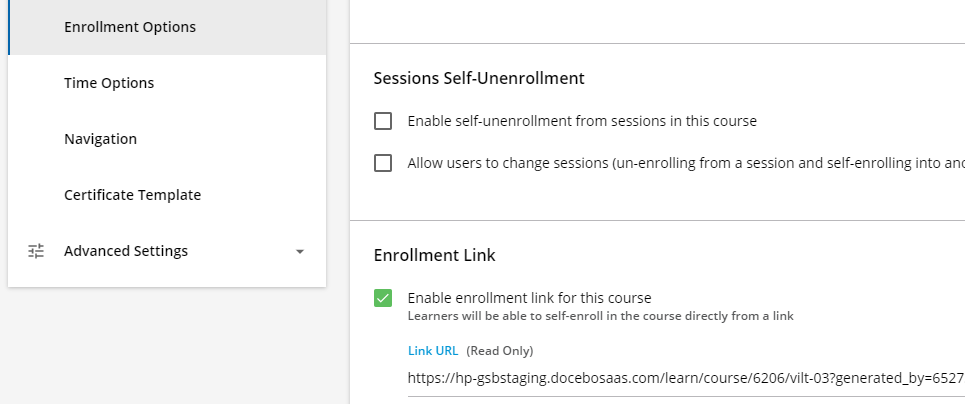
Put the enrollment link that appears wherever you need in your homepage. When the learners press the link they will be enrolled in the ILT. Note, however that learners should also need to enroll to a specific session.
I hope this helps.
Enter your email address or username and password below to log in to Docebo Community. No account yet? Create an account
Enter your E-mail address. We'll send you an e-mail with instructions to reset your password.