Question

How do I edit the foreign language versions of my pages?

  • August 4, 2022
  • 3 replies
  • 53 views

lrodman
Guide II
Forum|alt.badge.img+6

I’d like to edit things like “Institute Beta Test” etc


3 replies

NateC
Helper I
Forum|alt.badge.img+2
  • Helper I
  • August 4, 2022

Hi @lrodman 

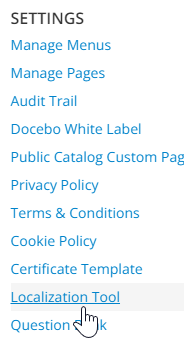
If you have access to the Localization Tool

you can make adjustments.

You can import languages (haven’t done that, not sure what you need to do here) or you can edit a given language to adjust some phrases, &c.


lrodman
Guide II
Forum|alt.badge.img+6
  • Author
  • Guide II
  • August 4, 2022

I think I figured it out - this isn’t a localization thing, this is for editing my own user created pages


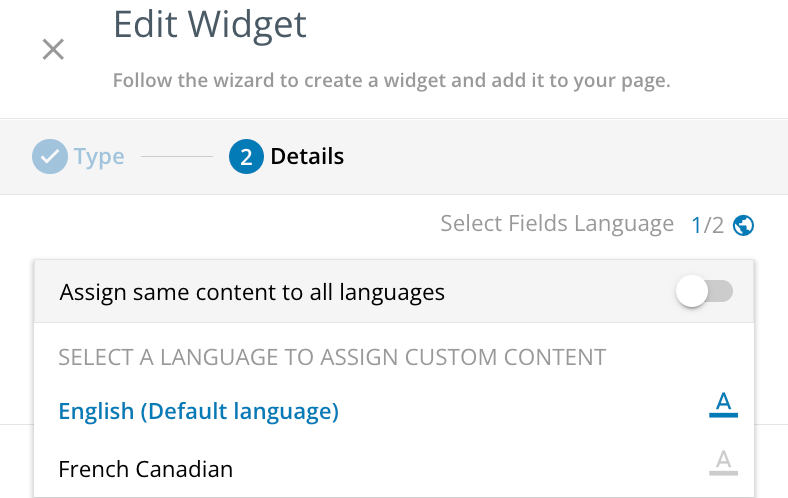
The localization is on a per-widget or per-object basis, not a per-page basis (a lot more work to do but its ok)


lrnlab
Hero III
Forum|alt.badge.img+10
  • Hero III
  • August 4, 2022

Each widget can be localized individually as long as you have your languages activated.

You need to click the globe icon, then turn off the setting that uses the same text for all languages, click on the language you want to edit, then add your localized text for each language.