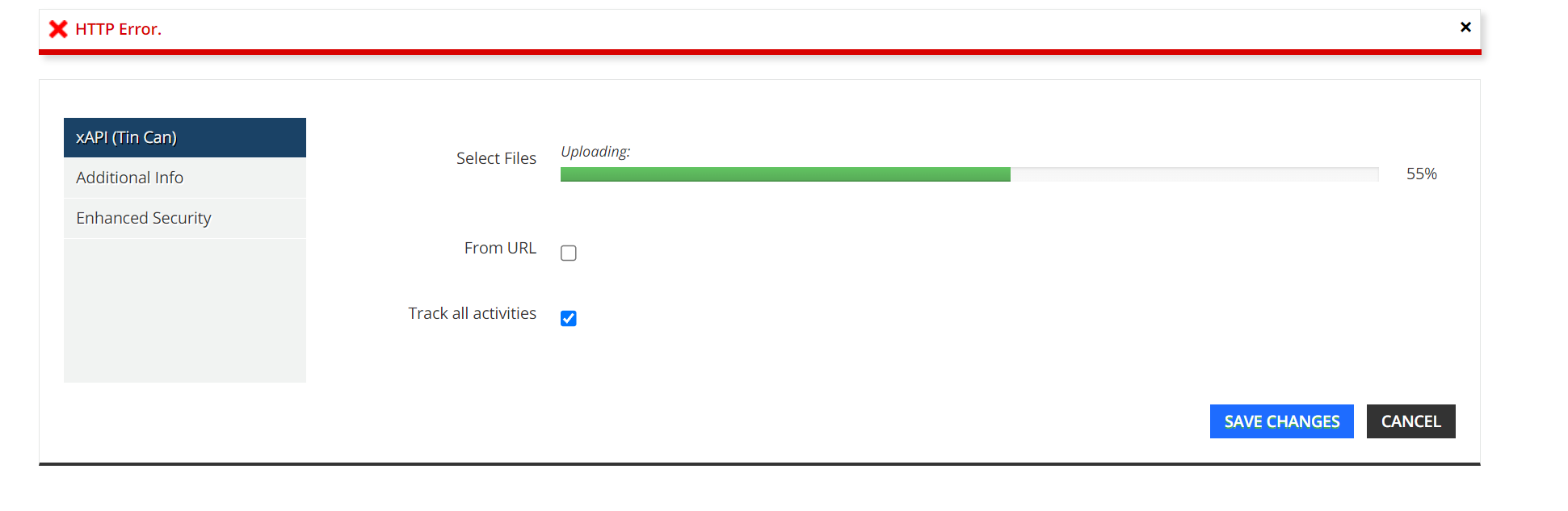
HTTP Error when uploading xAPI training material files

  • March 16, 2023
  • 16 replies
  • 552 views

Hi - we’re seeing an HTTP Error when uploading xAPI training material today and the file wont upload, is anyone experiencing this?
 

16 replies

KMallette
Hero II
Forum|alt.badge.img+9
  • Hero II
  • March 16, 2023

@KPsuperadmin1 You might try loading the course at scorm.com to test the “validity” of the package.


  • Author
  • Novice III
  • March 16, 2023

FIX - HTTP Error when uploading xAPI training material files

The issue was with the Activity ID (under the Publish Window>LMS>Reporting and Tracking) it cannot contain spaces, replace spaces with dashes (-) 


  • Author
  • Novice III
  • March 17, 2023

Update:  this was not the issue, there’s a ticket investigation xAPI uploads.


How do I unclick this was fixed?


Annarose.Peterson
Hero III
Forum|alt.badge.img+7

Maybe our community managers can help? @erin.brisson or @elliott.vickrey is it possible remove the best answer from this question? Turns out Docebo is investigating this issue. 


Forum|alt.badge.img
  • Former Docebian
  • March 17, 2023

@KPsuperadmin1 Done! :)


  • Newcomer
  • March 21, 2023

We’re also experiencing problems with this. It doesn’t appear to be related to xAPI specifically, as we’re encountering the same problem with multiple file types over approximately 150MB in size. We’ve been encountering the problem since about 3/17/2023.


Forum|alt.badge.img+3
  • Influencer III
  • March 28, 2023

@erik_davis We are receiving the same error with a mp4 file that is 167 mb. Has there been a solution?


Forum|alt.badge.img+3
  • Influencer III
  • April 7, 2023

Hi all - following up here.. we are also experiencing a HTTP error with a mp4 over 150MB in size like @erik_davis - it meets all other mp4 requirements from Docebo. @elliott.vickrey can you please advise if there is a ticket or investigation of this issue? Thank you!


LeslieKelley
Contributor I
  • Contributor I
  • April 10, 2023

Also following up. I am unable to upload a short 3 minute mp4 video. Any progress with a solution? Thanks so much, Docebo!


The21Dealer
Contributor III
  • Contributor III
  • April 25, 2023

Also encountering this issue as well trying to update an existing xAPI


  • Novice II
  • August 17, 2023

Hi. I am also experiencing this issue. The strange thing is, is that I was able to upload a much larger video file 2 days ago (258Mb), however today I can’t seem to upload one that is 169Mb. Not sure what is going on. Any thoughts Docebo? 


andrea maliska test
Novice II

Hello I have been experiencing this same issue now since Aug 9th where I am receiving an HTTP error when trying to upload SCORM packages I published from Rise. I am able to upload some SCORM packages but not some specific ones. I have run them through Scorm Cloud and they seem to be fine. I also cannot add videos. Has there been any update on this issue? I have been working with Docebo support but they esseintially have told me this is my issue and cannot help. Not sure what to do from here. 


emacewan
  • Newcomer
  • August 23, 2023

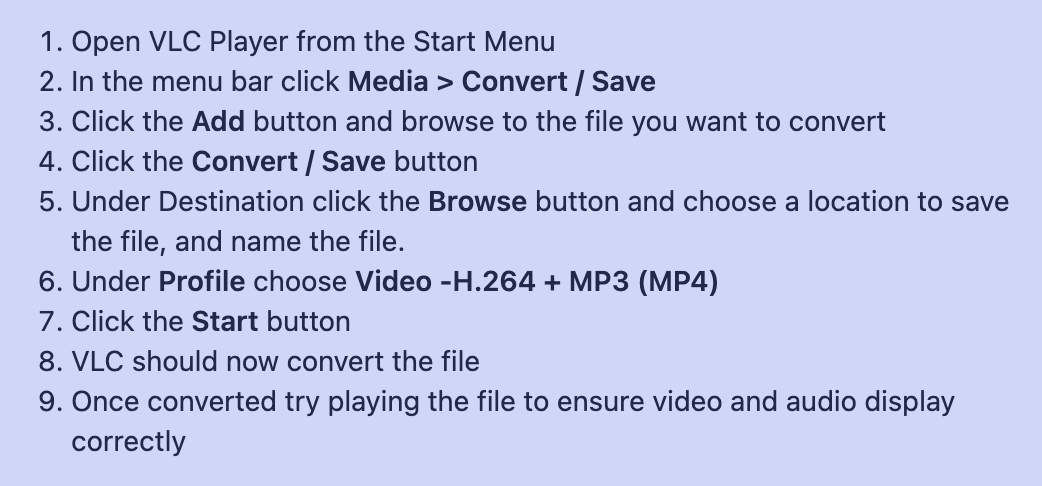
I have experienced this same issue multiple times over the past month, both with SCORM and video files. Have reported it several times with no resolution. The latest attempt to solve it had me download the VLC media player and convert my video file but even if this works, which is still unproven, it won’t solve the problem when it is giving the http error for a scorm.

image sent by Docebo support


emacewan
  • Newcomer
  • August 23, 2023

Yeah, the above directions do NOT work for VLC Player / MAC. Not sure if they are outdated or for the wrong OS, but they only allow you to save as a M4v which cannot be uploaded to Docebo. 


LxSA5
Novice I
  • Novice I
  • September 22, 2023

I’m encountering the same issue and behavior with multiple xAPI files (all within the size limits) as well within the last 3 weeks.  Is there a solution for this yet?


emacewan
  • Newcomer
  • September 25, 2023

No fix for us even though it went to Tier 3 Support at Docebo. They are saying it has to do with MY network configuration. Problem with that is then why are others experiencing the issue? Others at my company and others here in this community thread...