

Question

Notifications for Courses Coming Due Soon or Past Due - Soft Deadline On - and Learning Plan/Course Validity periods

  • August 19, 2025
  • 19 replies
  • 271 views

kellya
Novice II
Forum|alt.badge.img

I am hoping the talented and knowledgeable Docebo Community can help me with the following. 

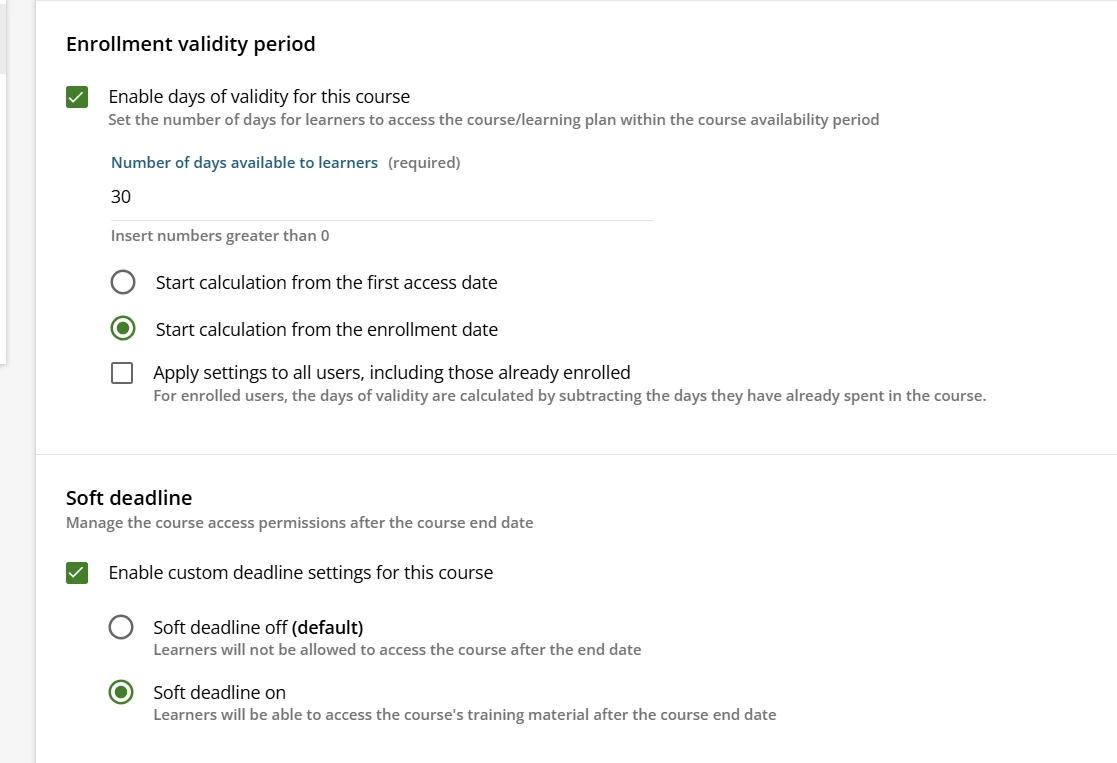
We have certain compliance courses that are required for new hires to complete within 30 days from their hire date and have auto-enrollment rules set up for these assignments based on groups where the validity period is set to reflect 30 days from the enrollment date, and then each month there are specific courses that are manually and mass assigned to all users and due on a specific date.

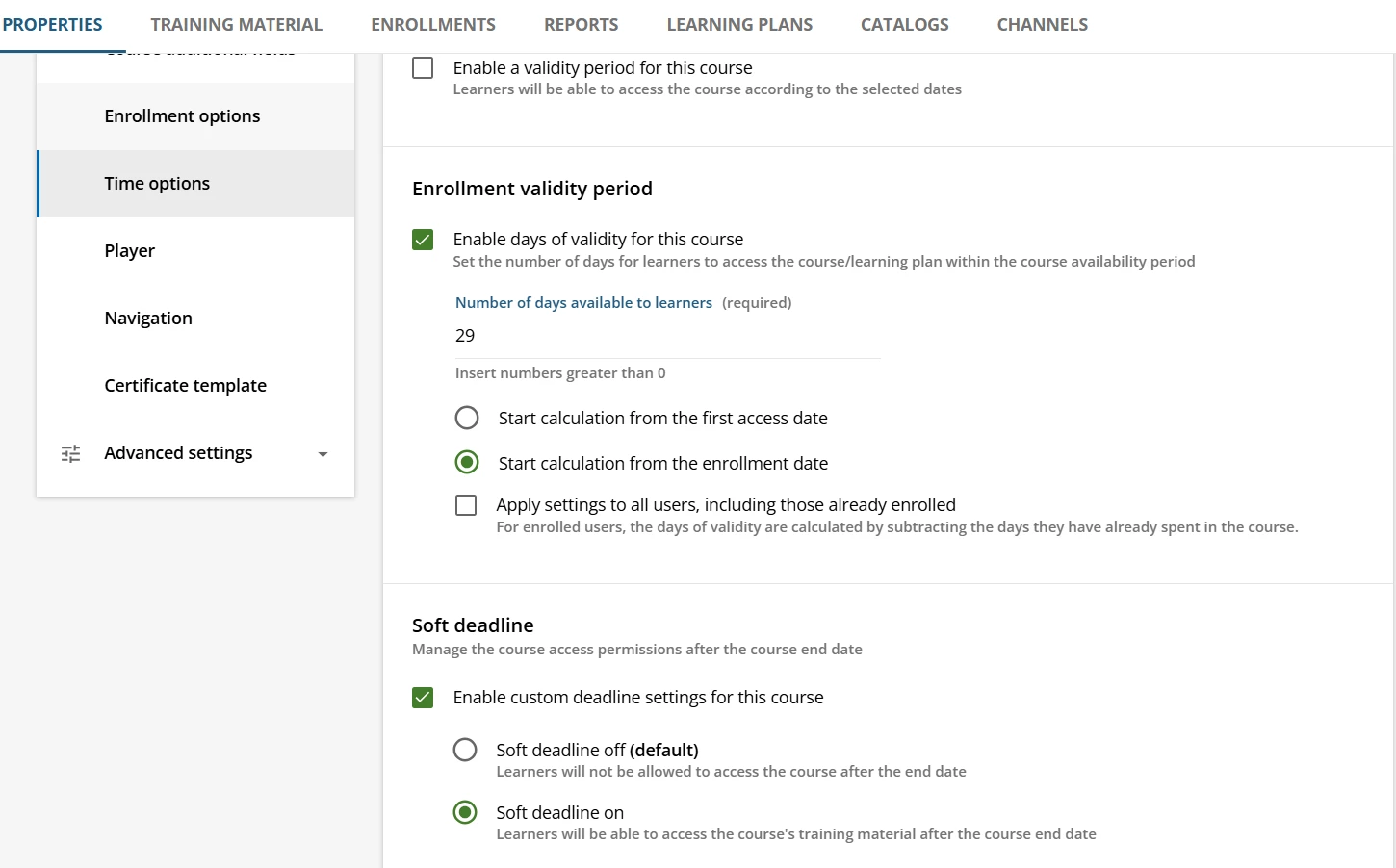
The new hire compliance courses are packaged in a learning plan. All courses have time option programmed at the course level of 30 days and the “soft deadline on” option, which is helpful for us so that if needed, the learner can access the course past the deadline and is not locked out. 

Up until last week, the notifications with the types of “Digest: learner has yet to complete the course” and “course has expired” included these mandatory courses, however, last week, the notifications for these courses stopped working. The notifications seem to be configured correctly and are active/published. 

When I reached out to Docebo tech support, they shared the following: “This may seem unusual, but we corrected an error that was causing the Course Has Expired notification to trigger even when the Soft Deadline option was enabled. Please note that the expected behavior is that this notification will not be triggered when the Soft Deadline is active.”

Does anyone have any suggestions/best practices for programming the notifications so the learner and their manager will get notified 1) when an assigned course (with a validity date and soft deadline on) is coming due and 2) will get notified when this same course is past due? Or, recommendations on how to best configure the course settings and notifications in a way that has a deadline listed but doesn’t lock the user out? 

Note: We tried managing this process at the Learning Plan level by programming the validity period on the learning plan and not the course level, however, the learning plan assigned notification doesn’t include a short code for the validity end date, and it’s misleading to the learners when they receive the course enrolled notification OR view the course in the platform as there is no validity end date listed and a reference to unlimited access, however, this isn’t the case since the access is controlled by the learning plan settings. 

Help and thank you :) 

19 replies

lrnlab
Hero III
Forum|alt.badge.img+10
  • Hero III
  • August 19, 2025

Not sure why they would have created a different effect with the LP reminders. We have been using the “Course has expired” notification for a while and never had any issues as most of the coures with deadlines have soft deadlines. Like they said, this does seem unusual. Did you challenge support or ask that the case be escalated? Seems counterintuitive to have a deadline that you cannot alert your users about.

I understand you use enrolment rules to assign your LP which also causes the course deadlines to be overridden. Although I havent tried it myself if you assign the same LP manually and preconfigured the individual courses within it with their own deadlines (with soft deadline enabled) + a hard deadline on the LP (No soft deadline), could that work? Maybe forgo the LP reminder in favour of the course notification to see if that can be an option. Please test thoroughly.


kellya
Novice II
Forum|alt.badge.img
  • Author
  • Novice II
  • August 19, 2025

What you are suggesting is what we are doing - we are not using the learning plan assigned notification and were going with the course enrolled notifications, however, the change that Docebo made on 8/12 really wrinkled how we configured everything. Thanks for the suggestion to get this escalated. I will do just that! 

For the new hire training (courses and learning plans), we have the learning plan configured with no Time Options (a validity period is not set), and each course within the learning plan has the following Time Options configured (note: we purposefully used 29 days instead of 30 days to factor in late completers to ensure everyone completed within 30 days). 


If the learning plan is configured with a hard deadline and the courses have a soft deadline on and specific validity period, the courses will inherit the learning plan’s configurations and the user will get locked out of the course when the validity period passes (we tested this). 

In our upcoming annual training cycle, the same courses that are assigned to new hires will be assigned to all staff with a due date of 9 weeks instead of 30 days. In reading some of the other posts, it seems like the best way to do this is to create another version of the course in the central repository and specify in the code the validity period, and then configure this version in the learning plans for the annual training and keep the new hire courses programmed as is. Any recommendations on how to do this effectively would be helpful too! 


JKolodner
Helper III
Forum|alt.badge.img+6
  • Helper III
  • August 19, 2025

Thank you for bringing this to our attention. It may impact our team’s use of Notifications!


lrnlab
Hero III
Forum|alt.badge.img+10
  • Hero III
  • August 19, 2025

@kellya oh wow so things are quite messed up. I think I will need to do some testing on my end as well. Thanks for the extra details.


JKolodner
Helper III
Forum|alt.badge.img+6
  • Helper III
  • August 19, 2025

I have submitted a question to our CSM and Account Exec to see if we can get more clarity.


lrnlab
Hero III
Forum|alt.badge.img+10
  • Hero III
  • August 20, 2025

thanks for that ​@JKolodner ...please keep us posted if you dont mind.


JKolodner
Helper III
Forum|alt.badge.img+6
  • Helper III
  • August 21, 2025

@kellya We’ve been doing some experimenting and we wonder if the “change” may cause notifications not to trigger if one is using the Course Enrollment Period but may work if one is using the Enrollment Validity Period setting, both with Soft Deadline on. We also are wondering how a course assignment would affect the notifications – if you were not to set a validity period on the course itself but in the details when you make an assignment for a particular group of people.

Please let us know what you find in your testing.


kellya
Novice II
Forum|alt.badge.img
  • Author
  • Novice II
  • August 21, 2025

@JKolodner - Thanks for doing some testing on this! Our compliance courses are set up with an Enrollment Validity Period that is calculated from the enrollment date for x days and the soft deadline on. The users are enrolled in the courses by auto-enrollment rules. We don’t currently use the Course Enrollment Period since the enrollment dates can differ depending on start dates. Keep us posted on what your CSM says, please! 


anodom
Novice II
Forum|alt.badge.img+1
  • Novice II
  • August 21, 2025

Thank you for posting. We also use soft deadlines at the course level paired with the Course Has Expired event for our courses. These have worked in the past, but we will also now do some testing on our end.


Regarding the Digest: Learner has yet to complete the course notifications: We reported an issue where these were no longer triggering successfully in our production environment for our large volume compliance notifications. We were informed the dev team is working on a fix to accommodate digest notifications with more than 10k recipients. We are awaiting an ETA, and I will post here once we have it.


JKolodner
Helper III
Forum|alt.badge.img+6
  • Helper III
  • August 22, 2025

I’m told there are some developments coming on this topic. Stay tuned.


shanejacques
Helper III
Forum|alt.badge.img+5
  • Helper III
  • August 22, 2025

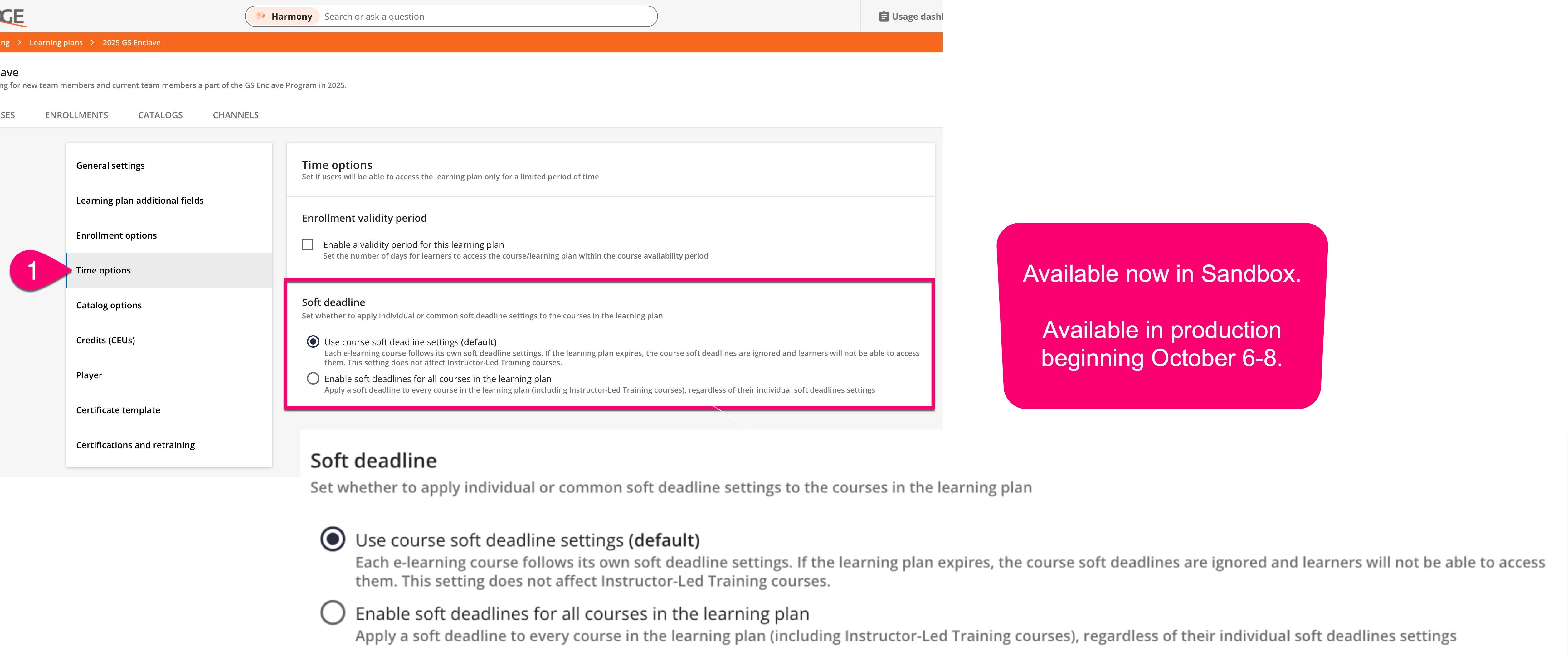
It might also be good to keep in mind that soft deadlines are coming for Learning Plans. We have the feature now in our sandbox, and it will hit Production between October 6 and October 8.

This is one of those cases where we’ll want to pay attention to the session descriptions, though. I’ve been staring at the options for about 30 minutes and the title of the first option seems misleading compared to the described behavior of that option. Or maybe I’m suffering from “Friday afternoon” brain?


Hi everyone!

I’m Giacomo, a Product Business Analyst on the team. Thanks for your feedback regarding the course expiration notifications.

We want to clarify that the correct behavior is for these notifications to be sent even when a soft deadline is active.

A recent update mistakenly changed this, and we sincerely apologize for any inconvenience or confusion this has caused. We know these reminders are important for managing your courses.

The good news is that a fix has already been prepared and will be included in our next release to restore the correct behavior.

We appreciate your patience and for bringing this to our attention!

Best, Giacomo


JKolodner
Helper III
Forum|alt.badge.img+6
  • Helper III
  • August 25, 2025

Thanks ​@giacomo.fosci ! We really appreciate the attention to this issue. What is the date for the next release when this fix will be made?


kellya
Novice II
Forum|alt.badge.img
  • Author
  • Novice II
  • August 25, 2025

Yes, thank you for the information, ​@giacomo.fosci

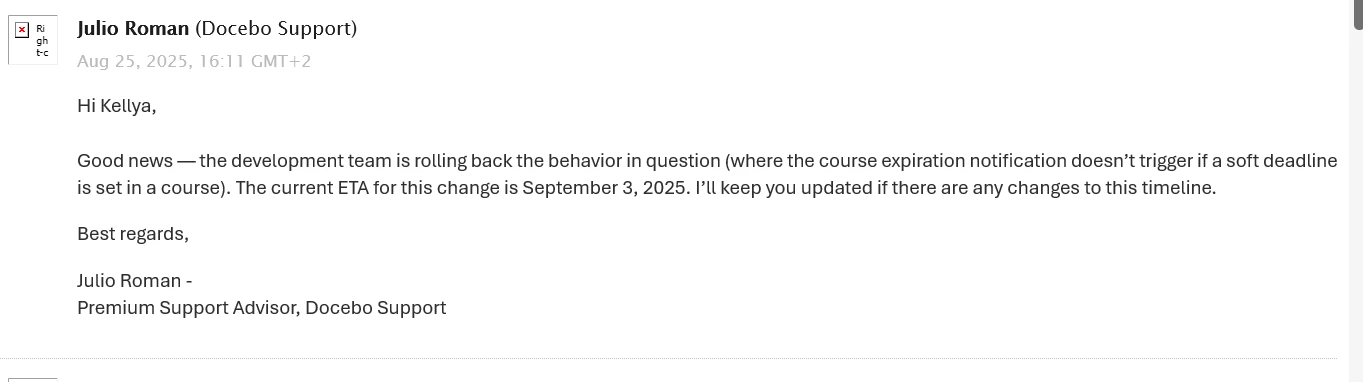
Hello, everyone. I received this update from Docebo tech support this morning - looks like they are estimating September 3, 2025 for the change to be made.


JKolodner
Helper III
Forum|alt.badge.img+6
  • Helper III
  • August 25, 2025

Good news! I got the same notification from my CSM.


anodom
Novice II
Forum|alt.badge.img+1
  • Novice II
  • August 26, 2025

Thank you for sharing! I was informed the fix to accommodate digest notifications with more than 10k recipients is also currently scheduled for September 3.


Forum|alt.badge.img+1
  • Influencer III
  • September 4, 2025

Following this chat before I implement changes.


anodom
Novice II
Forum|alt.badge.img+1
  • Novice II
  • September 5, 2025

Update in case anyone else was running into this scenario: The fix to accommodate digest notifications with more than 10k recipients was deployed on September 3, and we confirmed we were able to send from our platform yesterday (9/4/25).


JKolodner
Helper III
Forum|alt.badge.img+6
  • Helper III
  • September 5, 2025

Our tests seem to show that the notifications are working properly.