

Answer

Power Users access to Reports / New Reports

  • January 11, 2023
  • 3 replies
  • 235 views

Hello,

I can’t seem to allow access to my Power Users into the Reports or New Reports areas from their Admin Menu. Regardless of what permissions I include or Profile modifications I make, when the PU clicks on either option from the Admin Menu they are greeted with the 403 “Forbidden” Error screen.
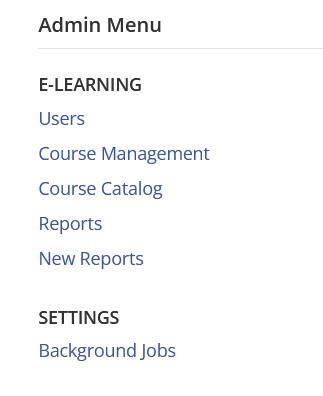
Any tips, recos would be most appreciated!

thanks

Best answer by lrnlab

hmm frustrating for sure...make sure you also give them at least view access to users and courses they need to report on.

Also, you may want to have them clear their cache, browser history etc. to clear the error...this can happen in cases where they do not log out using “sign out”.

3 replies

lrnlab
Hero III
Forum|alt.badge.img+10
  • Hero III
  • Answer
  • January 11, 2023

hmm frustrating for sure...make sure you also give them at least view access to users and courses they need to report on.

Also, you may want to have them clear their cache, browser history etc. to clear the error...this can happen in cases where they do not log out using “sign out”.


  • Author
  • Novice III
  • January 11, 2023

hmm frustrating for sure...make sure you also give them at least view access to users and courses they need to report on.

Also, you may want to have them clear their cache, browser history etc. to clear the error...this can happen in cases where they do not log out using “sign out”.

Thanks Irnlab, it was indeed an issue with clearing cache! 


lrnlab
Hero III
Forum|alt.badge.img+10
  • Hero III
  • January 11, 2023

glad it was an easy fix!

