Answer

Preferred Language Change

  • July 29, 2024
  • 7 replies
  • 122 views

This may be silly. Does anyone know how a learner user can change their preferred language on their account, without having to go to admins? 

Best answer by slgoldstein

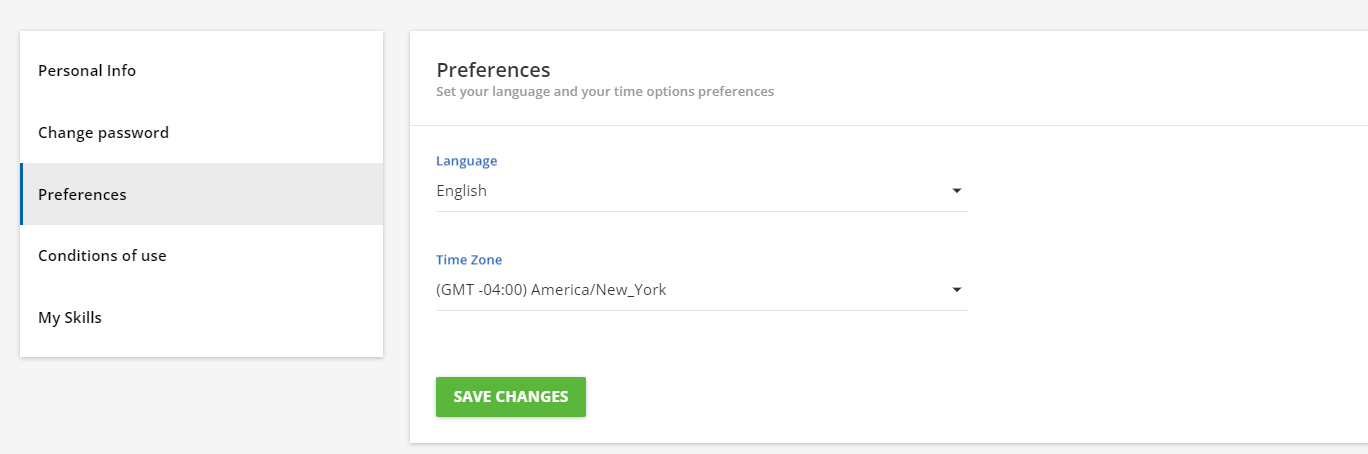
Hi @aescobar - they should be able to do this by going to My Profile, and then selecting preferences:

Hope that helps!


7 replies

slgoldstein
Novice III
Forum|alt.badge.img+1
  • Novice III
  • Answer
  • July 29, 2024

Hi @aescobar - they should be able to do this by going to My Profile, and then selecting preferences:

Hope that helps!


  • Author
  • Novice I
  • July 29, 2024

Thank you, it doesn’t look like we have the “My Profile” option. 


slgoldstein
Novice III
Forum|alt.badge.img+1
  • Novice III
  • July 29, 2024

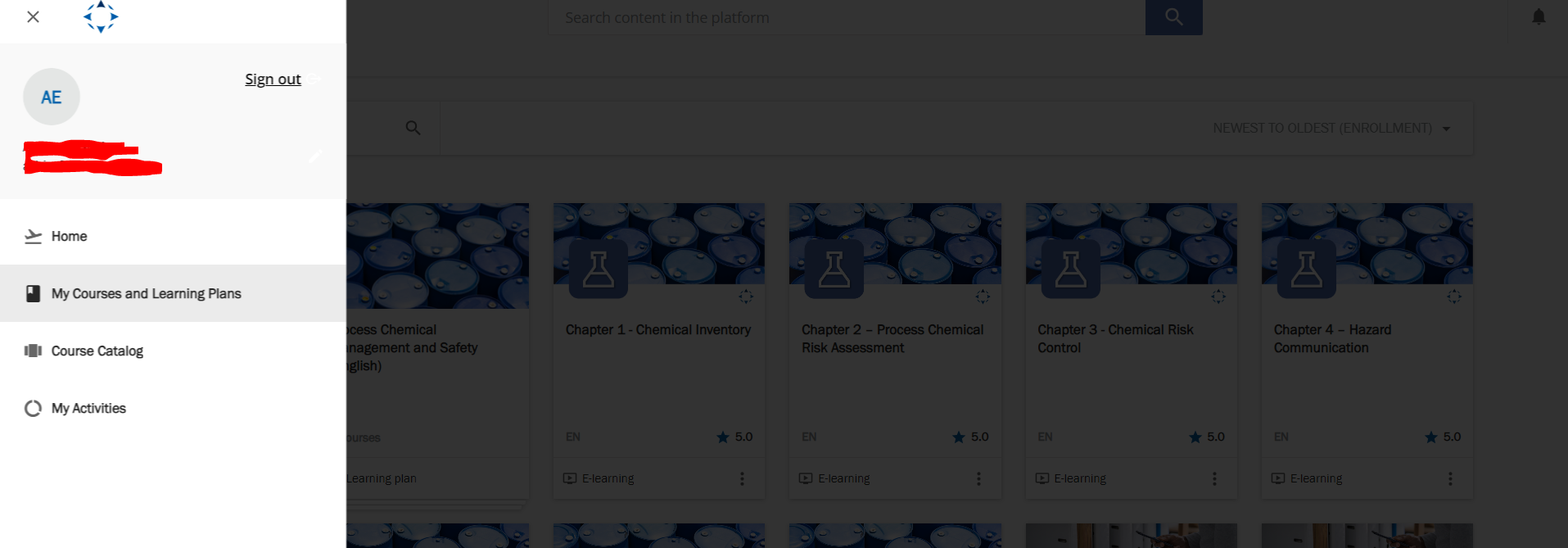
Hi - it should be available when they click on the user menu.  They will see a pencil next to their name, that they would then click to get to the profile page.


slgoldstein
Novice III
Forum|alt.badge.img+1
  • Novice III
  • July 29, 2024

Okay @aescobar - sorry about that!  Didn’t realize.


  • Novice I
  • March 26, 2025

As far as I know, except for superadmins, users cannot change the language preference, right?


slgoldstein
Novice III
Forum|alt.badge.img+1
  • Novice III
  • March 26, 2025

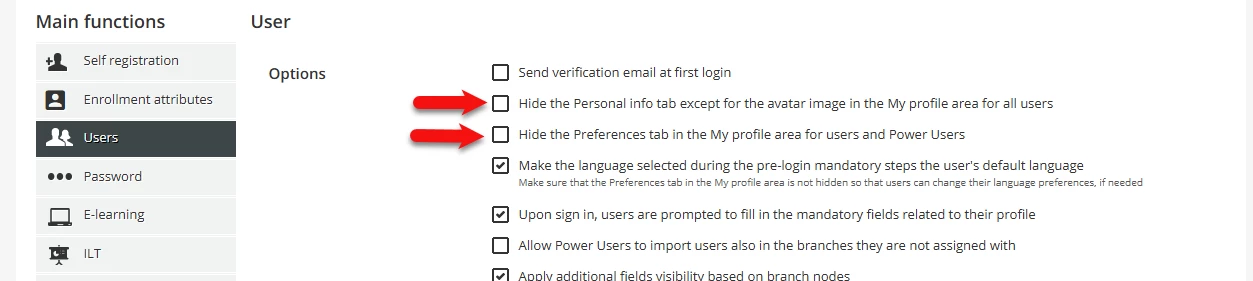
I think it depends on how you have the advanced settings configured.  If you have hidden the preferences tab in the My Profile area for users and Power Users they will not see the prefererences and therefore cannot make changes.  If it is Unhidden, then the user or power user should be able to see and change.  (This of course depends on the languages you have activated in the platform.)  Below is a screenshot of the advanced setting you would want to look at:


  • Novice I
  • March 27, 2025

Hi ​@slgoldstein thank you for your reply, I deselected ‘hidden’ and it works, users can now change the language preference in their profiles. Thanks again!

Have a nice day 🙂