

Question

Reporting for Event Attendance?

  • November 29, 2021
  • 6 replies
  • 416 views

JGildea
Helper II
Forum|alt.badge.img+1

We’ve got a course that has 21 events associated with a single session. As far as I can see, there is no way to report on or view attendance for the session by event. 

Example: We’ve got an employee who isn’t marked complete for the session. We need to find out which event(s) he missed. I had to go through 21 sessions to check every one and find the one event he missed (event #20). Imagine doing that for 75 attendees!!


Anyone else have this issue? Any workarounds?


TIA!


Jennifer

6 replies

malicm
Contributor II
Forum|alt.badge.img
  • Contributor II
  • December 8, 2021

@JGildea I have had that issue. I have a session with about 100 events, but the employee only needs to attend 6 to be marked complete. Not sure if this is easier, but for single cases, I have logged in as the user, accessed the course and can see all of the events they were marked as attending. It shows a check mark next to the events attended. 

If you don't need to know the exact event not attended, you can go to the Reports tab in the course. Then search for the user. It will give you the number of hours attended. 

I will be interested if someone has an easier way. 


lrnlab
Hero III
Forum|alt.badge.img+10
  • Hero III
  • April 19, 2022

@JGildea agree with you...there is a gap in the Session reports where the Attendance time is shown but not the actual attendance status (Present, Absent, Not Set). This needs to be added to the report.

I created a new idea if you can vote it up. Thank you.


JGildea
Helper II
Forum|alt.badge.img+1
  • Author
  • Helper II
  • April 19, 2022

Upvoted! Thank you!


Bfarkas
Hero III
Forum|alt.badge.img+6
  • Hero III
  • April 19, 2022

@JGildea agree with you...there is a gap in the Session reports where the Attendance time is shown but not the actual attendance status (Present, Absent, Not Set). This needs to be added to the report.

I created a new idea if you can vote it up. Thank you.


Thanks for putting the idea together, definitely upvoted!


  • Helper I
  • January 30, 2025

In continuation of this, does anybody know whether it’s possible to mark attendance after the fact, or only at the time of evaluation?

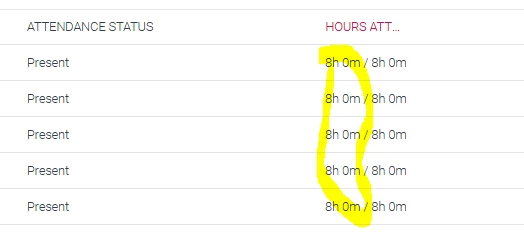
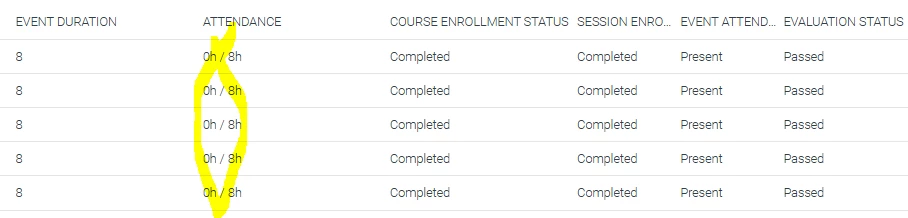
I’ve just discovered a truckload of users that a couple of our trainers have neglected to mark as attended, so this is affecting our consumed hours stats. I tested marking some as attended in the session - the course completion notification was re-sent, but no change in the hours. So I then went and marked them attended in the event - still no change to the consumed hours.

The event shows them as present, with the correct hours attended.


The report shows them as present, but the attendance hours are still 0.


Any words of wisdom?


  • Helper I
  • January 31, 2025

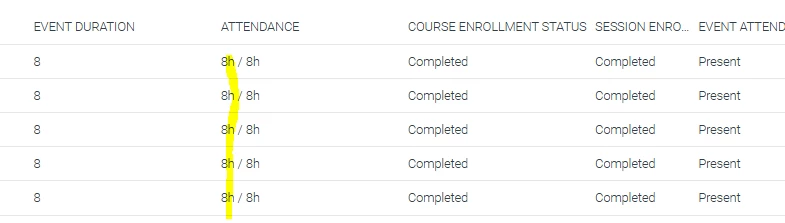
Correction. Marking attendance in the events after the fact does work. It just takes over an hour for the report data to update (helpful).