I am trying to set up a report with instructor led training sessions only, without the user data - we are trying to set a report view up for admins to see the upcoming class schedule in tabular format which they can extract.
Has anyone been able to accomplish this using custom reports or otherwise?
Best answer by lrnlab
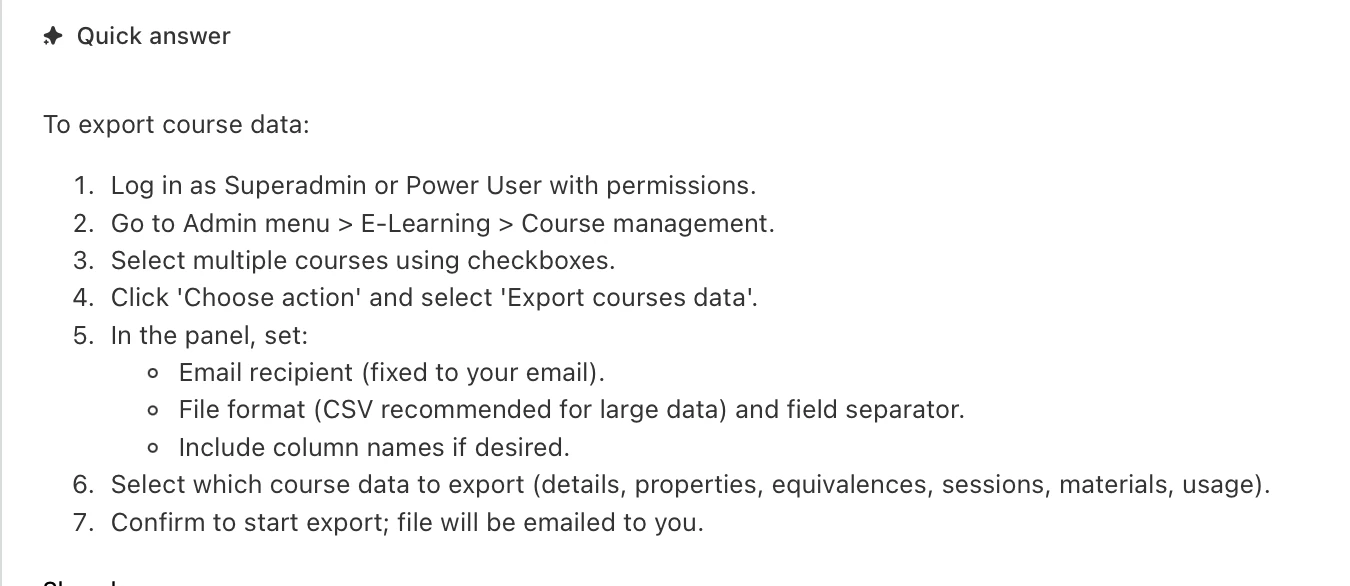
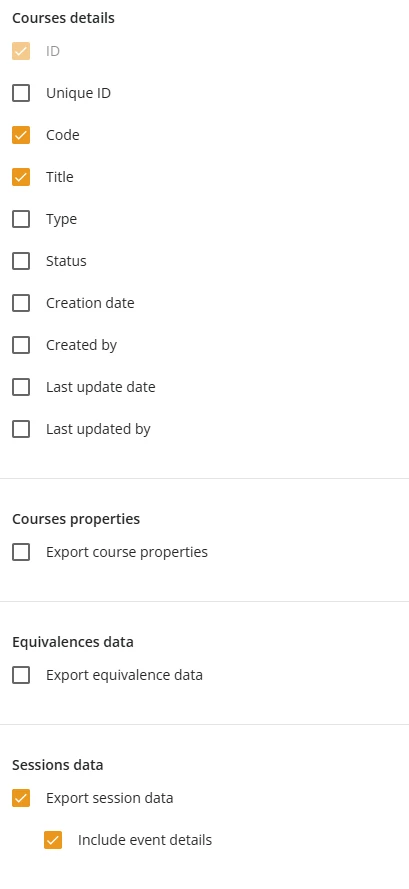
Note that the Users - ILT Sessions report will only output session where users are enrolled. To get a proper view into all sessions you can use the “export Course data” option from the Course Management page.
I have just been trying to find and build this exact report, I tried with the Users-ILT Sessions and am in the midst of testing it without much luck! I would love to see an answer with this :)
Note that the Users - ILT Sessions report will only output session where users are enrolled. To get a proper view into all sessions you can use the “export Course data” option from the Course Management page.
I was looking for a report to see all upcoming ILT sessions with or without enrollments. I found that enrolling the instructor at the course level the Users-ILT Session report provides this. I chose to view the user information but you could choose not to. I also set up a schedule to have this report emailed to specific leaders so they can see who has attended and what the up coming classes are.
Note that the Users - ILT Sessions report will only output session where users are enrolled. To get a proper view into all sessions you can use the “export Course data” option from the Course Management page.
it still needs some work after you export the data as it will include ALL sessions.
Have you looked at using the Catalogue widget in calendar view mode instead?
Thank you! Yes, the export course data is helpful, but I need this capability for a specific Power User Profile that does not have course edit access. Docebo help informed me that only Power Users with course edit access are able to export the course data, Power users with course view or enrollment access cannot export this data.
Tried Calendar view as well but prefer the spreadsheet export.
Note that the Users - ILT Sessions report will only output session where users are enrolled. To get a proper view into all sessions you can use the “export Course data” option from the Course Management page.
Hi Everyone - I created an idea for this report request. If you feel that this idea resonates with you and is relevant for your business, please vote for it: Report: Extract Session Schedule | Community